
 SrPlex141 ManoloER javerwoky TheVoid90 Ruulitos Diego32XL pedrito124 Skynxs Panchame Txmyzx GastAck CaLiRamos RaziniWolf Thzin2b2 Chifrijo_0229 yayanjuuu Clupsus elsoplapollos Bfres Vicpro00 Diego1717_ carlospillo viguente frijolito92 RigbyPija Zurikatita miloslol LoveSantyy Javier8746 ElParienteeKun benjaelpelao sestevez5 NarcoShooter Torvxz Xx_Natan_xX skyygato123 DiffKeef Arcade_Dragon Alezzz23 Shyyyy04 Renga311 S3blemus Mago811 Lelouch_B realkimpine Alejotnr MAXI201020 santidiaz Beto8 b9fs marcel01101 Mayki117 navotron Juanky01 XenonPVP moisam09 AlessXXD kinsoniko Sigh_GOD Lababagy
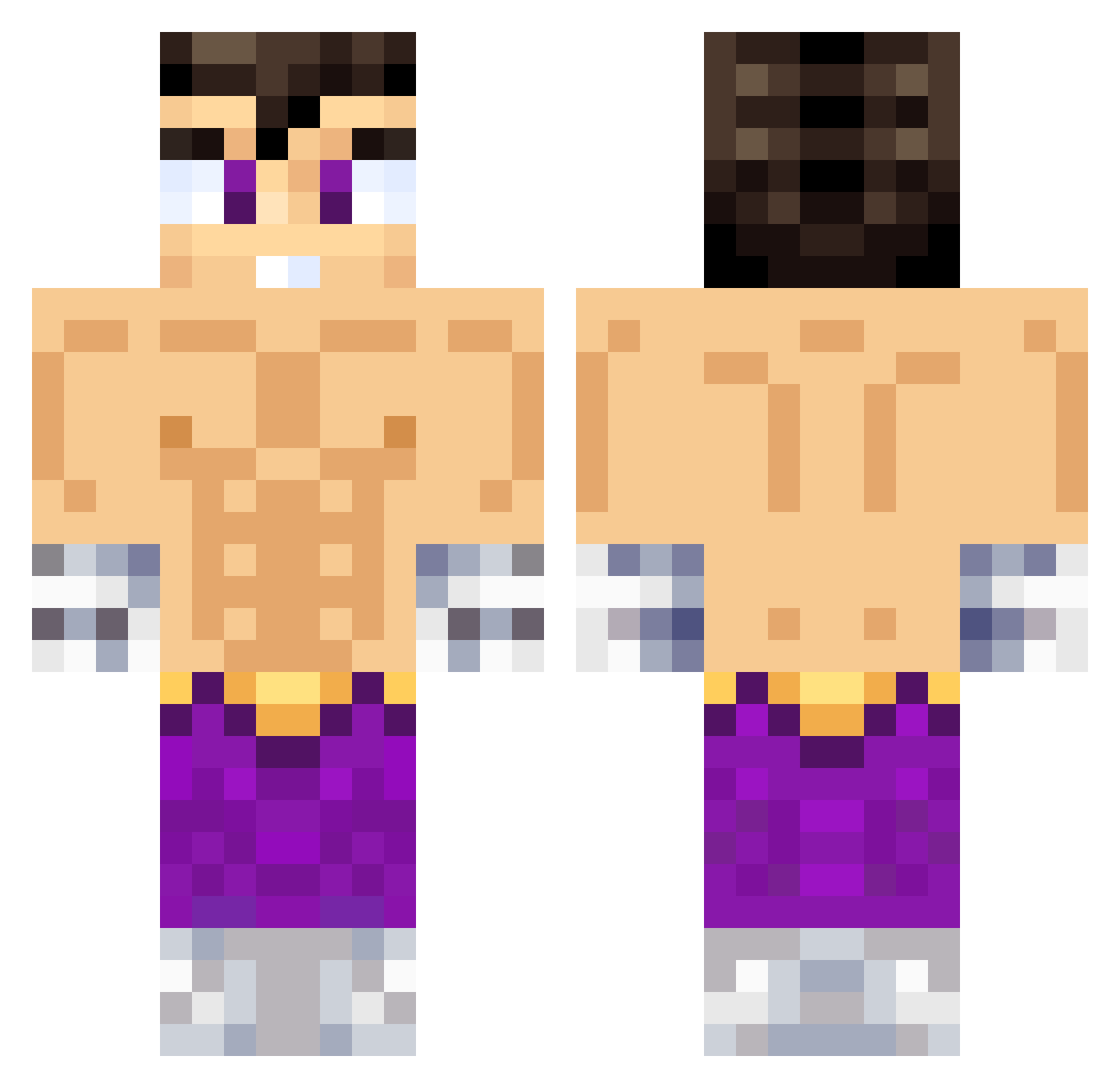
Minecraft skin of MAQUINA23. Rotate the 3D model with your mouse or finger to view the skin from every angle, then download it as a PNG file and use it in Minecraft: Bedrock Edition or Java Edition for free. Rate the skin with stars to help other players find the best skins in our collection.
How to install the MAQUINA23 skin
- Press the Download button above to save the skin as a PNG file.
- Minecraft: Bedrock Edition (PE): open the Dressing Room from the main menu (or tap your character → Edit Character), go to Classic Skins → Owned, press the + (new skin) button, choose the downloaded PNG and pick the Classic (Steve) model. Works on PC and mobile; consoles cannot import custom skins.
- Minecraft: Java Edition: open the Minecraft Launcher, go to the Skins tab, click New Skin, load the PNG, pick the Classic (Steve) model and press Save & Use. You can also upload it at minecraft.net → Profile → Change Skin.
The skin does not show up after import - what should I do?
Restart Minecraft and open the Dressing Room again - imported skins sometimes appear only after a restart. Also make sure you selected the imported skin and picked the Classic (Steve) model.
Which model should I choose, Classic or Slim?
This skin is designed for the Classic (Steve) model. If you pick the wrong model, the arms of the skin will look stretched or squeezed.
Is this skin free to use?
Yes. Press Download, save the PNG file and use it in Minecraft: Bedrock Edition or Java Edition - no payment or registration needed. The skin also works on multiplayer servers and Realms.
More Jin Kazama Minecraft skins
More skins
Looking for more? Go back to all Minecraft skins and check the top skins of the week, month and all time, or find any player's skin by nickname.