
SteffyS - Minecraft Skins & Skin History
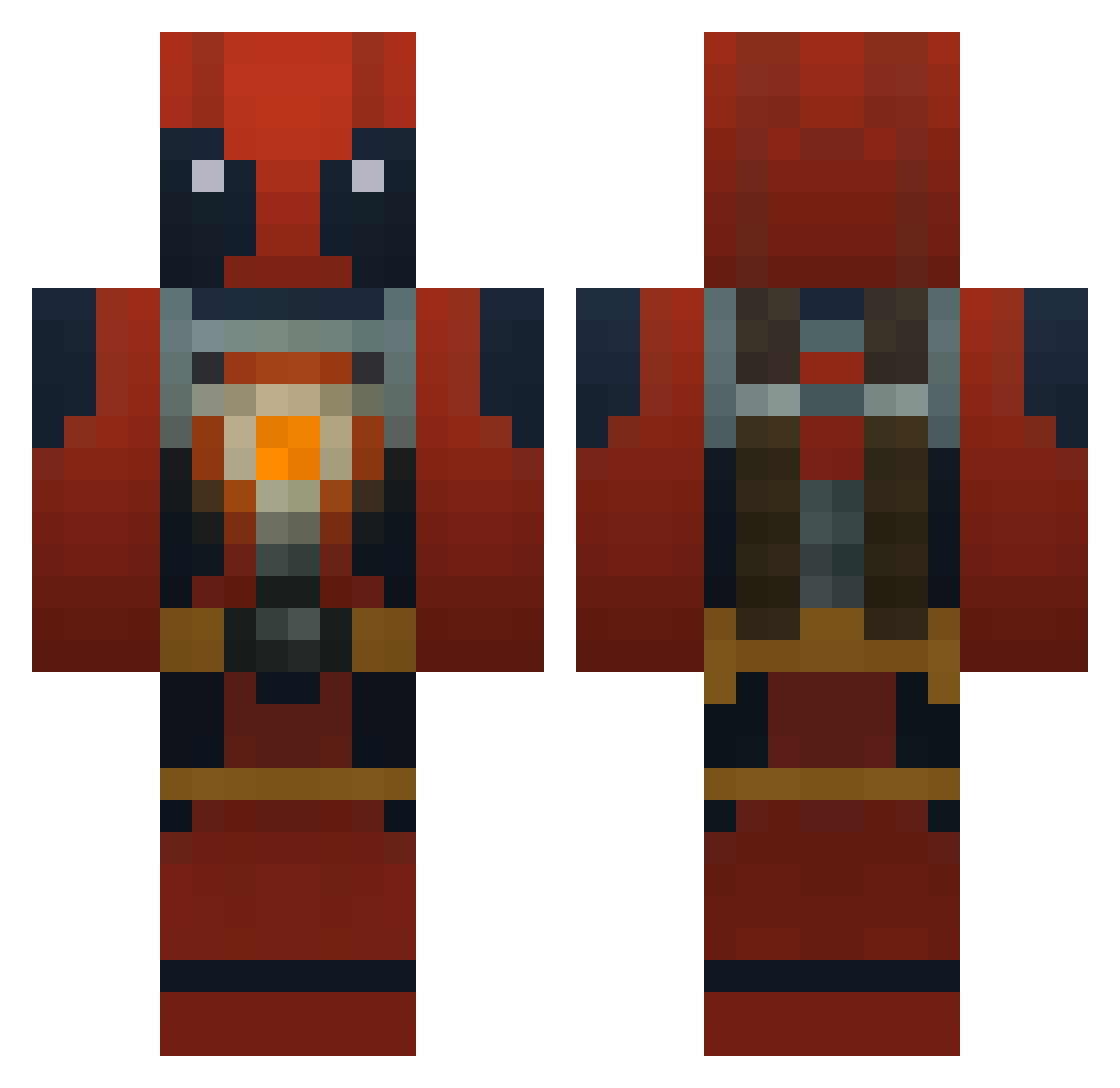
Current Minecraft skin of the player SteffyS, loaded from the official Mojang API. Rotate the 3D model with your mouse or finger, then download the skin as a PNG file and use it in Minecraft: Bedrock Edition or Java Edition for free. When SteffyS changes their skin, this page updates automatically and the old skin stays in the history below.
Other players with this skin (185)
SteffyS was the 31st player we have seen with this skin, first spotted on 11.08.2026. The same skin was seen on these players. Open a nickname to see their current skin and skin history.
 PlurbMaster EatPsilocybin reaper1990 orca0501 dededs Michaelwd22 Drebin813 adamzeitoun wastedinc Smeijk Latos4 vdkj sabrekilla ProdyG TheTrustBuster MichealJCab00se windmill1984 verylazycanadian Deeptaco V5VoltroN yunamena00 IvRlXJosh Lixey Blackwolf5401 DaEpicJosh M4rshmellowKing Goggi_PvP Fellwing83 AndamosReally alfaro_bob XeoMark SavageWeston08 AlmightyJokur Mortaire Hoonieee MAS1KA Flip_Flop16 Ankerboy terrorkiwi1998 VinTin6724 XicoAlves DaIdiot Tiongil WonderRogue jugame363 Ricky_1465 Justiroh CHUSpower Maverick1978 marcohurdler Darkmoon0408 andyyy717 Ningomario QxQ1 RunningHeadShot Ahao831 shadowkeegz DocterSparkles Sirfixx 4dogiskindagaj
More Deadpool Minecraft skins
How to install the SteffyS skin
- Press the Download button above to save the skin as a PNG file.
- Minecraft: Bedrock Edition (PE): open the Dressing Room from the main menu (or tap your character → Edit Character), go to Classic Skins → Owned, press the + (new skin) button, choose the downloaded PNG and pick the Classic (Steve) model. Works on PC and mobile; consoles cannot import custom skins.
- Minecraft: Java Edition: open the Minecraft Launcher, go to the Skins tab, click New Skin, load the PNG, pick the Classic (Steve) model and press Save & Use. You can also upload it at minecraft.net → Profile → Change Skin.
The skin does not show up after import - what should I do?
Restart Minecraft and open the Dressing Room again - imported skins sometimes appear only after a restart. Also make sure you selected the imported skin and picked the Classic (Steve) model.
Which model should I choose, Classic or Slim?
This skin is designed for the Classic (Steve) model. If you pick the wrong model, the arms of the skin will look stretched or squeezed.
Is the skin of SteffyS free to download?
Yes. Press Download, save the PNG file and use it in Minecraft: Bedrock Edition or Java Edition - no payment or registration needed. The skin also works on multiplayer servers and Realms.
More skins
Looking for more? Go back to all Minecraft skins and check the top skins of the week, month and all time, or find any player's skin by nickname.