
StagedCascade4 - Minecraft Skins & Skin History
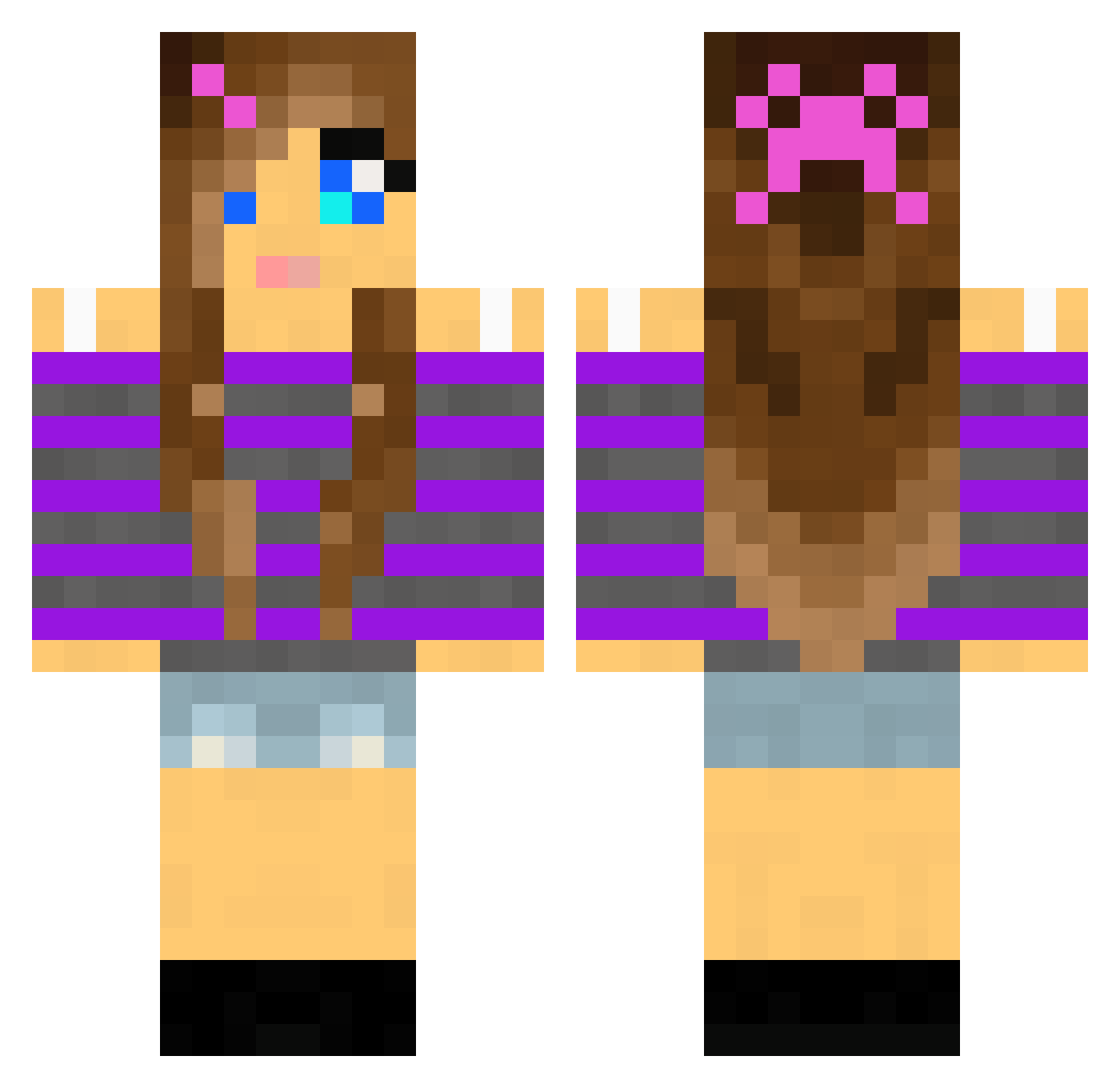
Current Minecraft skin of the player StagedCascade4, loaded from the official Mojang API. Rotate the 3D model with your mouse or finger, then download the skin as a PNG file and use it in Minecraft: Bedrock Edition or Java Edition for free. When StagedCascade4 changes their skin, this page updates automatically and the old skin stays in the history below.
Other players with this skin (2011)
StagedCascade4 was the 1460th player we have seen with this skin, first spotted on 11.10.2026. The same skin was seen on these players. Open a nickname to see their current skin and skin history.
 missprox23 Trinitygym Raquel06 AnikaOlsen goat111 pixelmama purplepup1 Piefe guldblomme Pixietrixie Msma415 Miaj01 LittleBitComa _Joeboxer_ hellofalover Empress_Aimee futte0 Finn1186 joahchima cheerhail pepper_95 LMNtrixx2 FlowerFighter sessan53 jewel_lee audiogreen Madkicker Xanarok JulleTossen oblivion554 Princessdogs COCOPUFFS970 RachP999 gregle987 Kenzie0128 GO2009 Turtl3bomb candycan3 adm1983 Australia14 chacha8102 CreeperAlex214 TISCHLER_1011 Sternschnupe Superllama98 hilde98 BATHugo ILIKETACOSTHE3 Dilara07 angela347 3rdTimeLucky AshleyBelnap DeviDoodles allinm lolly164 julieparant EricaLopes puppyluver11 flypigsfly maria5857865
More Girl Minecraft skins
How to install the StagedCascade4 skin
- Press the Download button above to save the skin as a PNG file.
- Minecraft: Bedrock Edition (PE): open the Dressing Room from the main menu (or tap your character → Edit Character), go to Classic Skins → Owned, press the + (new skin) button, choose the downloaded PNG and pick the Classic (Steve) model. Works on PC and mobile; consoles cannot import custom skins.
- Minecraft: Java Edition: open the Minecraft Launcher, go to the Skins tab, click New Skin, load the PNG, pick the Classic (Steve) model and press Save & Use. You can also upload it at minecraft.net → Profile → Change Skin.
The skin does not show up after import - what should I do?
Restart Minecraft and open the Dressing Room again - imported skins sometimes appear only after a restart. Also make sure you selected the imported skin and picked the Classic (Steve) model.
Which model should I choose, Classic or Slim?
This skin is designed for the Classic (Steve) model. If you pick the wrong model, the arms of the skin will look stretched or squeezed.
Is the skin of StagedCascade4 free to download?
Yes. Press Download, save the PNG file and use it in Minecraft: Bedrock Edition or Java Edition - no payment or registration needed. The skin also works on multiplayer servers and Realms.
More skins
Looking for more? Go back to all Minecraft skins and check the top skins of the week, month and all time, or find any player's skin by nickname.