
SpeedyFriend200 - Minecraft Skins & Skin History
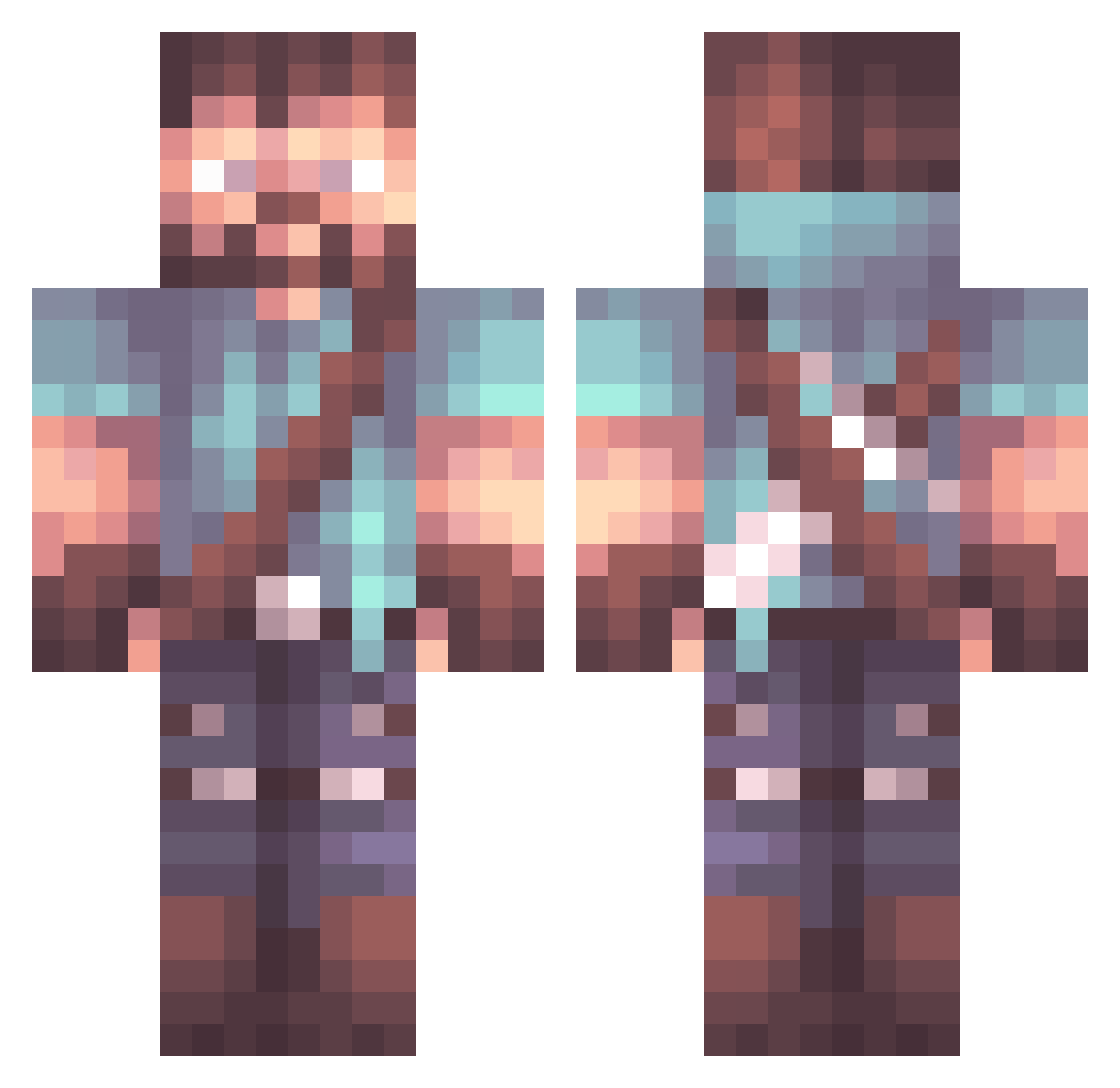
Current Minecraft skin of the player SpeedyFriend200, loaded from the official Mojang API. Rotate the 3D model with your mouse or finger, then download the skin as a PNG file and use it in Minecraft: Bedrock Edition or Java Edition for free. When SpeedyFriend200 changes their skin, this page updates automatically and the old skin stays in the history below.
Other players with this skin (1063)
SpeedyFriend200 was the 308th player we have seen with this skin, first spotted on 27.08.2026. The same skin was seen on these players. Open a nickname to see their current skin and skin history.
 MJ1988 NerdyLlama1234 Tomany ChetTheAdventure Qquokkar rhiz0n cOwOnel_Swanders Vaudince FlipdSwitch Raiz00 chiken_nuggett Horst_666 chrisjamesg3 FamousCarpet Apolin King_Nautilus Hedbars Tokuriku RogueSoul824 Barbaweed TheNameIsWoods Lyusss Naryyah Kozmic4Life AlvarezR96 The_Dunc klinkenberg06 BrownCookie_ Jerrikyya Captain2no1 Glydier KenzoBlueberry Yunng1 Isowix Sgushonka Epidemicjack TheMineCraftMage DTMGaming07YT V1zg SilenceForEver1 GypsyAngelRow PapaSucre7 shadowdark3 ChrisCuervo bailey_7 Kizwald xcre trahoyober Aceps_Gevoya Baltzenger Marcs9904 2003z ParalyzedDonkey Mako1815 Blckby BigVaderx Luxflux1 Evixio GrandpaJoseph Pairo8998
More Herobrine Minecraft skins
How to install the SpeedyFriend200 skin
- Press the Download button above to save the skin as a PNG file.
- Minecraft: Bedrock Edition (PE): open the Dressing Room from the main menu (or tap your character → Edit Character), go to Classic Skins → Owned, press the + (new skin) button, choose the downloaded PNG and pick the Classic (Steve) model. Works on PC and mobile; consoles cannot import custom skins.
- Minecraft: Java Edition: open the Minecraft Launcher, go to the Skins tab, click New Skin, load the PNG, pick the Classic (Steve) model and press Save & Use. You can also upload it at minecraft.net → Profile → Change Skin.
The skin does not show up after import - what should I do?
Restart Minecraft and open the Dressing Room again - imported skins sometimes appear only after a restart. Also make sure you selected the imported skin and picked the Classic (Steve) model.
Which model should I choose, Classic or Slim?
This skin is designed for the Classic (Steve) model. If you pick the wrong model, the arms of the skin will look stretched or squeezed.
Is the skin of SpeedyFriend200 free to download?
Yes. Press Download, save the PNG file and use it in Minecraft: Bedrock Edition or Java Edition - no payment or registration needed. The skin also works on multiplayer servers and Realms.
More skins
Looking for more? Go back to all Minecraft skins and check the top skins of the week, month and all time, or find any player's skin by nickname.