
Sora_and_Shiro - Minecraft Skins & Skin History
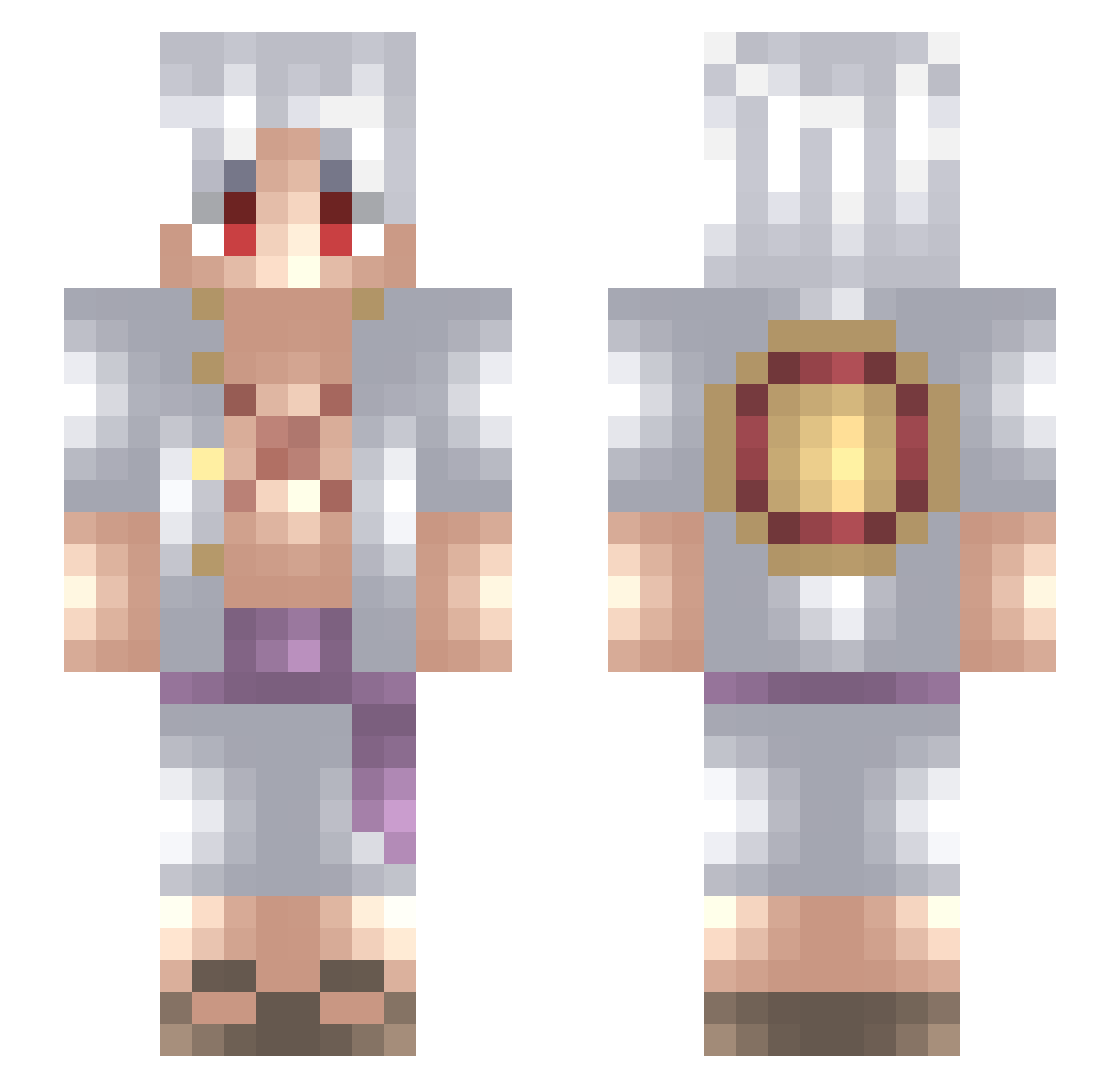
Current Minecraft skin of the player Sora_and_Shiro, loaded from the official Mojang API. Rotate the 3D model with your mouse or finger, then download the skin as a PNG file and use it in Minecraft: Bedrock Edition or Java Edition for free. When Sora_and_Shiro changes their skin, this page updates automatically and the old skin stays in the history below.
Other players with this skin (725)
Sora_and_Shiro was the 306th player we have seen with this skin, first spotted on 13.09.2026. The same skin was seen on these players. Open a nickname to see their current skin and skin history.
 lolofelix MrSamip00 Ilovecocoo Splatoon5402 Xentuuu iSkyZz21 Myssticxss DanoelR storm94240 Rhetired KOKO0628 Karcsireal iAmdree DR4IGOR Gamemaster7764 Darki47 _arp oremorynivuj GooseWave1 um_rehzy Mcruzg10 ParapaDaRappa Carainha Dianthusz Frazuku iX3QF MagicMC deku123x Luffy_1102 Zaynaa_ Higglemorts Thecreeper46 Zardekoff _KingKarma_ AtlxnTisS R4zerTab1e SSSpades StrawHatJeby Kehem sakura_t vitro3 Rhuum77 NAF0510 Escapist117 chega_ STAY_MC cloudyxdxd TankSquat CaucasianKev Mister_Arrow CrabHermit23 Dannycashh Bjay23 Alexis_Rey DAKSIROLS AmbieAmbie saymazm i3mvxr Hakaiii71 ImStibito
More Monkey D Luffy Minecraft skins
See all 965 Monkey D Luffy skins
How to install the Sora_and_Shiro skin
- Press the Download button above to save the skin as a PNG file.
- Minecraft: Bedrock Edition (PE): open the Dressing Room from the main menu (or tap your character → Edit Character), go to Classic Skins → Owned, press the + (new skin) button, choose the downloaded PNG and pick the Slim (Alex) model. Works on PC and mobile; consoles cannot import custom skins.
- Minecraft: Java Edition: open the Minecraft Launcher, go to the Skins tab, click New Skin, load the PNG, pick the Slim (Alex) model and press Save & Use. You can also upload it at minecraft.net → Profile → Change Skin.
The skin does not show up after import - what should I do?
Restart Minecraft and open the Dressing Room again - imported skins sometimes appear only after a restart. Also make sure you selected the imported skin and picked the Slim (Alex) model.
Which model should I choose, Classic or Slim?
This skin is designed for the Slim (Alex) model. If you pick the wrong model, the arms of the skin will look stretched or squeezed.
Is the skin of Sora_and_Shiro free to download?
Yes. Press Download, save the PNG file and use it in Minecraft: Bedrock Edition or Java Edition - no payment or registration needed. The skin also works on multiplayer servers and Realms.
More skins
Looking for more? Go back to all Minecraft skins and check the top skins of the week, month and all time, or find any player's skin by nickname.