
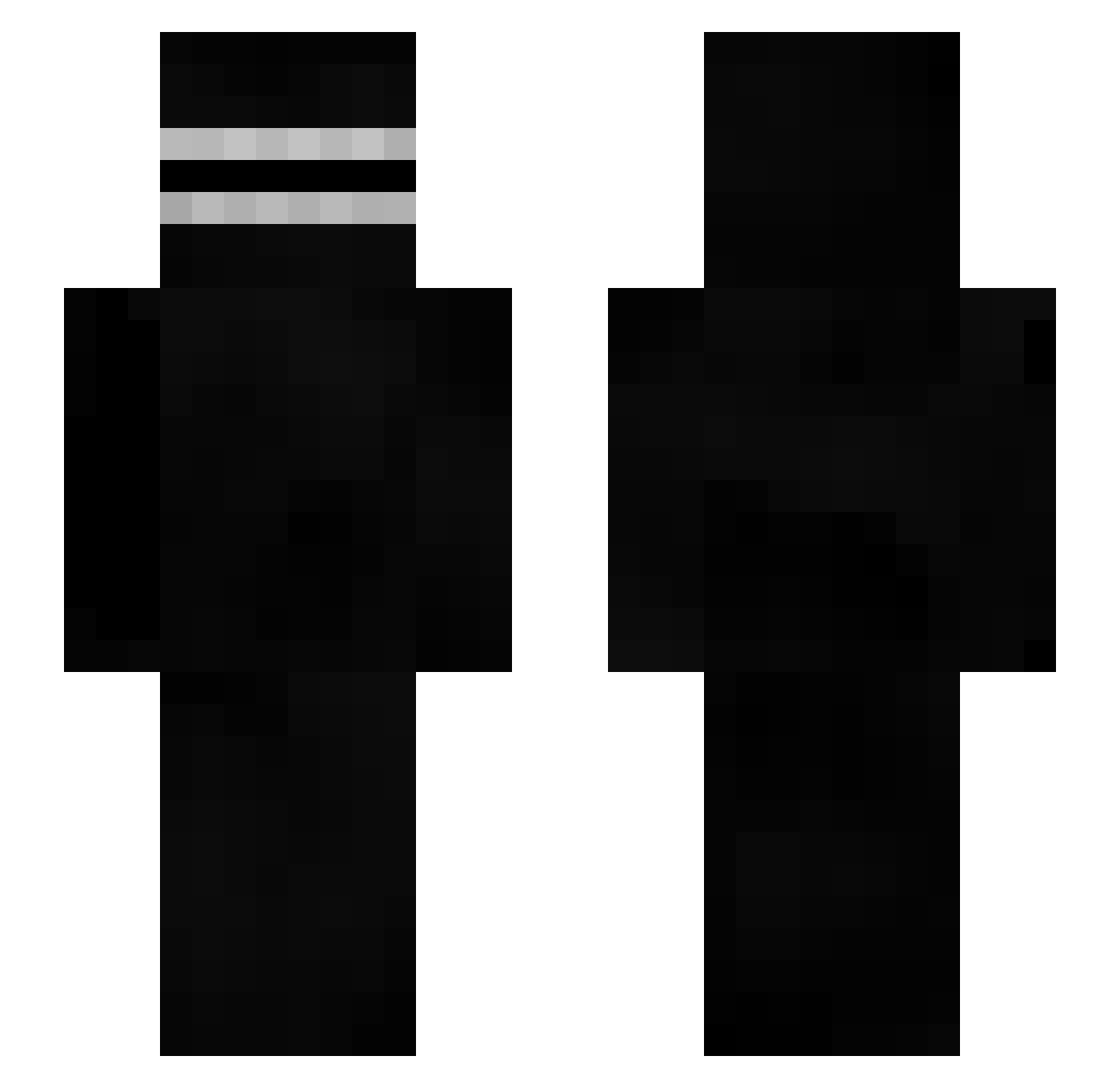
Current Minecraft skin of the player Sojourin, loaded from the official Mojang API. Rotate the 3D model with your mouse or finger, then download the skin as a PNG file and use it in Minecraft: Bedrock Edition or Java Edition for free. When Sojourin changes their skin, this page updates automatically and the old skin stays in the history below.
Other players with this skin (320)
Sojourin was the 198th player we have seen with this skin, first spotted on 17.09.2026. The same skin was seen on these players. Open a nickname to see their current skin and skin history.
 nitroalex9000 lio6373 ToffePeers _Filipkus_ 5symphony YourNotGG Lo4k_ janbakpan appetito Elin5123 Dodsbird HandSan1t1zer Zad DogTaster69 ResGu Kp9 Charredloaf285 MutterTheresa _PrIzPaK_ tuoppiboy15 Sipimarket WesleyCrazyYT Gov_Ron_Desantis Noutter Attohteon Loser_Lucifer IHaveABigGlock Ch1gg42449 Rattttt2001 M4st_xd Robo3756 dameezy mayo8539 T0UB3S Pitchakorn007 POngHa _krzx toonievevo pathcs MuteFox Sg2k10gaming DeWalta Lak_Wer_Bist_Du_ Yuuuuuuuri_ Peachuxo nose159 freijer1 Goldy897 SaudadePlus GodAres117 0oMr_PoLo0 JKsou TheFancyFinger Tigerlord6464 appleOwl Bordy_Hunt xxxsweertogod xytoper IWannaHacj thetrick420
More Creepypasta Minecraft skins
How to install the Sojourin skin
- Press the Download button above to save the skin as a PNG file.
- Minecraft: Bedrock Edition (PE): open the Dressing Room from the main menu (or tap your character → Edit Character), go to Classic Skins → Owned, press the + (new skin) button, choose the downloaded PNG and pick the Slim (Alex) model. Works on PC and mobile; consoles cannot import custom skins.
- Minecraft: Java Edition: open the Minecraft Launcher, go to the Skins tab, click New Skin, load the PNG, pick the Slim (Alex) model and press Save & Use. You can also upload it at minecraft.net → Profile → Change Skin.
The skin does not show up after import - what should I do?
Restart Minecraft and open the Dressing Room again - imported skins sometimes appear only after a restart. Also make sure you selected the imported skin and picked the Slim (Alex) model.
Which model should I choose, Classic or Slim?
This skin is designed for the Slim (Alex) model. If you pick the wrong model, the arms of the skin will look stretched or squeezed.
Is the skin of Sojourin free to download?
Yes. Press Download, save the PNG file and use it in Minecraft: Bedrock Edition or Java Edition - no payment or registration needed. The skin also works on multiplayer servers and Realms.
More skins
Looking for more? Go back to all Minecraft skins and check the top skins of the week, month and all time, or find any player's skin by nickname.