
Snoopytrb - Minecraft Skins & Skin History
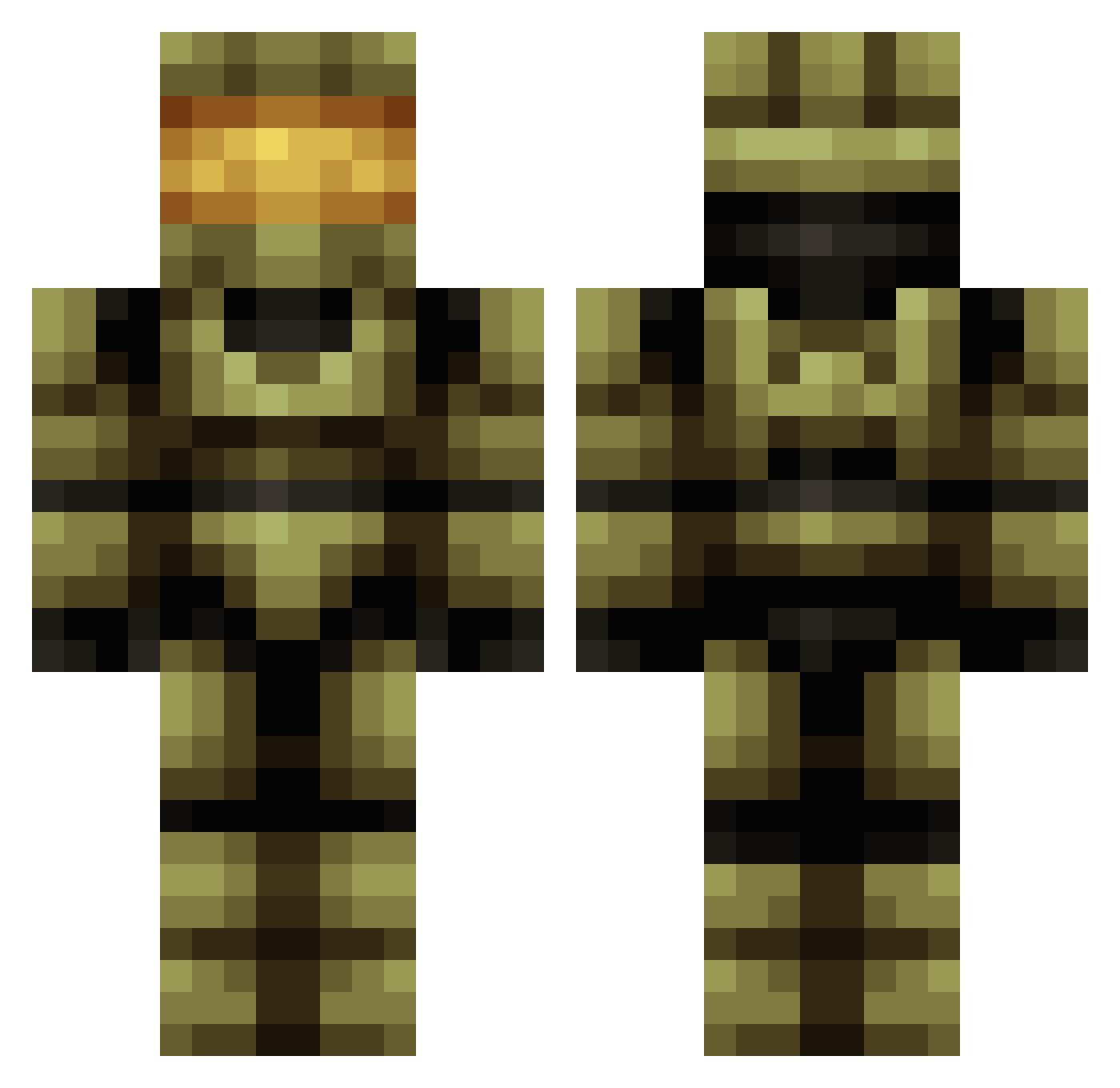
Current Minecraft skin of the player Snoopytrb, loaded from the official Mojang API. Rotate the 3D model with your mouse or finger, then download the skin as a PNG file and use it in Minecraft: Bedrock Edition or Java Edition for free. When Snoopytrb changes their skin, this page updates automatically and the old skin stays in the history below.
Other players with this skin (683)
Snoopytrb was the 262nd player we have seen with this skin, first spotted on 07.09.2026. The same skin was seen on these players. Open a nickname to see their current skin and skin history.
 flood_control WarMchne Sneakymouse4561 Crazko Dman4347 ADARKGEAR lbdigital Kyer88 psc_student_18 SavageWRX ANIM4L8U natShady05 InfiniteSnipe3 fluffyuniconrn NerdRaging aRAND0Mplatypus Sombersole creeperhunt777 rellek06 masterchaos23 tobyduck halo40714 28pepe EzekielChambers IItsDragon Cantab1611 inmanz Phogger Ghost_7609 carlinuxlearner BlindCoon _Ripper_1 DanMaz14 bobj635 XTripleThreat14 RabidGrampie syren15 CAPTAIN_TURSKA HEROBRINE1007 YutopJ engroffmc Perrin011 Seishingami IVlink nigel271 Bman3030150 NickeeGee miloski oregonhunter villi27 Emper0rAwes0me Limppu062 Articwolf626 Skorpion_1999 DarkSun247 awesomator2000 AnRvBFreak Timmie07okt RIKI_J LKern
More Master Chief Minecraft skins
See all 537 Master Chief skins
How to install the Snoopytrb skin
- Press the Download button above to save the skin as a PNG file.
- Minecraft: Bedrock Edition (PE): open the Dressing Room from the main menu (or tap your character → Edit Character), go to Classic Skins → Owned, press the + (new skin) button, choose the downloaded PNG and pick the Classic (Steve) model. Works on PC and mobile; consoles cannot import custom skins.
- Minecraft: Java Edition: open the Minecraft Launcher, go to the Skins tab, click New Skin, load the PNG, pick the Classic (Steve) model and press Save & Use. You can also upload it at minecraft.net → Profile → Change Skin.
The skin does not show up after import - what should I do?
Restart Minecraft and open the Dressing Room again - imported skins sometimes appear only after a restart. Also make sure you selected the imported skin and picked the Classic (Steve) model.
Which model should I choose, Classic or Slim?
This skin is designed for the Classic (Steve) model. If you pick the wrong model, the arms of the skin will look stretched or squeezed.
Is the skin of Snoopytrb free to download?
Yes. Press Download, save the PNG file and use it in Minecraft: Bedrock Edition or Java Edition - no payment or registration needed. The skin also works on multiplayer servers and Realms.
More skins
Looking for more? Go back to all Minecraft skins and check the top skins of the week, month and all time, or find any player's skin by nickname.