
Sir_BEANS - Minecraft Skins & Skin History
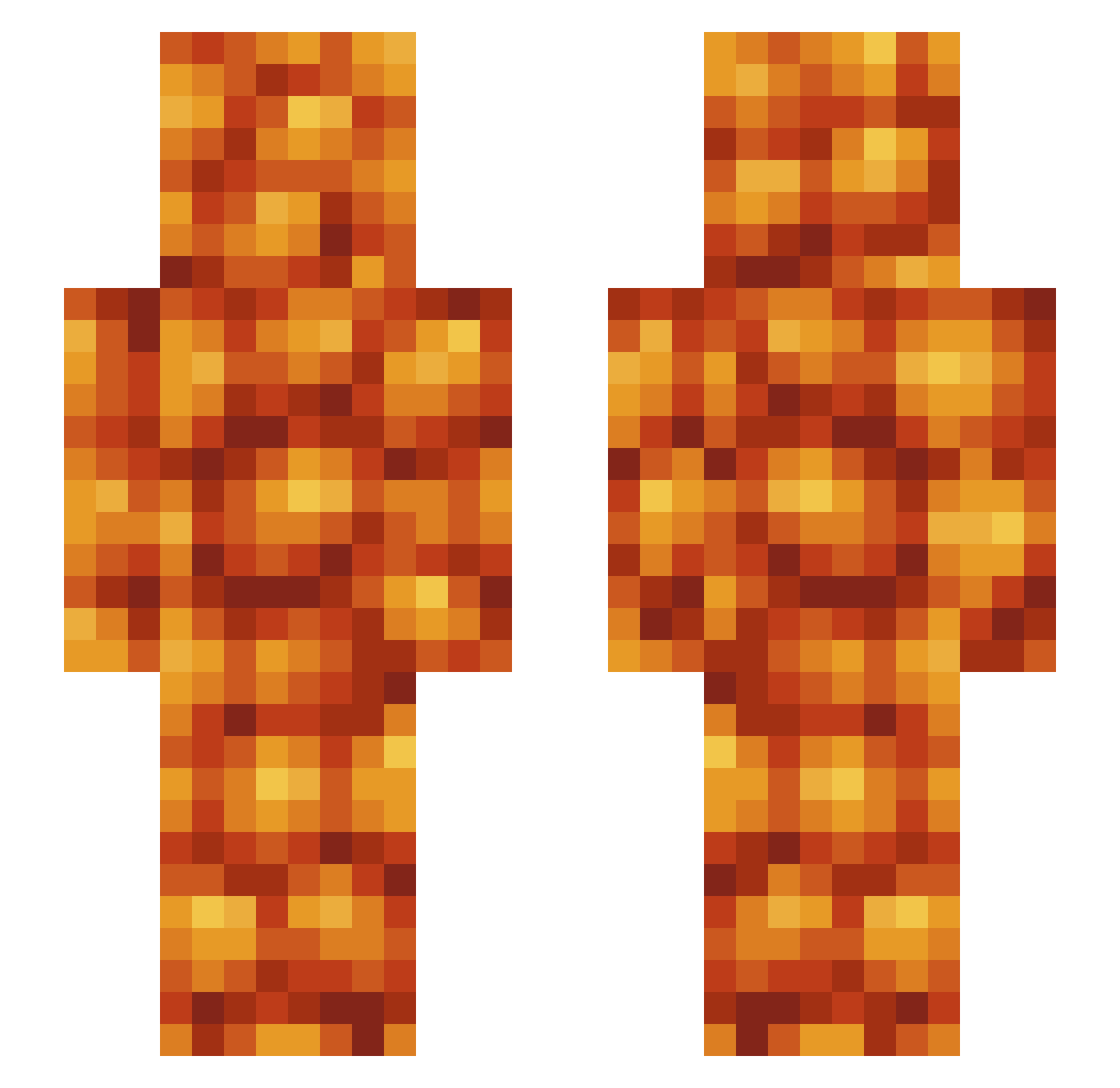
Current Minecraft skin of the player Sir_BEANS, loaded from the official Mojang API. Rotate the 3D model with your mouse or finger, then download the skin as a PNG file and use it in Minecraft: Bedrock Edition or Java Edition for free. When Sir_BEANS changes their skin, this page updates automatically and the old skin stays in the history below.
Other players with this skin (525)
Sir_BEANS was the 430th player we have seen with this skin, first spotted on 17.10.2026. The same skin was seen on these players. Open a nickname to see their current skin and skin history.
 JohnnyGman SuccMachine blingwhiffwhiff imma_69_your_dad Bad_Man_Tings eeeggman420 jgeig22 OohIFancyYaNan DragonFire717 KJlYCUMYCU Xylophobe Killer_IV oofmcmuffin oldmauve BallBuster4KHD TaCkY_JoKeR2029 gortgort danray2000 wooftonywooftony Snickerhead nurzhan18 SlayerOfOnion Izzy_Bat Eleegi Kelitor angiau Mari0s_ TheKingBean logieogie WinterSalt52798 eggnogg69 MexZaku cowboy_34 MeltedOtter Haznic123 QuasarNoodle _retrofuturism pmet BigCokeBoi silasjordan135 nyallison Sourdough441 logaboganfofogan lindseysloth Cloutgoblin694 jakuzi_ mikkiiiiiii Equxl MyParentsMistake Hlynchseed BoardsOfXanada seabass89 Guuube Cob64 BLIZARDBLATH blockhead2177 TitanChill LENGMAN SinoDio LiL_Bean_X
More Baked Beans Minecraft skins
How to install the Sir_BEANS skin
- Press the Download button above to save the skin as a PNG file.
- Minecraft: Bedrock Edition (PE): open the Dressing Room from the main menu (or tap your character → Edit Character), go to Classic Skins → Owned, press the + (new skin) button, choose the downloaded PNG and pick the Slim (Alex) model. Works on PC and mobile; consoles cannot import custom skins.
- Minecraft: Java Edition: open the Minecraft Launcher, go to the Skins tab, click New Skin, load the PNG, pick the Slim (Alex) model and press Save & Use. You can also upload it at minecraft.net → Profile → Change Skin.
The skin does not show up after import - what should I do?
Restart Minecraft and open the Dressing Room again - imported skins sometimes appear only after a restart. Also make sure you selected the imported skin and picked the Slim (Alex) model.
Which model should I choose, Classic or Slim?
This skin is designed for the Slim (Alex) model. If you pick the wrong model, the arms of the skin will look stretched or squeezed.
Is the skin of Sir_BEANS free to download?
Yes. Press Download, save the PNG file and use it in Minecraft: Bedrock Edition or Java Edition - no payment or registration needed. The skin also works on multiplayer servers and Realms.
More skins
Looking for more? Go back to all Minecraft skins and check the top skins of the week, month and all time, or find any player's skin by nickname.