
Sheepy0367 - Minecraft Skins & Skin History
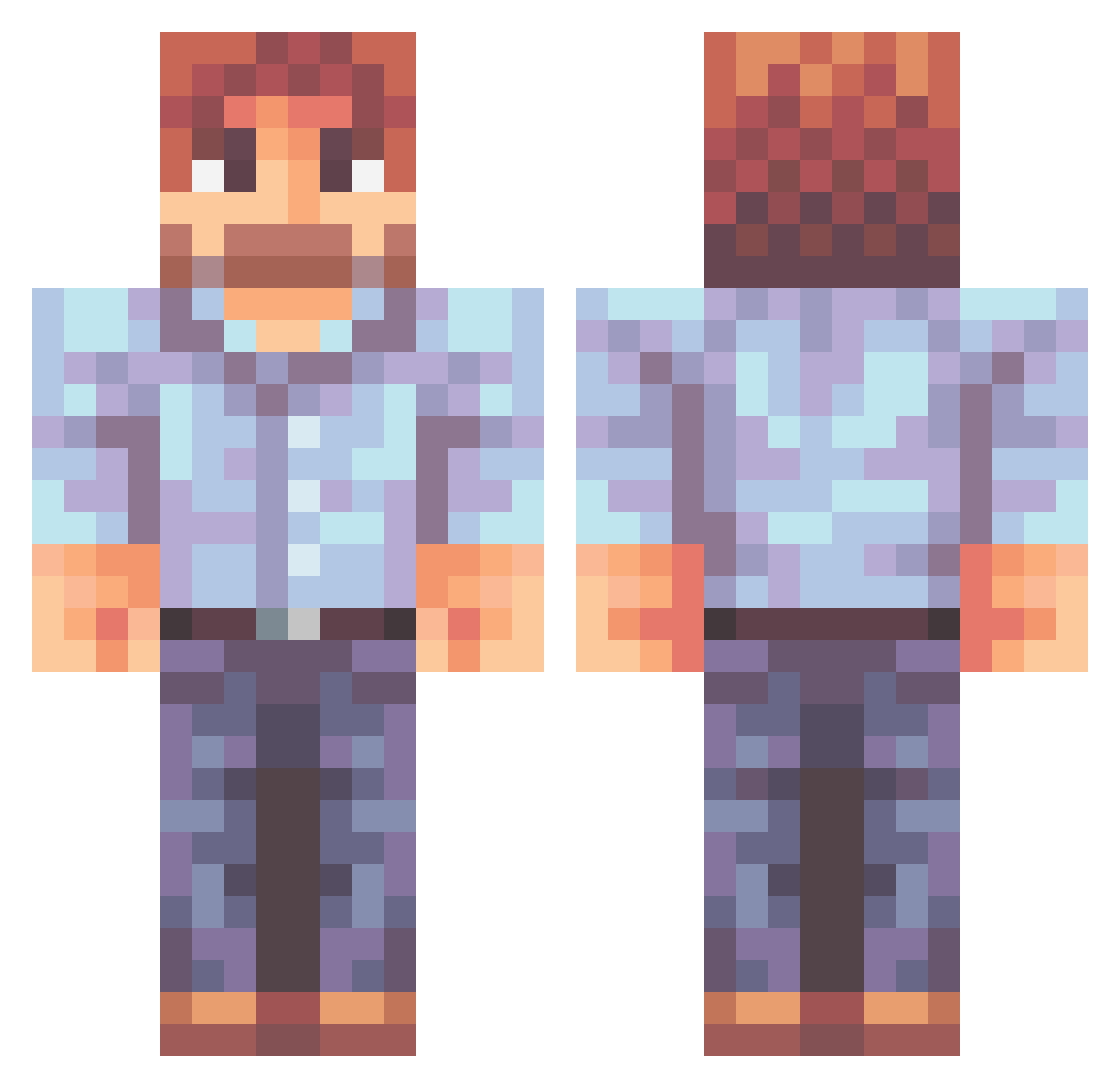
Current Minecraft skin of the player Sheepy0367, loaded from the official Mojang API. Rotate the 3D model with your mouse or finger, then download the skin as a PNG file and use it in Minecraft: Bedrock Edition or Java Edition for free. When Sheepy0367 changes their skin, this page updates automatically and the old skin stays in the history below.
Other players with this skin (471)
Sheepy0367 was the 169th player we have seen with this skin, first spotted on 27.08.2026. The same skin was seen on these players. Open a nickname to see their current skin and skin history.
 HajwaaN joebidome43213 Pipperix Dr_Phil_Nye Bigboi3434 rNy97 j1m9na RegardZero Catlover48 TrueGrimShadow Ironicalnesses Le_Q_ Firekid_01 Whitemexican55 xAlimoche Blankman219 SolemnWinter inflationishigh JimJamaTam Happpyyy jlackey18 TysJuan DingusHeadass MrDoubleDenim Bepy27 WilsClay14 Pytheon Krave34 Emsleyman21 Lion399 Joy_Of_Painting 777_pilot Wreks GerryandhisBeard tokochoco Snorps diamondslayer26 Phreeiy EnderMajk rowrah kkarate44 Paradoxioi YourMomsLeftToe DrNinio Matador_Chileno Granulatedude HelixWalk DieterDagger kernahan tohann mullermix11 Nickpb TiltedAndJilted Lucaseggi Injenera PoppaYoshi __iTax__ DiarrheaJoe Bobu_Rossu_ citytoast
More Beard Minecraft skins
How to install the Sheepy0367 skin
- Press the Download button above to save the skin as a PNG file.
- Minecraft: Bedrock Edition (PE): open the Dressing Room from the main menu (or tap your character → Edit Character), go to Classic Skins → Owned, press the + (new skin) button, choose the downloaded PNG and pick the Classic (Steve) model. Works on PC and mobile; consoles cannot import custom skins.
- Minecraft: Java Edition: open the Minecraft Launcher, go to the Skins tab, click New Skin, load the PNG, pick the Classic (Steve) model and press Save & Use. You can also upload it at minecraft.net → Profile → Change Skin.
The skin does not show up after import - what should I do?
Restart Minecraft and open the Dressing Room again - imported skins sometimes appear only after a restart. Also make sure you selected the imported skin and picked the Classic (Steve) model.
Which model should I choose, Classic or Slim?
This skin is designed for the Classic (Steve) model. If you pick the wrong model, the arms of the skin will look stretched or squeezed.
Is the skin of Sheepy0367 free to download?
Yes. Press Download, save the PNG file and use it in Minecraft: Bedrock Edition or Java Edition - no payment or registration needed. The skin also works on multiplayer servers and Realms.
More skins
Looking for more? Go back to all Minecraft skins and check the top skins of the week, month and all time, or find any player's skin by nickname.