
SephtixIstGott - Minecraft Skins & Skin History
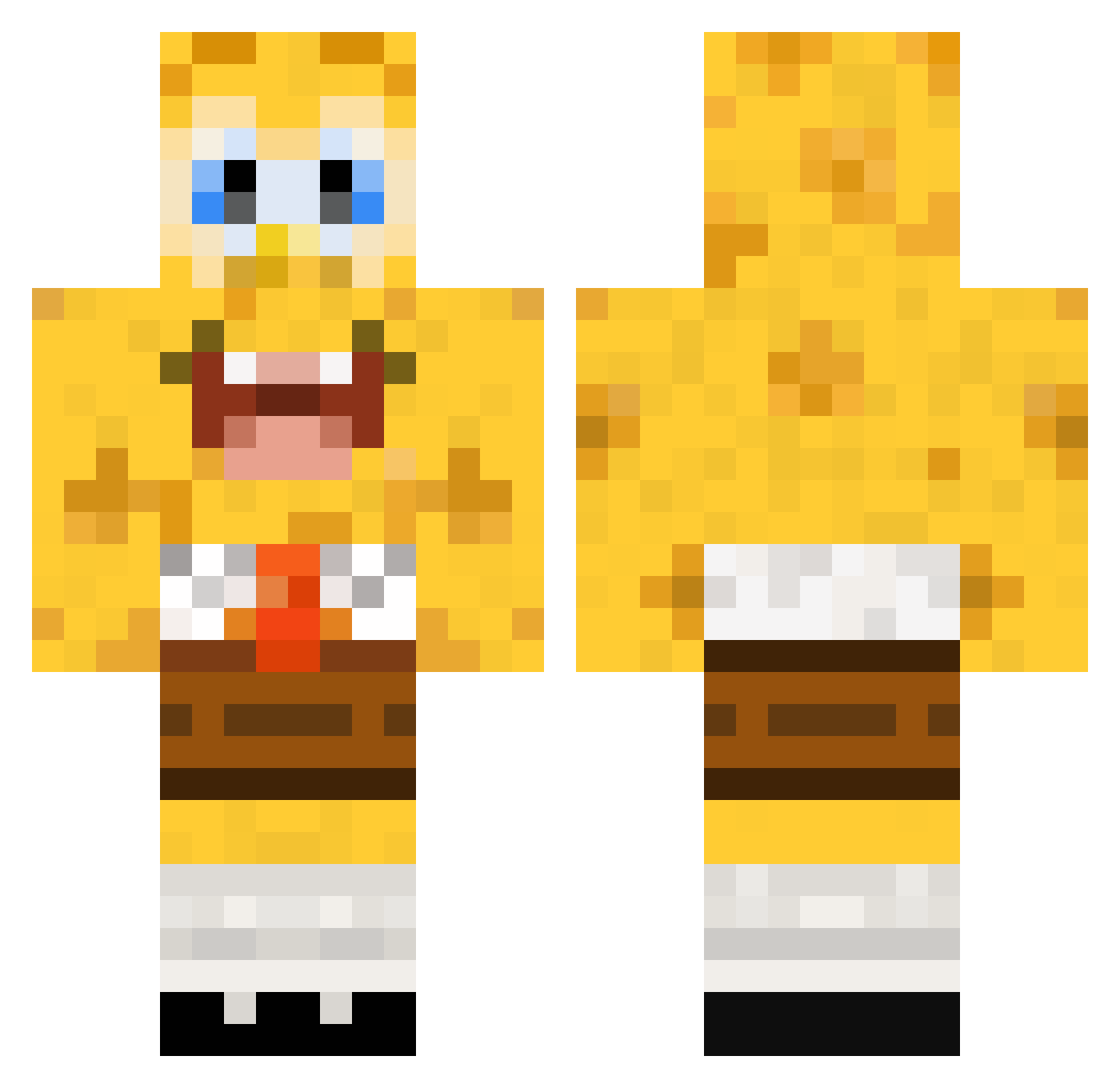
Current Minecraft skin of the player SephtixIstGott, loaded from the official Mojang API. Rotate the 3D model with your mouse or finger, then download the skin as a PNG file and use it in Minecraft: Bedrock Edition or Java Edition for free. When SephtixIstGott changes their skin, this page updates automatically and the old skin stays in the history below.
Other players with this skin (448)
SephtixIstGott was the 127th player we have seen with this skin, first spotted on 28.08.2026. The same skin was seen on these players. Open a nickname to see their current skin and skin history.
 Emroxx Baserdas1 ph9bpo008 sazel1976 basedlife_sammi BarryPooter crazyJARG tessi99 RoadRunner9000 maurice09 Jordan052203 Fantasm Pookster1993 scino89 saberteeth rainbowmaui KermitsFinger K3LLZW1CK3D anouklangedijk Peemax eurit Puece Cassadilla7 xXNoobSlayerXx1 Oly000 beschuitje3 Spunge_Bob WCase10 simsam12 LeoCrafter04 hyesung00200 WorM1994 FCB_WahreLiebe joshyboy_2001 deadheart88 mepyon rodenerik charlieplaysmc Trymore_ JenBex Butsher The_Bannana_Man suck0598 KleJo19 Migo_Logic manahiti Brallemannen PoopHacker ichbinderJOHAN SwagAage Wewereyoung ConLangg nlej8 Fuzzzzzzzzzzz crazygirl262 RbTd1333 T1337G Spongiiiiiiiiiii eliacc PurpleSpongebobs
More Cartoon Minecraft skins
How to install the SephtixIstGott skin
- Press the Download button above to save the skin as a PNG file.
- Minecraft: Bedrock Edition (PE): open the Dressing Room from the main menu (or tap your character → Edit Character), go to Classic Skins → Owned, press the + (new skin) button, choose the downloaded PNG and pick the Classic (Steve) model. Works on PC and mobile; consoles cannot import custom skins.
- Minecraft: Java Edition: open the Minecraft Launcher, go to the Skins tab, click New Skin, load the PNG, pick the Classic (Steve) model and press Save & Use. You can also upload it at minecraft.net → Profile → Change Skin.
The skin does not show up after import - what should I do?
Restart Minecraft and open the Dressing Room again - imported skins sometimes appear only after a restart. Also make sure you selected the imported skin and picked the Classic (Steve) model.
Which model should I choose, Classic or Slim?
This skin is designed for the Classic (Steve) model. If you pick the wrong model, the arms of the skin will look stretched or squeezed.
Is the skin of SephtixIstGott free to download?
Yes. Press Download, save the PNG file and use it in Minecraft: Bedrock Edition or Java Edition - no payment or registration needed. The skin also works on multiplayer servers and Realms.
More skins
Looking for more? Go back to all Minecraft skins and check the top skins of the week, month and all time, or find any player's skin by nickname.