
SaladMonkey0306 - Minecraft Skins & Skin History
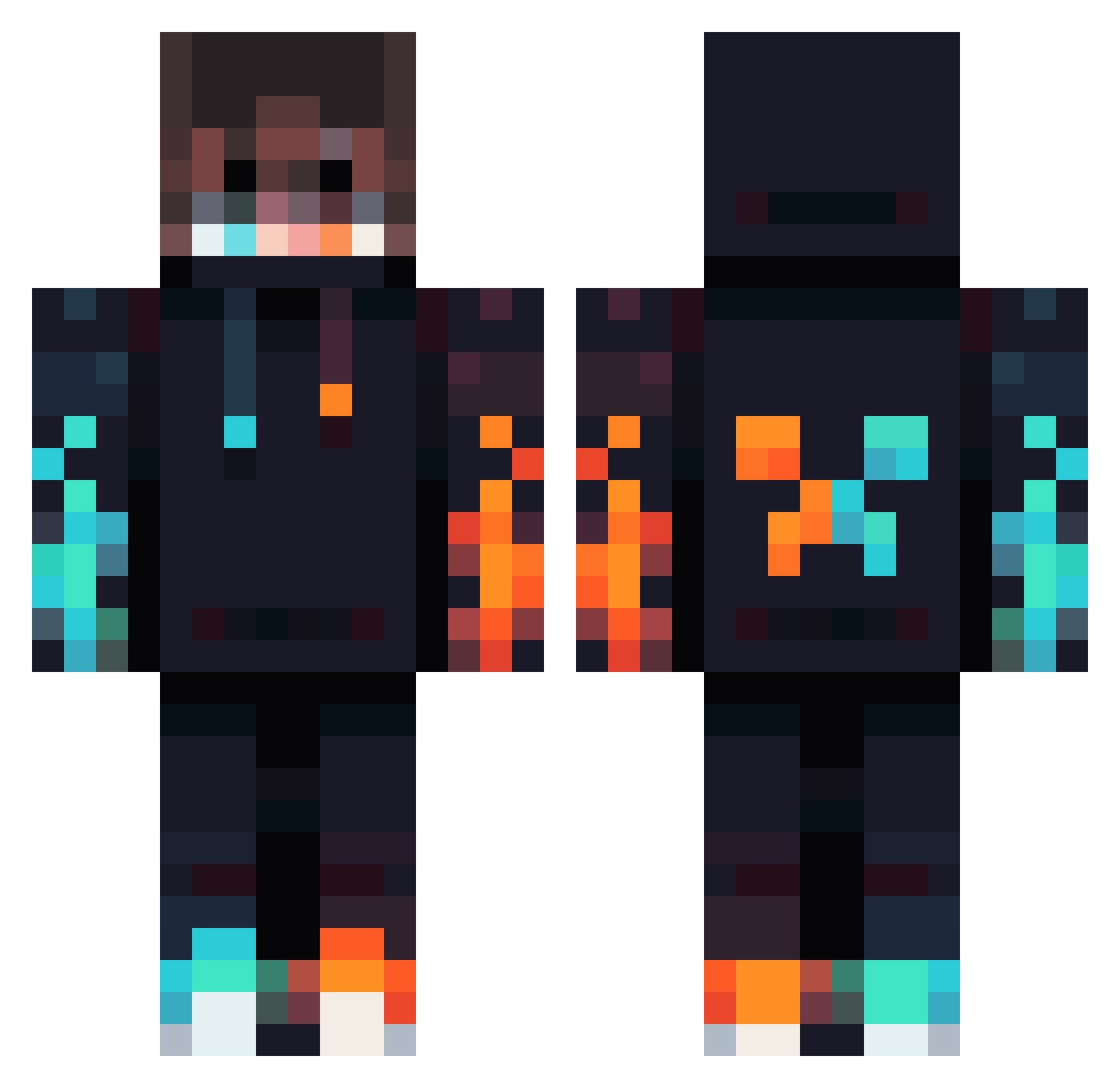
Current Minecraft skin of the player SaladMonkey0306, loaded from the official Mojang API. Rotate the 3D model with your mouse or finger, then download the skin as a PNG file and use it in Minecraft: Bedrock Edition or Java Edition for free. When SaladMonkey0306 changes their skin, this page updates automatically and the old skin stays in the history below.
Other players with this skin (834)
SaladMonkey0306 was the 157th player we have seen with this skin, first spotted on 15.08.2026. The same skin was seen on these players. Open a nickname to see their current skin and skin history.
 Cigkofteg LilRed011616 jqke_5 juliusschoepoe Mr_E_Qc luckyanime Yg02 isaac_c2k Merciano Capitan1536 herobrine1329 mrkVaja Zegest Noah_Enderman N1ls22 Brebi12 Jaymo_Gaming1 barbarbarbarbar Rabenglas happytheaiden Glande7 Regraded swelong DNG_Momo07 hwaslas Ruhtra20 Mr_bossfire56 Thanasis129 xxxShOckS PyroandHydro FRANKEFIED ToastyEmperor80 itsatomsy Trutmusenn foxygaming1974 141592653 DaGamerTree Anthonym49 BananaKing16 xvRage06 Dariovillar sa1nt1221 ILwAI Kennma10 AidenK4567 sese3000 Jacobpro21 Rocketdog501 GktugTuna VeryAFK Galaxymaker2k11 Cedric5670 minecrafterpro15
 Mattrixs CapitalHydra37 OSVALKEV ITZ_Alexxxx swiftAndrei Papa957 zachary4087
More Fire Minecraft skins
How to install the SaladMonkey0306 skin
- Press the Download button above to save the skin as a PNG file.
- Minecraft: Bedrock Edition (PE): open the Dressing Room from the main menu (or tap your character → Edit Character), go to Classic Skins → Owned, press the + (new skin) button, choose the downloaded PNG and pick the Classic (Steve) model. Works on PC and mobile; consoles cannot import custom skins.
- Minecraft: Java Edition: open the Minecraft Launcher, go to the Skins tab, click New Skin, load the PNG, pick the Classic (Steve) model and press Save & Use. You can also upload it at minecraft.net → Profile → Change Skin.
The skin does not show up after import - what should I do?
Restart Minecraft and open the Dressing Room again - imported skins sometimes appear only after a restart. Also make sure you selected the imported skin and picked the Classic (Steve) model.
Which model should I choose, Classic or Slim?
This skin is designed for the Classic (Steve) model. If you pick the wrong model, the arms of the skin will look stretched or squeezed.
Is the skin of SaladMonkey0306 free to download?
Yes. Press Download, save the PNG file and use it in Minecraft: Bedrock Edition or Java Edition - no payment or registration needed. The skin also works on multiplayer servers and Realms.
More skins
Looking for more? Go back to all Minecraft skins and check the top skins of the week, month and all time, or find any player's skin by nickname.