
Sakkiie - Minecraft Skins & Skin History
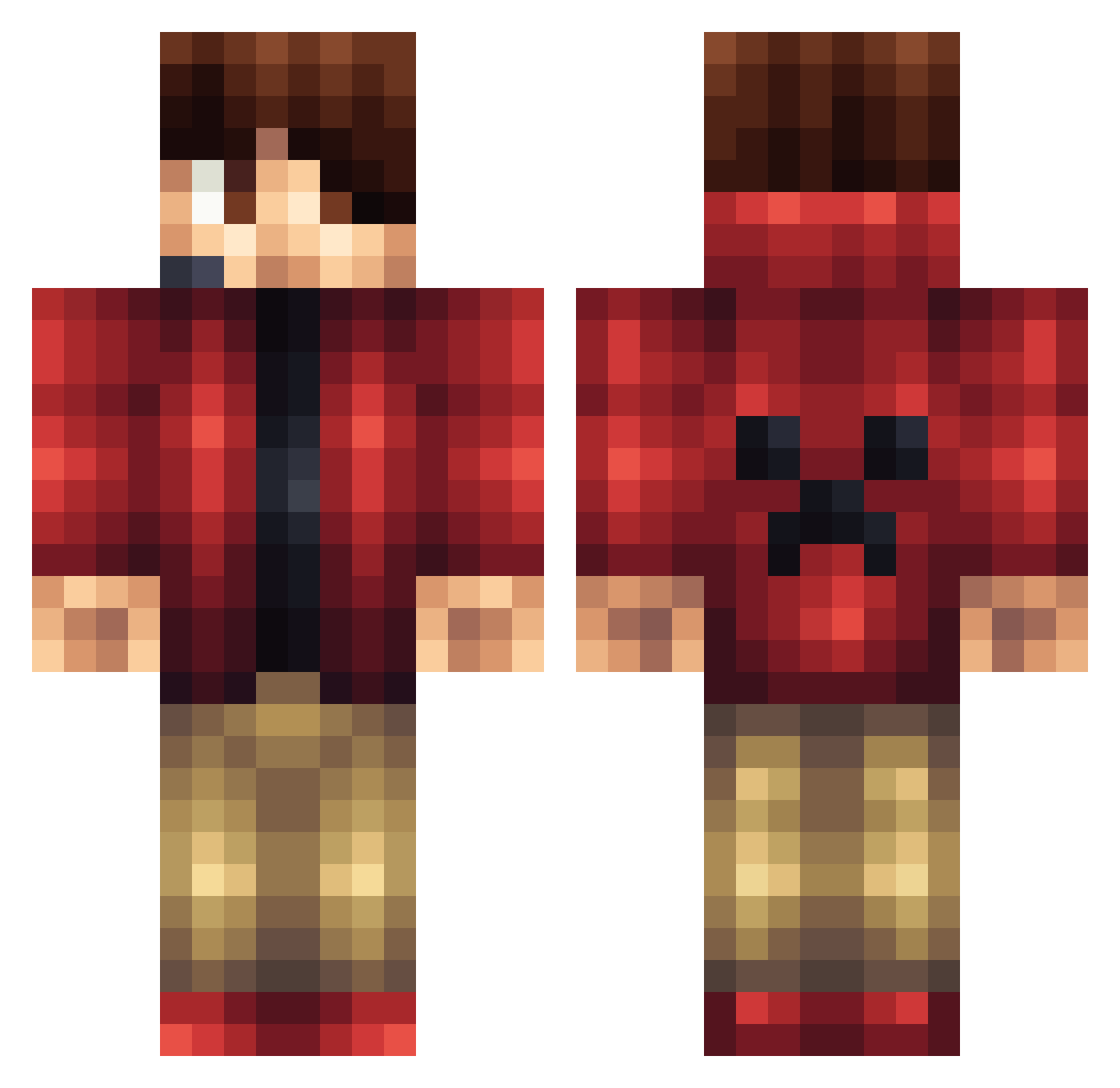
Current Minecraft skin of the player Sakkiie, loaded from the official Mojang API. Rotate the 3D model with your mouse or finger, then download the skin as a PNG file and use it in Minecraft: Bedrock Edition or Java Edition for free. When Sakkiie changes their skin, this page updates automatically and the old skin stays in the history below.
Other players with this skin (1167)
Sakkiie was the 501st player we have seen with this skin, first spotted on 11.09.2026. The same skin was seen on these players. Open a nickname to see their current skin and skin history.
 FrznHD NotleyE melvyn2002 Artsy_Eli Skylighter74 HeinzKoch01234 Phillha MRxK4B00M Azsp ToLucho romilos1992 Tolosky yannick383 Echo2521 Jack_Enhaken THE_WOLF02 LeonLindstrom djpeanut17 PirateNathan ManGlZ Raiders132 Jfgamer8YT food_MM OllieSG Localxtreme Hendre995 freddie0215 pizzacookie2006 misterxfear Fetrump adrianpokey coolguy101132 Cocosunder mittex Jackk2003 3Animal3 GreenNinjaJR MasonRoberts123 killerco1 B_Lino Big_Nico SLOviper iKenKnee Slgi craftingman2013 Hugoo05 LacoNaft229 AnselFlores crossmanm4 St3lo_ skullpower68 delgado90 Ucmsbcworkman Dominik2299 __jakob__2012 alfzzxwall ThexSIGGEx TheTman10 the_kims Victor_Leung
More Headset Minecraft skins
How to install the Sakkiie skin
- Press the Download button above to save the skin as a PNG file.
- Minecraft: Bedrock Edition (PE): open the Dressing Room from the main menu (or tap your character → Edit Character), go to Classic Skins → Owned, press the + (new skin) button, choose the downloaded PNG and pick the Classic (Steve) model. Works on PC and mobile; consoles cannot import custom skins.
- Minecraft: Java Edition: open the Minecraft Launcher, go to the Skins tab, click New Skin, load the PNG, pick the Classic (Steve) model and press Save & Use. You can also upload it at minecraft.net → Profile → Change Skin.
The skin does not show up after import - what should I do?
Restart Minecraft and open the Dressing Room again - imported skins sometimes appear only after a restart. Also make sure you selected the imported skin and picked the Classic (Steve) model.
Which model should I choose, Classic or Slim?
This skin is designed for the Classic (Steve) model. If you pick the wrong model, the arms of the skin will look stretched or squeezed.
Is the skin of Sakkiie free to download?
Yes. Press Download, save the PNG file and use it in Minecraft: Bedrock Edition or Java Edition - no payment or registration needed. The skin also works on multiplayer servers and Realms.
More skins
Looking for more? Go back to all Minecraft skins and check the top skins of the week, month and all time, or find any player's skin by nickname.