
SXZYW - Minecraft Skins & Skin History
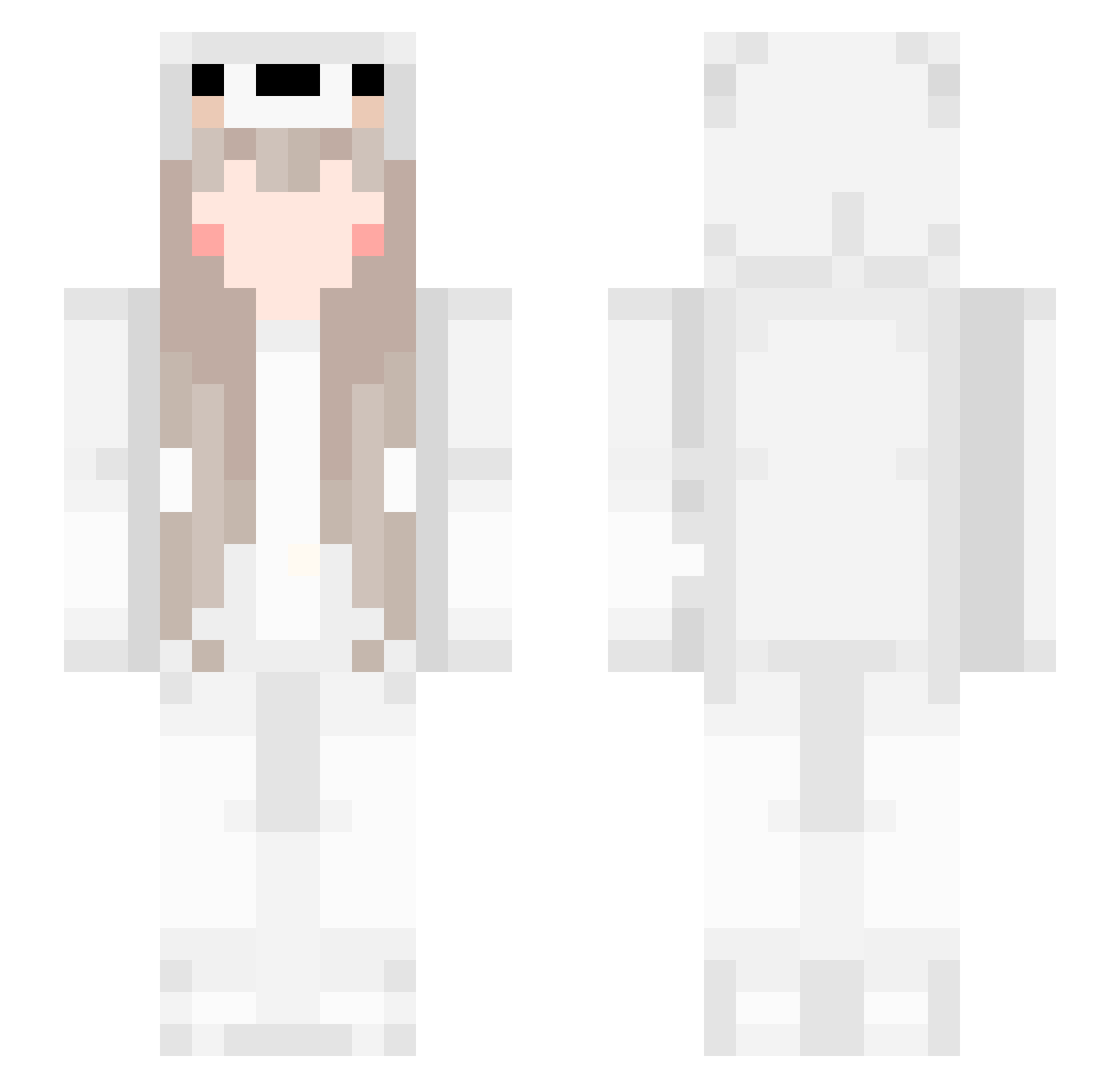
Current Minecraft skin of the player SXZYW, loaded from the official Mojang API. Rotate the 3D model with your mouse or finger, then download the skin as a PNG file and use it in Minecraft: Bedrock Edition or Java Edition for free. When SXZYW changes their skin, this page updates automatically and the old skin stays in the history below.
Other players with this skin (555)
SXZYW was the 45th player we have seen with this skin, first spotted on 01.08.2026. The same skin was seen on these players. Open a nickname to see their current skin and skin history.
 LUNABB sang_123 Dryshirt Zerotwo555 MasterCheng SCP_RENO kaofishman lan33055 MiyanoOAO Xiao_fei_long_ miaolegemi123 Lost_rain1987 muhezhu KeenShine chichi0725 paperplanefc KikuchiAkane NinJA_ozo AlexTianLi
 LVYOIMIYA cocodila_ XYZSBB ChokoTheBun Nancy_xx Kim_mari MYNUOLR Deundre Baoqian_ J1nl1 DWWWW_ D_onut_ kai_erxi Feng_j_ ASTsasaS firebuttonlegend Jasonsiu5 mkbkyyds6 DESIRE6898 LaValeriana777 L0ve77 misaki123666 spencey445 RGL777 xiaoling_jun Gaben3 xiaolin_ov Withirang Kamille_620 hunlin Guiwow_pvpLL Ahial HURTERKING L1ghtBoB IamARealGIRL xiaorainbow Coke0Coke xCamellia Axso666 ObsidianBlockSky anon160
More Girl Minecraft skins
How to install the SXZYW skin
- Press the Download button above to save the skin as a PNG file.
- Minecraft: Bedrock Edition (PE): open the Dressing Room from the main menu (or tap your character → Edit Character), go to Classic Skins → Owned, press the + (new skin) button, choose the downloaded PNG and pick the Slim (Alex) model. Works on PC and mobile; consoles cannot import custom skins.
- Minecraft: Java Edition: open the Minecraft Launcher, go to the Skins tab, click New Skin, load the PNG, pick the Slim (Alex) model and press Save & Use. You can also upload it at minecraft.net → Profile → Change Skin.
The skin does not show up after import - what should I do?
Restart Minecraft and open the Dressing Room again - imported skins sometimes appear only after a restart. Also make sure you selected the imported skin and picked the Slim (Alex) model.
Which model should I choose, Classic or Slim?
This skin is designed for the Slim (Alex) model. If you pick the wrong model, the arms of the skin will look stretched or squeezed.
Is the skin of SXZYW free to download?
Yes. Press Download, save the PNG file and use it in Minecraft: Bedrock Edition or Java Edition - no payment or registration needed. The skin also works on multiplayer servers and Realms.
More skins
Looking for more? Go back to all Minecraft skins and check the top skins of the week, month and all time, or find any player's skin by nickname.