
SXBgamergirl - Minecraft Skins & Skin History
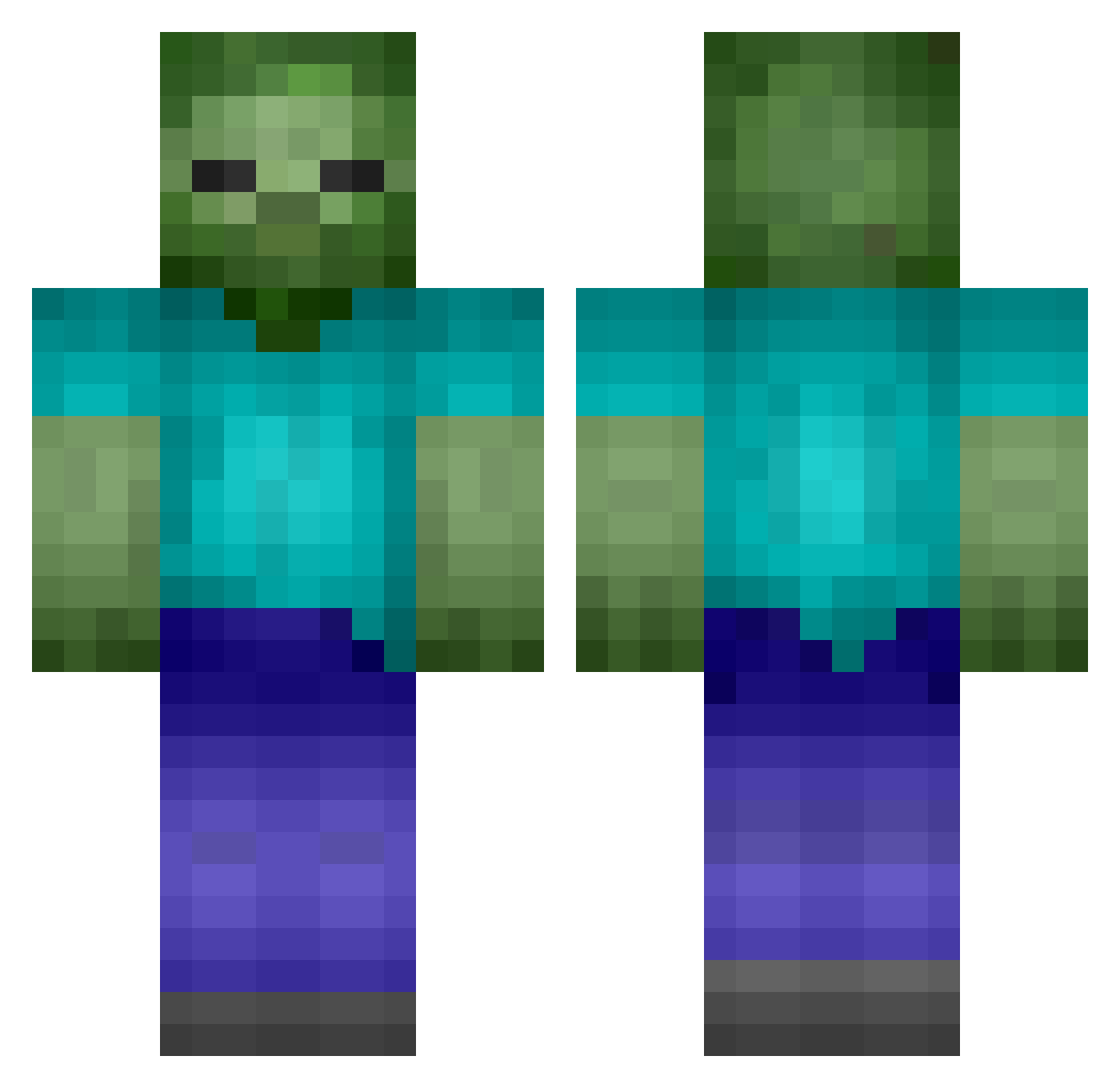
Current Minecraft skin of the player SXBgamergirl, loaded from the official Mojang API. Rotate the 3D model with your mouse or finger, then download the skin as a PNG file and use it in Minecraft: Bedrock Edition or Java Edition for free. When SXBgamergirl changes their skin, this page updates automatically and the old skin stays in the history below.
Other players with this skin (219)
SXBgamergirl was the 40th player we have seen with this skin, first spotted on 16.08.2026. The same skin was seen on these players. Open a nickname to see their current skin and skin history.
 Superaitorrrrr
 bananasucker6969 Proxy3734 longqidianpingch XWiinter Zombie_sir Vegetab1eBird hahaTlqkf AMART642 Human_Atrophy KiilaAllu 88CAM88 AxenCiapaty cailchusetts JDR_68 Hm_s2 gonk331 1555HJ HTBANM Remaker11 iamjamal24 billyjot
 Qessyl6 cheetamcu Big_ink s1mpleeeeeeeee shucream0000 mathEnglish Cyberhawk207 Emiuen rweach Wiesmu Lengthiness F1owsic RabbitFat Darqui_ EKS3N Caminoverde Hero__15 FakeGOdBridger Pixelalex1 reyinald TheNightMarket1 Mellger Bunnso Fengyi369 zhouqingze McXuXing MaYouJiEr abadego JovianIrvan Smif1433 OMG_Banana Emeraldflame236 QuirkyProud516 luxxy_3 MRMCPLAYS Emirok070 palm____civet G978
More Zombie Minecraft skins
How to install the SXBgamergirl skin
- Press the Download button above to save the skin as a PNG file.
- Minecraft: Bedrock Edition (PE): open the Dressing Room from the main menu (or tap your character → Edit Character), go to Classic Skins → Owned, press the + (new skin) button, choose the downloaded PNG and pick the Classic (Steve) model. Works on PC and mobile; consoles cannot import custom skins.
- Minecraft: Java Edition: open the Minecraft Launcher, go to the Skins tab, click New Skin, load the PNG, pick the Classic (Steve) model and press Save & Use. You can also upload it at minecraft.net → Profile → Change Skin.
The skin does not show up after import - what should I do?
Restart Minecraft and open the Dressing Room again - imported skins sometimes appear only after a restart. Also make sure you selected the imported skin and picked the Classic (Steve) model.
Which model should I choose, Classic or Slim?
This skin is designed for the Classic (Steve) model. If you pick the wrong model, the arms of the skin will look stretched or squeezed.
Is the skin of SXBgamergirl free to download?
Yes. Press Download, save the PNG file and use it in Minecraft: Bedrock Edition or Java Edition - no payment or registration needed. The skin also works on multiplayer servers and Realms.
More skins
Looking for more? Go back to all Minecraft skins and check the top skins of the week, month and all time, or find any player's skin by nickname.