
SK_MAYO - Minecraft Skins & Skin History
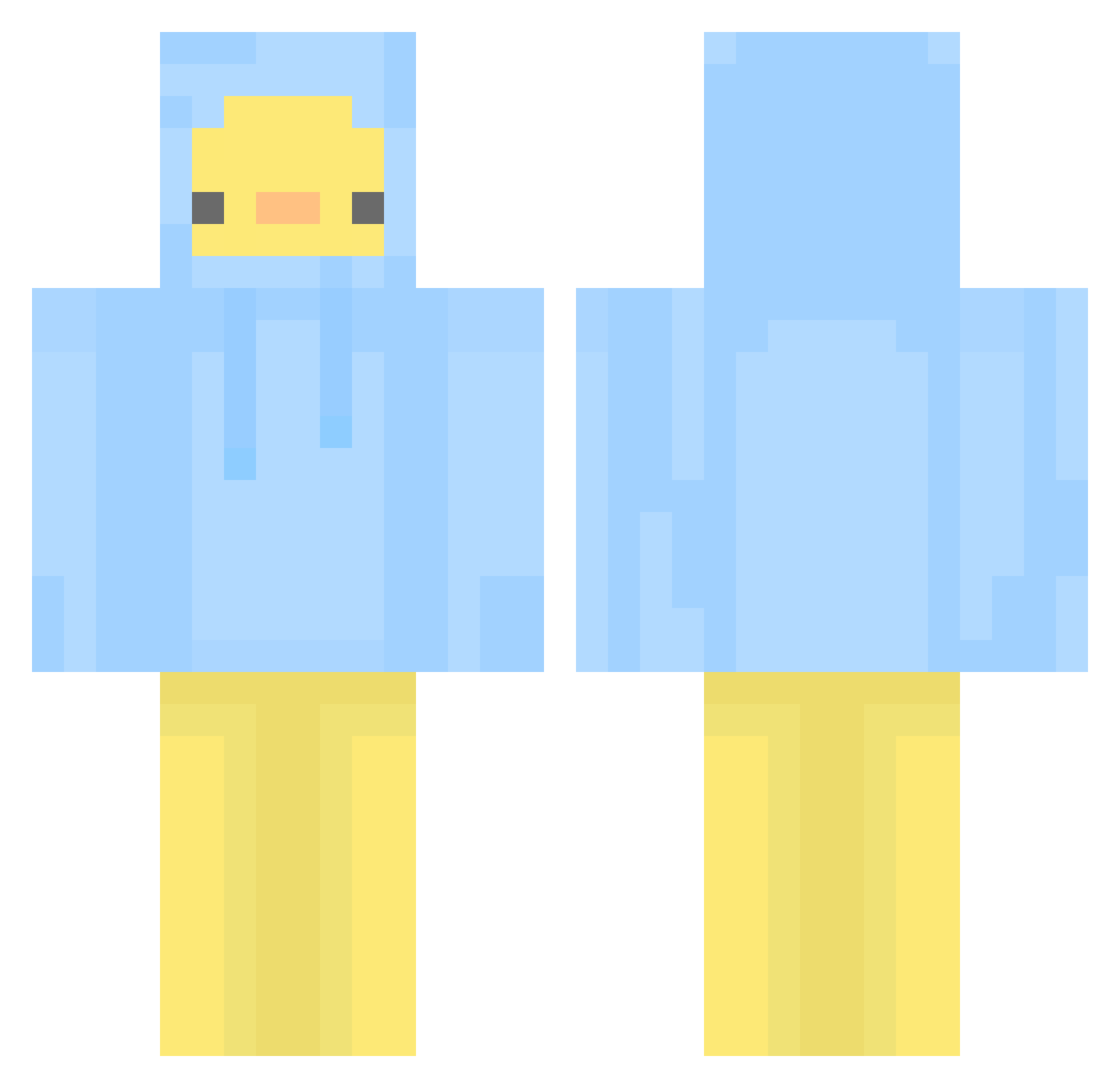
Current Minecraft skin of the player SK_MAYO, loaded from the official Mojang API. Rotate the 3D model with your mouse or finger, then download the skin as a PNG file and use it in Minecraft: Bedrock Edition or Java Edition for free. When SK_MAYO changes their skin, this page updates automatically and the old skin stays in the history below.
Other players with this skin (437)
SK_MAYO was the 282nd player we have seen with this skin, first spotted on 24.09.2026. The same skin was seen on these players. Open a nickname to see their current skin and skin history.
 mossmic Mimlik mincho1223 Kinery08 mrdass Genievre_ qqyy ponde64 WildSriracha OYUKI06 hornyphobia _Gentlemen1 Jilali1234 GalanDo881 Finn1011 DODODODOK xyhyun djarlgus_511 D2ingJ dawg66 Parzeru Jami3e_ _lachimolala_ KOR_winix Flyaxis wjdwkddns Jackitin KanSW QuickyB_ HUR3NS0HM Theo8008135 dlwhdrbs2011 CoCoMong__12 AlbafIca66 Pirako SeonRyul BraiZIBOY Perfectly_47 Kakaoowo002 NoSpamBitte danchuk2 Wangdaedoo HowHow8787 RespectableKing DommyMommyOngOng Kimnune anjalibandi karvroom Nenea_GLONTZ somegu Zylofyy JacobMalins BigChungus_01 secret0708 tjdalsqkqh oHypper HOON333 IGiveMemes1 kaedow Ranran_325
More Duck Minecraft skins
How to install the SK_MAYO skin
- Press the Download button above to save the skin as a PNG file.
- Minecraft: Bedrock Edition (PE): open the Dressing Room from the main menu (or tap your character → Edit Character), go to Classic Skins → Owned, press the + (new skin) button, choose the downloaded PNG and pick the Classic (Steve) model. Works on PC and mobile; consoles cannot import custom skins.
- Minecraft: Java Edition: open the Minecraft Launcher, go to the Skins tab, click New Skin, load the PNG, pick the Classic (Steve) model and press Save & Use. You can also upload it at minecraft.net → Profile → Change Skin.
The skin does not show up after import - what should I do?
Restart Minecraft and open the Dressing Room again - imported skins sometimes appear only after a restart. Also make sure you selected the imported skin and picked the Classic (Steve) model.
Which model should I choose, Classic or Slim?
This skin is designed for the Classic (Steve) model. If you pick the wrong model, the arms of the skin will look stretched or squeezed.
Is the skin of SK_MAYO free to download?
Yes. Press Download, save the PNG file and use it in Minecraft: Bedrock Edition or Java Edition - no payment or registration needed. The skin also works on multiplayer servers and Realms.
More skins
Looking for more? Go back to all Minecraft skins and check the top skins of the week, month and all time, or find any player's skin by nickname.