
SDdanger - Minecraft Skins & Skin History
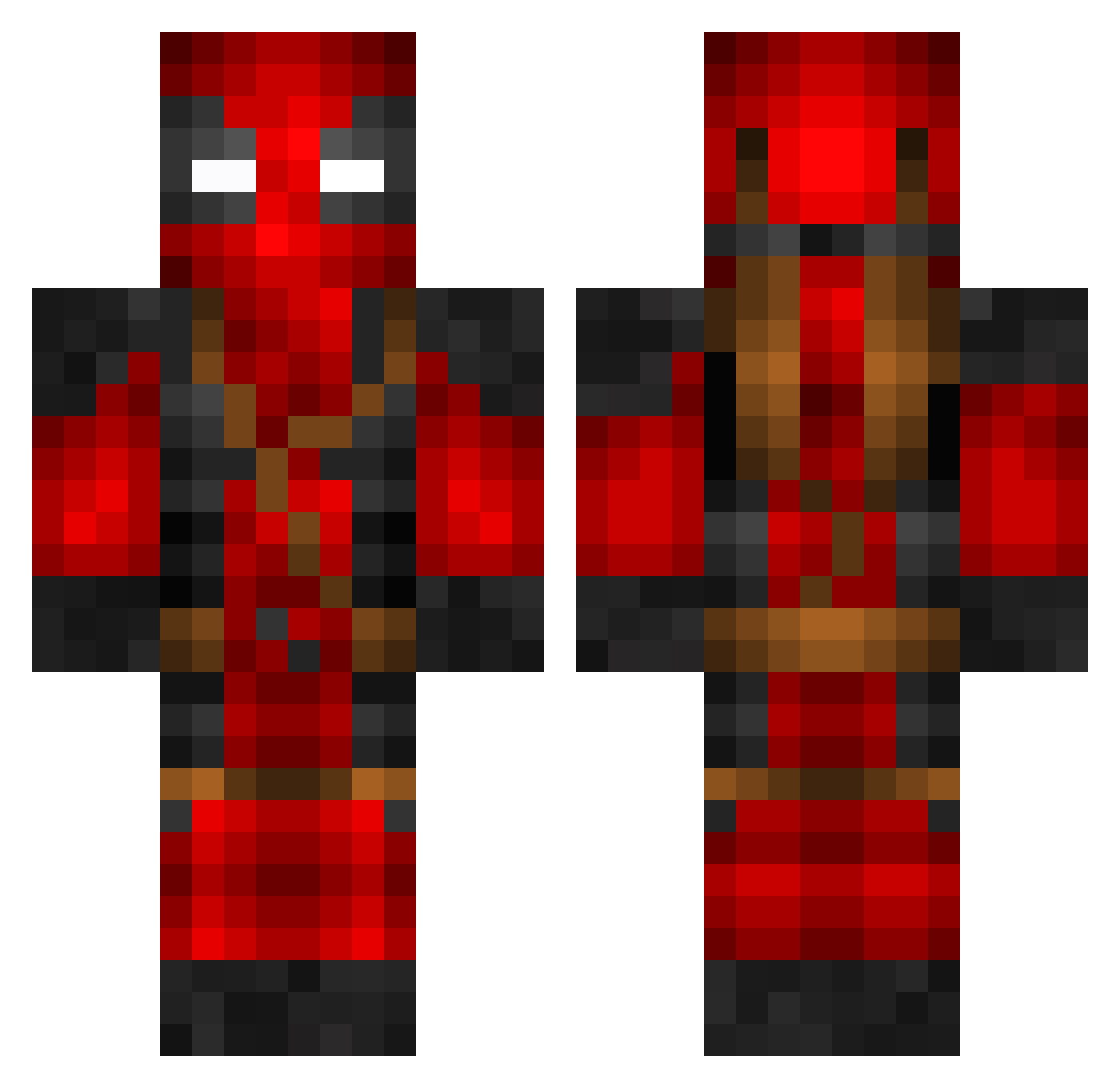
Current Minecraft skin of the player SDdanger, loaded from the official Mojang API. Rotate the 3D model with your mouse or finger, then download the skin as a PNG file and use it in Minecraft: Bedrock Edition or Java Edition for free. When SDdanger changes their skin, this page updates automatically and the old skin stays in the history below.
Other players with this skin (800)
SDdanger was the 585th player we have seen with this skin, first spotted on 12.10.2026. The same skin was seen on these players. Open a nickname to see their current skin and skin history.
 digolbicks JPreston21 Mythixzzz backwoodshik MollyWap_ hoonzzang roanmeisterbro thedragonsean Einbiegel Stenett bigtiddymaster SuperSlaiyan HashFaced JonJonX Deadeyestroke cFegger Vidar91 gasukJ Huracon ChrisO91 Jedibw02 aidooooooooooooo Tomi86LV SolitaryExe OLDMELI AlexGranados NutHead508 TJon111 Riuenna JunybugtheGreat Jeremy75252 SpiderMan102 Shin_Chan_66 matbro13_5 GagoToxin Dmitrix777 TheBestLegend11 ThatsATen MaximvVliet Swarllly Bucket910 FAMOUS2287 Pixgar D3ADPOOP Benzeps HansDerBear DozerJaws Tvaynex Clepto9 Papa3237 hello32456 Bobek9301 LittleMan3508 ScantosTheWise MrPatoetje DJFireballll_128 Illusion7997 GasMan112 DrkDrag0n GoneToFar
More Deadpool Minecraft skins
How to install the SDdanger skin
- Press the Download button above to save the skin as a PNG file.
- Minecraft: Bedrock Edition (PE): open the Dressing Room from the main menu (or tap your character → Edit Character), go to Classic Skins → Owned, press the + (new skin) button, choose the downloaded PNG and pick the Classic (Steve) model. Works on PC and mobile; consoles cannot import custom skins.
- Minecraft: Java Edition: open the Minecraft Launcher, go to the Skins tab, click New Skin, load the PNG, pick the Classic (Steve) model and press Save & Use. You can also upload it at minecraft.net → Profile → Change Skin.
The skin does not show up after import - what should I do?
Restart Minecraft and open the Dressing Room again - imported skins sometimes appear only after a restart. Also make sure you selected the imported skin and picked the Classic (Steve) model.
Which model should I choose, Classic or Slim?
This skin is designed for the Classic (Steve) model. If you pick the wrong model, the arms of the skin will look stretched or squeezed.
Is the skin of SDdanger free to download?
Yes. Press Download, save the PNG file and use it in Minecraft: Bedrock Edition or Java Edition - no payment or registration needed. The skin also works on multiplayer servers and Realms.
More skins
Looking for more? Go back to all Minecraft skins and check the top skins of the week, month and all time, or find any player's skin by nickname.