
SCBist - Minecraft Skins & Skin History
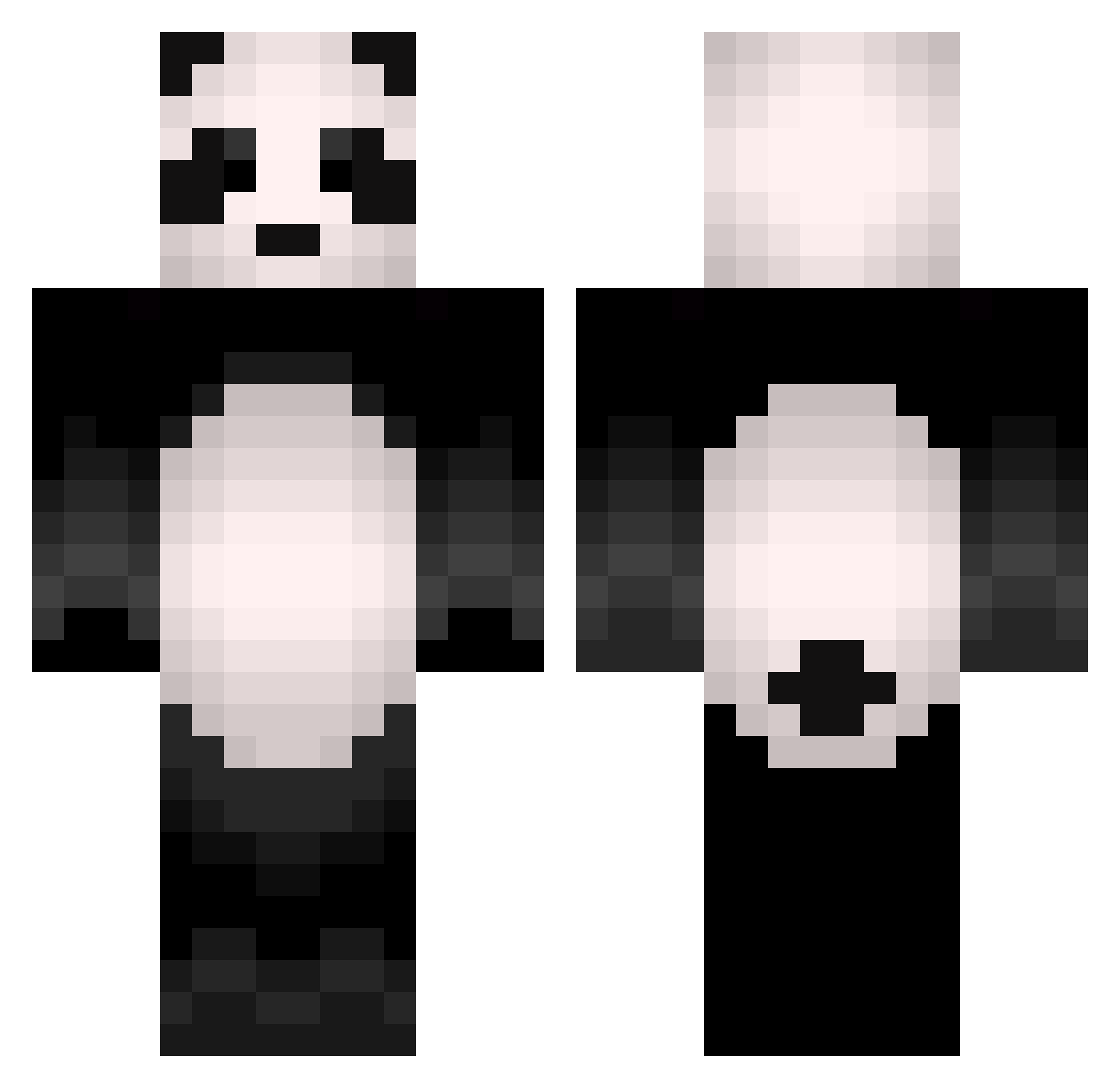
Current Minecraft skin of the player SCBist, loaded from the official Mojang API. Rotate the 3D model with your mouse or finger, then download the skin as a PNG file and use it in Minecraft: Bedrock Edition or Java Edition for free. When SCBist changes their skin, this page updates automatically and the old skin stays in the history below.
Other players with this skin (505)
SCBist was the 134th player we have seen with this skin, first spotted on 27.08.2026. The same skin was seen on these players. Open a nickname to see their current skin and skin history.
 Pandaroonie Wild6385 Mandis55 Womad_Life wilkin33 WanderBlock __ImPanda__ clem3003 Borjita2K K1ngPandaTy keremozbay57 4pex_ MATEOMIFI Panda_Maty Lag_Panda PandaMisi Gamja99999 Skyz17 Nompajok JimmyNN Claqw Kenxxy pandassian connorhv22 MariyaSparkles Kpanda2229 Erichen MIKKELKJAERHEDE PanDa_POL solitaryx3 Sihoo0914 Hykrxn Chadzy Pandarienbaer shamoyu00 LIRONADMON AstarothTunq Pasiphae_ SaiKurayami DYreX146 dknks Eneshinyo Gabukyee shinjinji Manpandas ChocoPark DrUrsaMinor VavaViolett karione1 PropheticPanda Pieman778 TTGBOMB3 kurokurokami TheScottishPanda Riq_Diq_Louis smebf ItsPanda
 Xx_Twitch_xX D4NG Teazzerrr
More Animal Minecraft skins
How to install the SCBist skin
- Press the Download button above to save the skin as a PNG file.
- Minecraft: Bedrock Edition (PE): open the Dressing Room from the main menu (or tap your character → Edit Character), go to Classic Skins → Owned, press the + (new skin) button, choose the downloaded PNG and pick the Classic (Steve) model. Works on PC and mobile; consoles cannot import custom skins.
- Minecraft: Java Edition: open the Minecraft Launcher, go to the Skins tab, click New Skin, load the PNG, pick the Classic (Steve) model and press Save & Use. You can also upload it at minecraft.net → Profile → Change Skin.
The skin does not show up after import - what should I do?
Restart Minecraft and open the Dressing Room again - imported skins sometimes appear only after a restart. Also make sure you selected the imported skin and picked the Classic (Steve) model.
Which model should I choose, Classic or Slim?
This skin is designed for the Classic (Steve) model. If you pick the wrong model, the arms of the skin will look stretched or squeezed.
Is the skin of SCBist free to download?
Yes. Press Download, save the PNG file and use it in Minecraft: Bedrock Edition or Java Edition - no payment or registration needed. The skin also works on multiplayer servers and Realms.
More skins
Looking for more? Go back to all Minecraft skins and check the top skins of the week, month and all time, or find any player's skin by nickname.