
RudyTB10 - Minecraft Skins & Skin History
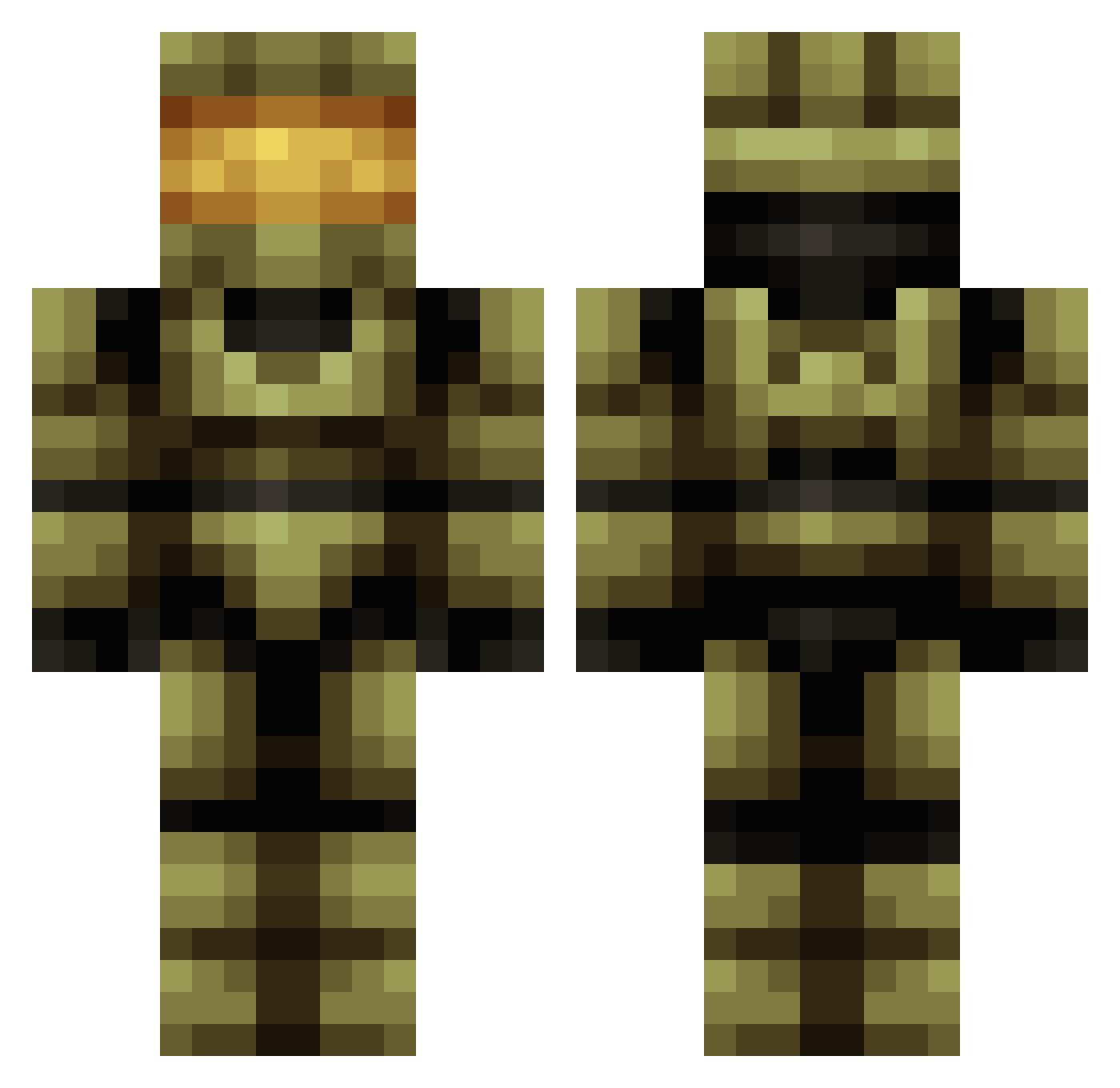
Current Minecraft skin of the player RudyTB10, loaded from the official Mojang API. Rotate the 3D model with your mouse or finger, then download the skin as a PNG file and use it in Minecraft: Bedrock Edition or Java Edition for free. When RudyTB10 changes their skin, this page updates automatically and the old skin stays in the history below.
Other players with this skin (683)
RudyTB10 was the 438th player we have seen with this skin, first spotted on 07.10.2026. The same skin was seen on these players. Open a nickname to see their current skin and skin history.
 ZacharyGR CAVMAN10 IAmShorts JamesEB11 vExaiNE le_angry_mexican Phillip_Czech michieldeneve devon41 ravensharpless Paulsen__98 ShadowAssasinx25 Sithria Bald_Eagle12 skullcrusher1099 chief56 Targus_V3 ShotgunnFunFun RabbitZane Swankytiger69 KiNG_TROOPER veurheufd Reaper47 krossaw Danielbcool quotax nickl522 Troop915 ColinTheGoalie Enchant_SE SbG1997 halcyon14 Bmanmacca ninjaking42004 ETEthan 152Creeperkiller KingWallaceVI MattyGmostMLG Bubb3 FawKes91 Danixt SkyBird2001 a_liquidangel thehaffisback driftwoodcr Nihar04 Madpin_ Elitebuddy _QuartZ_ EggsMediumRare rayaadland gingy226 JackTheBoss8002 NagleBagel34 mrblockface24 Temckin AlanBton iTimeLine TheTrueDante ADHD_DELUXE
More Master Chief Minecraft skins
See all 537 Master Chief skins
How to install the RudyTB10 skin
- Press the Download button above to save the skin as a PNG file.
- Minecraft: Bedrock Edition (PE): open the Dressing Room from the main menu (or tap your character → Edit Character), go to Classic Skins → Owned, press the + (new skin) button, choose the downloaded PNG and pick the Classic (Steve) model. Works on PC and mobile; consoles cannot import custom skins.
- Minecraft: Java Edition: open the Minecraft Launcher, go to the Skins tab, click New Skin, load the PNG, pick the Classic (Steve) model and press Save & Use. You can also upload it at minecraft.net → Profile → Change Skin.
The skin does not show up after import - what should I do?
Restart Minecraft and open the Dressing Room again - imported skins sometimes appear only after a restart. Also make sure you selected the imported skin and picked the Classic (Steve) model.
Which model should I choose, Classic or Slim?
This skin is designed for the Classic (Steve) model. If you pick the wrong model, the arms of the skin will look stretched or squeezed.
Is the skin of RudyTB10 free to download?
Yes. Press Download, save the PNG file and use it in Minecraft: Bedrock Edition or Java Edition - no payment or registration needed. The skin also works on multiplayer servers and Realms.
More skins
Looking for more? Go back to all Minecraft skins and check the top skins of the week, month and all time, or find any player's skin by nickname.