
RookieTC - Minecraft Skins & Skin History
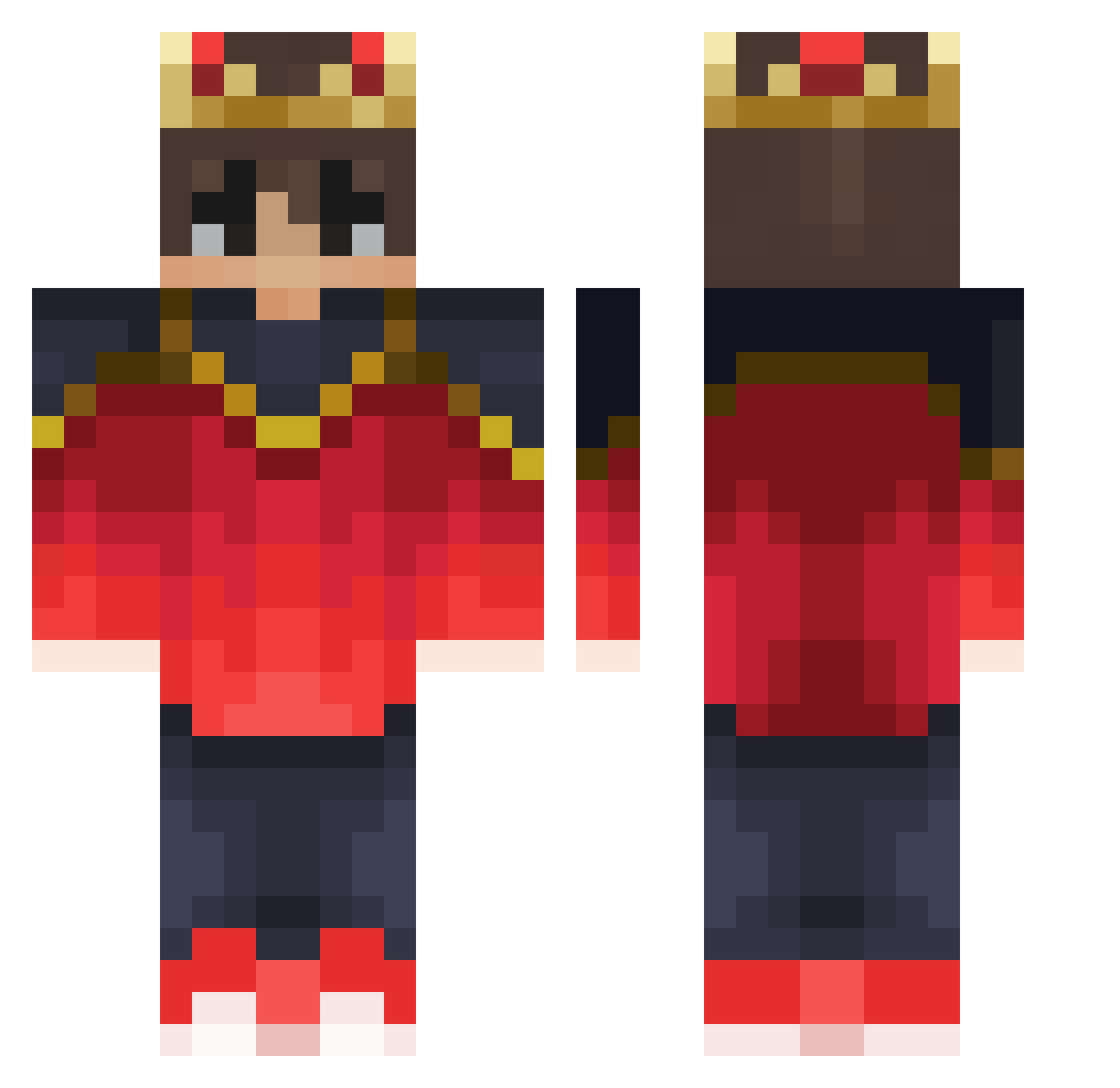
Current Minecraft skin of the player RookieTC, loaded from the official Mojang API. Rotate the 3D model with your mouse or finger, then download the skin as a PNG file and use it in Minecraft: Bedrock Edition or Java Edition for free. When RookieTC changes their skin, this page updates automatically and the old skin stays in the history below.
Other players with this skin (310)
RookieTC was the 24th player we have seen with this skin, first spotted on 29.07.2026. The same skin was seen on these players. Open a nickname to see their current skin and skin history.
 ni3ni4 Sightbreaker Cqpsx Su079 MistGhost MrAdzSmith Baby_MonSter_ oleczekes SpazXZ Santiago_1020 DUDU_GHOST CricketXVII dowep LeviG2000
 D4rkCord911 ytxgiao marsmensch1602 UhViper
 UnrelentingHam Xavi_vm VanoZz_ iKhaled_Q8 iiEddy LiruWolf JERRYTAMA LNascimento WhiteShadow031 Cuber_CatM Kazkii grefer2003 RICH_6969 _R4ndom_ narikin101007 SpookyLuca ReyMatt Samuel_Tallkulle carlosprro Jordan_boi3 Spikeseth04 iLastik habanjero _STORMKING_ Luffylover99 ILTrifoglio UpwardGecko6303 zlama MaoistZedong NPrzanowsky Quizzardz DavidGamerD
 Rulom ljytgaming Little_Tiger10 SansVM haloooooo MysticLazer Ltof_Q8 alxisais KoolDudeZKilla PartridgeRose
More Technoblade Minecraft skins
See all 4107 Technoblade skins
How to install the RookieTC skin
- Press the Download button above to save the skin as a PNG file.
- Minecraft: Bedrock Edition (PE): open the Dressing Room from the main menu (or tap your character → Edit Character), go to Classic Skins → Owned, press the + (new skin) button, choose the downloaded PNG and pick the Classic (Steve) model. Works on PC and mobile; consoles cannot import custom skins.
- Minecraft: Java Edition: open the Minecraft Launcher, go to the Skins tab, click New Skin, load the PNG, pick the Classic (Steve) model and press Save & Use. You can also upload it at minecraft.net → Profile → Change Skin.
The skin does not show up after import - what should I do?
Restart Minecraft and open the Dressing Room again - imported skins sometimes appear only after a restart. Also make sure you selected the imported skin and picked the Classic (Steve) model.
Which model should I choose, Classic or Slim?
This skin is designed for the Classic (Steve) model. If you pick the wrong model, the arms of the skin will look stretched or squeezed.
Is the skin of RookieTC free to download?
Yes. Press Download, save the PNG file and use it in Minecraft: Bedrock Edition or Java Edition - no payment or registration needed. The skin also works on multiplayer servers and Realms.
More skins
Looking for more? Go back to all Minecraft skins and check the top skins of the week, month and all time, or find any player's skin by nickname.