
 acoddo dectet Xaymos32 Absurdtomcat MasterKent_ x_StarWars _alosha Bamer88 Technosimp2 elwwan Phyruz K_L_H_Y cschramm7 ivikhu seifdoss123 Iskleaf ArcticBlackFox FreshAsFck MATIZ0 Swisle_Universe Glouton123 Dunkran M8rius Razzor9000 DJGigi2011 jack1261 Wu_Turtle Iamird GaunerNxah StarPlat1num_ KralOgi tjpres22 Fin_0 ClickRider123 loganmoser11 _7aMma_ Darekys _Fredan_ LordFranz romeox___ Greasysadburger Ghormeh Anik_OP MarmotaFox DEDRockTV qolleh Grano747 Zeeleon OmegaLouis Carlasplund ELPULPO25 __pm__ IAV2021 MigMagSola notcherdreamer KyssedYew Gonzxa7 EDDY_TxT yodahie Aelf55
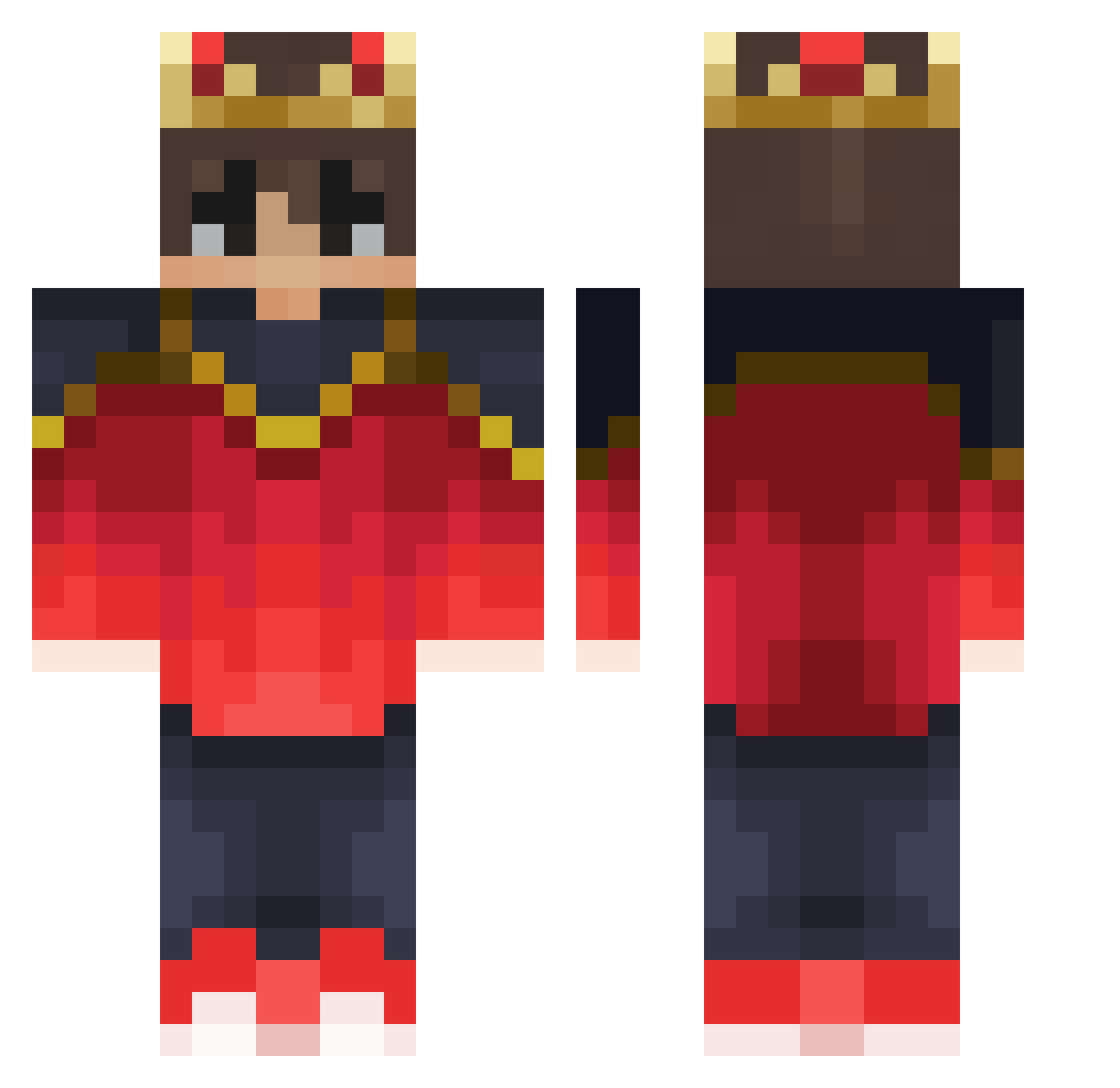
Minecraft skin of zlama. Rotate the 3D model with your mouse or finger to view the skin from every angle, then download it as a PNG file and use it in Minecraft: Bedrock Edition or Java Edition for free. Rate the skin with stars to help other players find the best skins in our collection.
How to install the zlama skin
- Press the Download button above to save the skin as a PNG file.
- Minecraft: Bedrock Edition (PE): open the Dressing Room from the main menu (or tap your character → Edit Character), go to Classic Skins → Owned, press the + (new skin) button, choose the downloaded PNG and pick the Classic (Steve) model. Works on PC and mobile; consoles cannot import custom skins.
- Minecraft: Java Edition: open the Minecraft Launcher, go to the Skins tab, click New Skin, load the PNG, pick the Classic (Steve) model and press Save & Use. You can also upload it at minecraft.net → Profile → Change Skin.
The skin does not show up after import - what should I do?
Restart Minecraft and open the Dressing Room again - imported skins sometimes appear only after a restart. Also make sure you selected the imported skin and picked the Classic (Steve) model.
Which model should I choose, Classic or Slim?
This skin is designed for the Classic (Steve) model. If you pick the wrong model, the arms of the skin will look stretched or squeezed.
Is this skin free to use?
Yes. Press Download, save the PNG file and use it in Minecraft: Bedrock Edition or Java Edition - no payment or registration needed. The skin also works on multiplayer servers and Realms.
More Technoblade Minecraft skins
See all 4262 Technoblade skins
More skins
Looking for more? Go back to all Minecraft skins and check the top skins of the week, month and all time, or find any player's skin by nickname.