
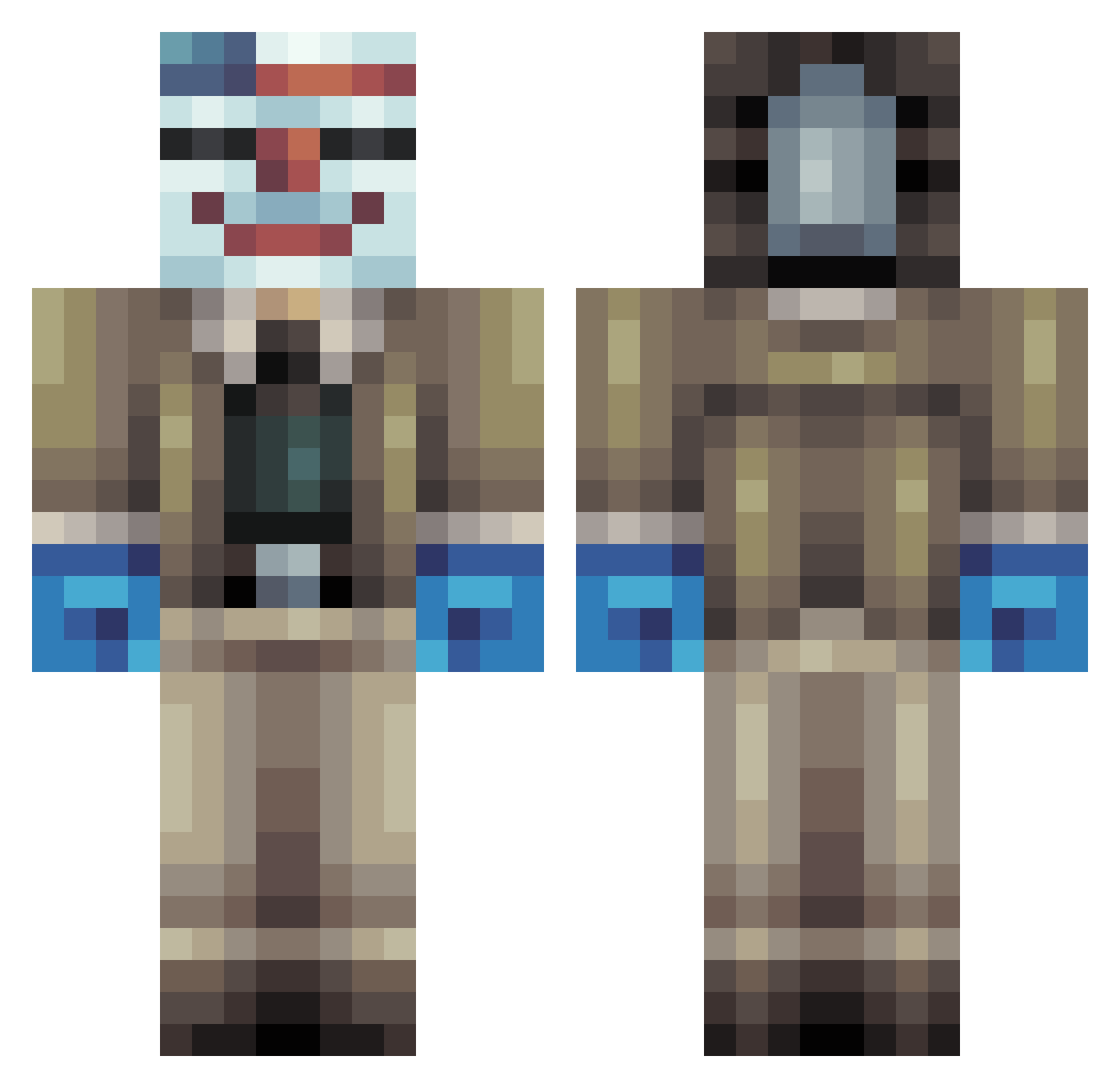
Current Minecraft skin of the player RondoMartellato, loaded from the official Mojang API. Rotate the 3D model with your mouse or finger, then download the skin as a PNG file and use it in Minecraft: Bedrock Edition or Java Edition for free. When RondoMartellato changes their skin, this page updates automatically and the old skin stays in the history below.
Other players with this skin (255)
RondoMartellato was the 112th player we have seen with this skin, first spotted on 04.09.2026. The same skin was seen on these players. Open a nickname to see their current skin and skin history.
 Mywinee Scoilann REDGUY9000 ihatemobs617 WijiFeeler funny_guy1 MrBrown1337 Bl4cKSunMCraft Zackhoo Bossinator25 Mini_Boost290 Comical_Katz Biduloche baron911 the_wecker Rapideman WakandaMan64 gogofranck Lassbo Nucnemesis I3eastguy TheHoxton loveforever TurboHotvedt fiskarenklas Waziron unspeakablefan05 PixxCell Shrebeady thegeneralskater MungCraft viggoemanuel HerickSmith Powerful0306 Magic_Pie_Man llightmatter913 IamReeses Cakeboss5 Noah2801 seannboy VenaticalCone Pethol BeefClown ZombieKiller48 KungfuElephant amane819 darak49 OliverG2005 powerhouse825 NightxMidget christoffer1999 Justonesumaro blockshreader Heitzerrr oskar2309 jaweg610 xIconikkx Skyrhim randymullis27 imranthegamer
More Clown Mask Minecraft skins
How to install the RondoMartellato skin
- Press the Download button above to save the skin as a PNG file.
- Minecraft: Bedrock Edition (PE): open the Dressing Room from the main menu (or tap your character → Edit Character), go to Classic Skins → Owned, press the + (new skin) button, choose the downloaded PNG and pick the Classic (Steve) model. Works on PC and mobile; consoles cannot import custom skins.
- Minecraft: Java Edition: open the Minecraft Launcher, go to the Skins tab, click New Skin, load the PNG, pick the Classic (Steve) model and press Save & Use. You can also upload it at minecraft.net → Profile → Change Skin.
The skin does not show up after import - what should I do?
Restart Minecraft and open the Dressing Room again - imported skins sometimes appear only after a restart. Also make sure you selected the imported skin and picked the Classic (Steve) model.
Which model should I choose, Classic or Slim?
This skin is designed for the Classic (Steve) model. If you pick the wrong model, the arms of the skin will look stretched or squeezed.
Is the skin of RondoMartellato free to download?
Yes. Press Download, save the PNG file and use it in Minecraft: Bedrock Edition or Java Edition - no payment or registration needed. The skin also works on multiplayer servers and Realms.
More skins
Looking for more? Go back to all Minecraft skins and check the top skins of the week, month and all time, or find any player's skin by nickname.