
Rise6Flags - Minecraft Skins & Skin History
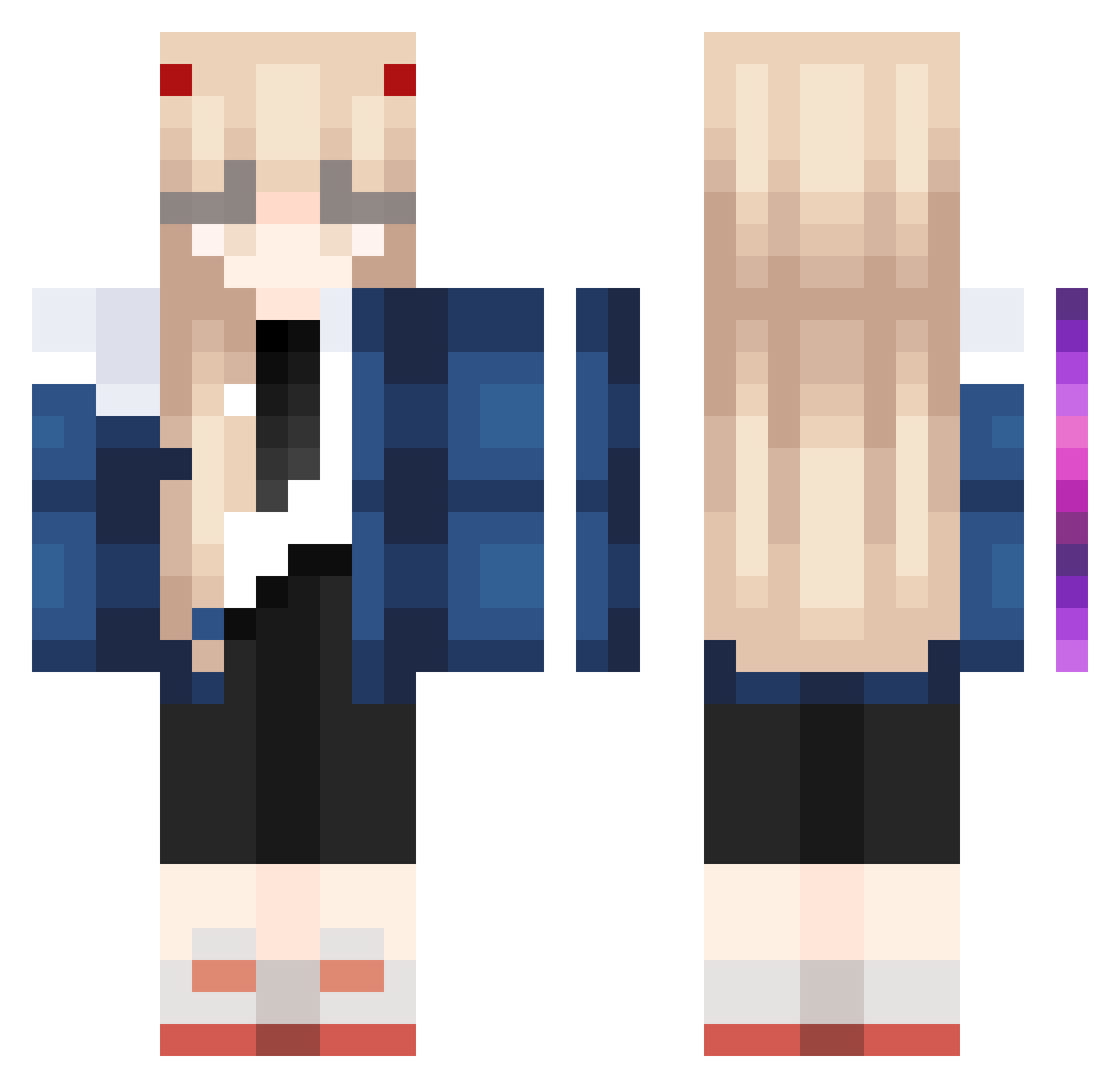
Current Minecraft skin of the player Rise6Flags, loaded from the official Mojang API. Rotate the 3D model with your mouse or finger, then download the skin as a PNG file and use it in Minecraft: Bedrock Edition or Java Edition for free. When Rise6Flags changes their skin, this page updates automatically and the old skin stays in the history below.
Other players with this skin (1023)
Rise6Flags was the 210th player we have seen with this skin, first spotted on 16.08.2026. The same skin was seen on these players. Open a nickname to see their current skin and skin history.
 leaXryan xToyGoat UnholyBeats stunning_raid512 Felldust Rex_Montefiore s0msatang gumpylol Tannnie Atheryys nuanyang1 Daisyaa elephaht CutestLiv GuuuJay TIANKO xxxHatred Victor9878
 mimidaz CorkTiara244653 salemthewicked teddymax1 Rainie denniisek _NSQ_ kararrrrrr Loniiii 97SaMa rlacks13 HumptyPumpty991 Sh0tox rawelioli Relykz0124 krodda GAGASEXUAL tweedledeel malza56
 binyu_111
 SKWIN reazy01 NewHero Anama_ kyo_co RootsFB Beyondddd kikomlxo julaxxxx AtDoomsGate RedLip ___Killa____ Fevlador sparrowhunter56 YungChih302 BygoneBass51776 QingYan_520 cocoacrystal _christinee_ xhyr1 angelkitta seminpower
More Zero Two Minecraft skins
How to install the Rise6Flags skin
- Press the Download button above to save the skin as a PNG file.
- Minecraft: Bedrock Edition (PE): open the Dressing Room from the main menu (or tap your character → Edit Character), go to Classic Skins → Owned, press the + (new skin) button, choose the downloaded PNG and pick the Classic (Steve) model. Works on PC and mobile; consoles cannot import custom skins.
- Minecraft: Java Edition: open the Minecraft Launcher, go to the Skins tab, click New Skin, load the PNG, pick the Classic (Steve) model and press Save & Use. You can also upload it at minecraft.net → Profile → Change Skin.
The skin does not show up after import - what should I do?
Restart Minecraft and open the Dressing Room again - imported skins sometimes appear only after a restart. Also make sure you selected the imported skin and picked the Classic (Steve) model.
Which model should I choose, Classic or Slim?
This skin is designed for the Classic (Steve) model. If you pick the wrong model, the arms of the skin will look stretched or squeezed.
Is the skin of Rise6Flags free to download?
Yes. Press Download, save the PNG file and use it in Minecraft: Bedrock Edition or Java Edition - no payment or registration needed. The skin also works on multiplayer servers and Realms.
More skins
Looking for more? Go back to all Minecraft skins and check the top skins of the week, month and all time, or find any player's skin by nickname.