
RhysPh - Minecraft Skins & Skin History
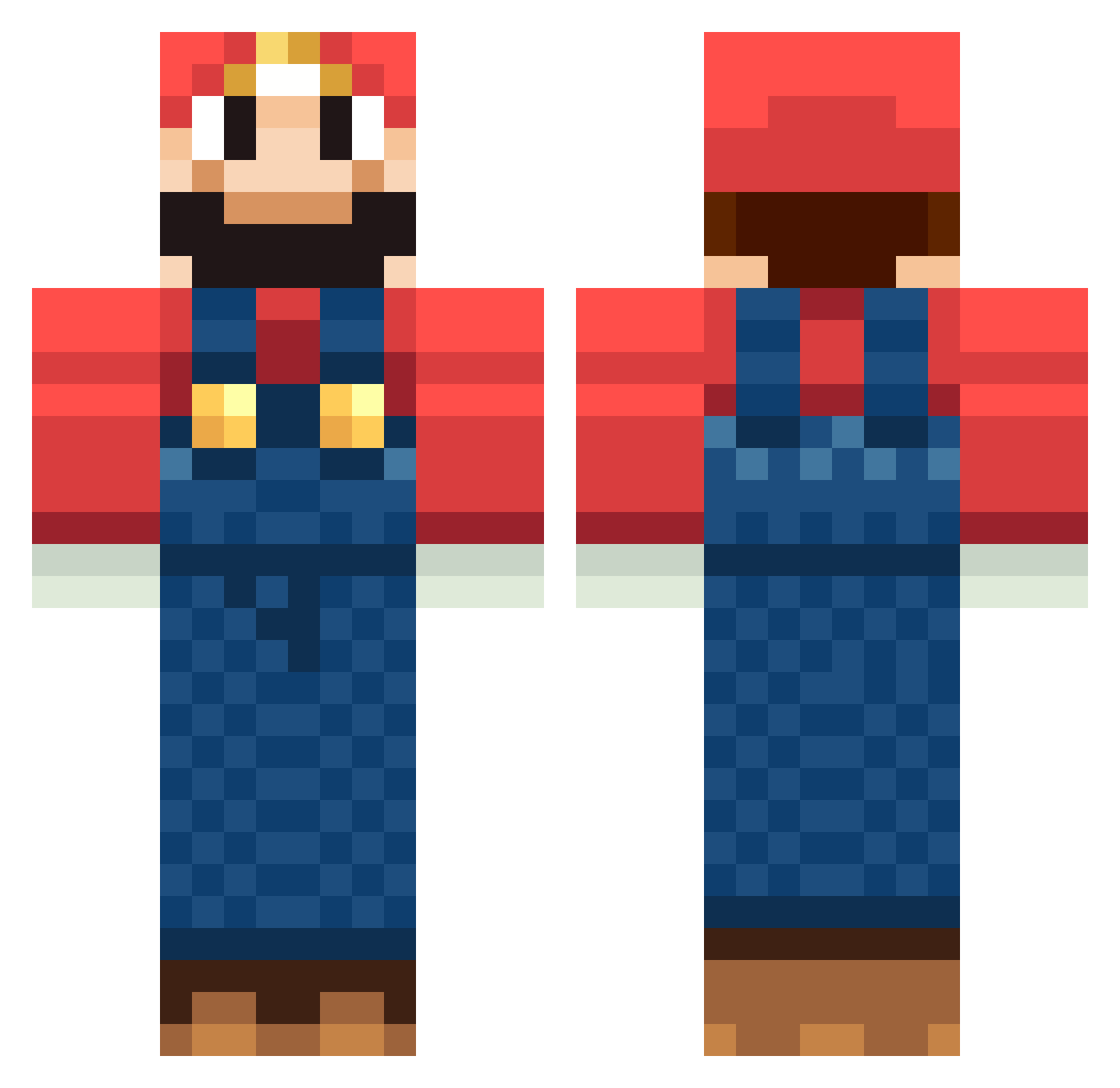
Current Minecraft skin of the player RhysPh, loaded from the official Mojang API. Rotate the 3D model with your mouse or finger, then download the skin as a PNG file and use it in Minecraft: Bedrock Edition or Java Edition for free. When RhysPh changes their skin, this page updates automatically and the old skin stays in the history below.
Other players with this skin (1265)
RhysPh was the 468th player we have seen with this skin, first spotted on 03.09.2026. The same skin was seen on these players. Open a nickname to see their current skin and skin history.
 Darkrip MmTn39 Holy_swing RustBuckets Ellizibith The_Wiggin Styleroxs choFsan DIDUJUSTCTHAT1 SophiaTFalk _Cheliko_ CJSDude98 Wxsp Draxton_ donStalin 8284_mk Hisokaaxx DaymondP druok Spinner53 Austin2141 TresorBerlin87 Mawich andresvarela GioBarone98 Mariobutter123 peichannel MrOr4ng3 robotrobert PiT__19 Lightnin_Bolt x3nort pitogas hel0407 DcEagle02 Averell_93 m4rkmckenna PanicakeeIsCool3 BlackRyan59 JuiceCandy Bunnerot Nerfman1999 OrangeMurphyphat wonderwillie skullonline da_hunter103 SoFt_IC3 KaptainDeez Vibbeh jerodem zachzollman chrissieleinchen jjuni13 beefissogood manspider1000 kristine113 JamesMcFadden Dubkorps K_sujebi Pulppu_
More Mario Minecraft skins
How to install the RhysPh skin
- Press the Download button above to save the skin as a PNG file.
- Minecraft: Bedrock Edition (PE): open the Dressing Room from the main menu (or tap your character → Edit Character), go to Classic Skins → Owned, press the + (new skin) button, choose the downloaded PNG and pick the Classic (Steve) model. Works on PC and mobile; consoles cannot import custom skins.
- Minecraft: Java Edition: open the Minecraft Launcher, go to the Skins tab, click New Skin, load the PNG, pick the Classic (Steve) model and press Save & Use. You can also upload it at minecraft.net → Profile → Change Skin.
The skin does not show up after import - what should I do?
Restart Minecraft and open the Dressing Room again - imported skins sometimes appear only after a restart. Also make sure you selected the imported skin and picked the Classic (Steve) model.
Which model should I choose, Classic or Slim?
This skin is designed for the Classic (Steve) model. If you pick the wrong model, the arms of the skin will look stretched or squeezed.
Is the skin of RhysPh free to download?
Yes. Press Download, save the PNG file and use it in Minecraft: Bedrock Edition or Java Edition - no payment or registration needed. The skin also works on multiplayer servers and Realms.
More skins
Looking for more? Go back to all Minecraft skins and check the top skins of the week, month and all time, or find any player's skin by nickname.