
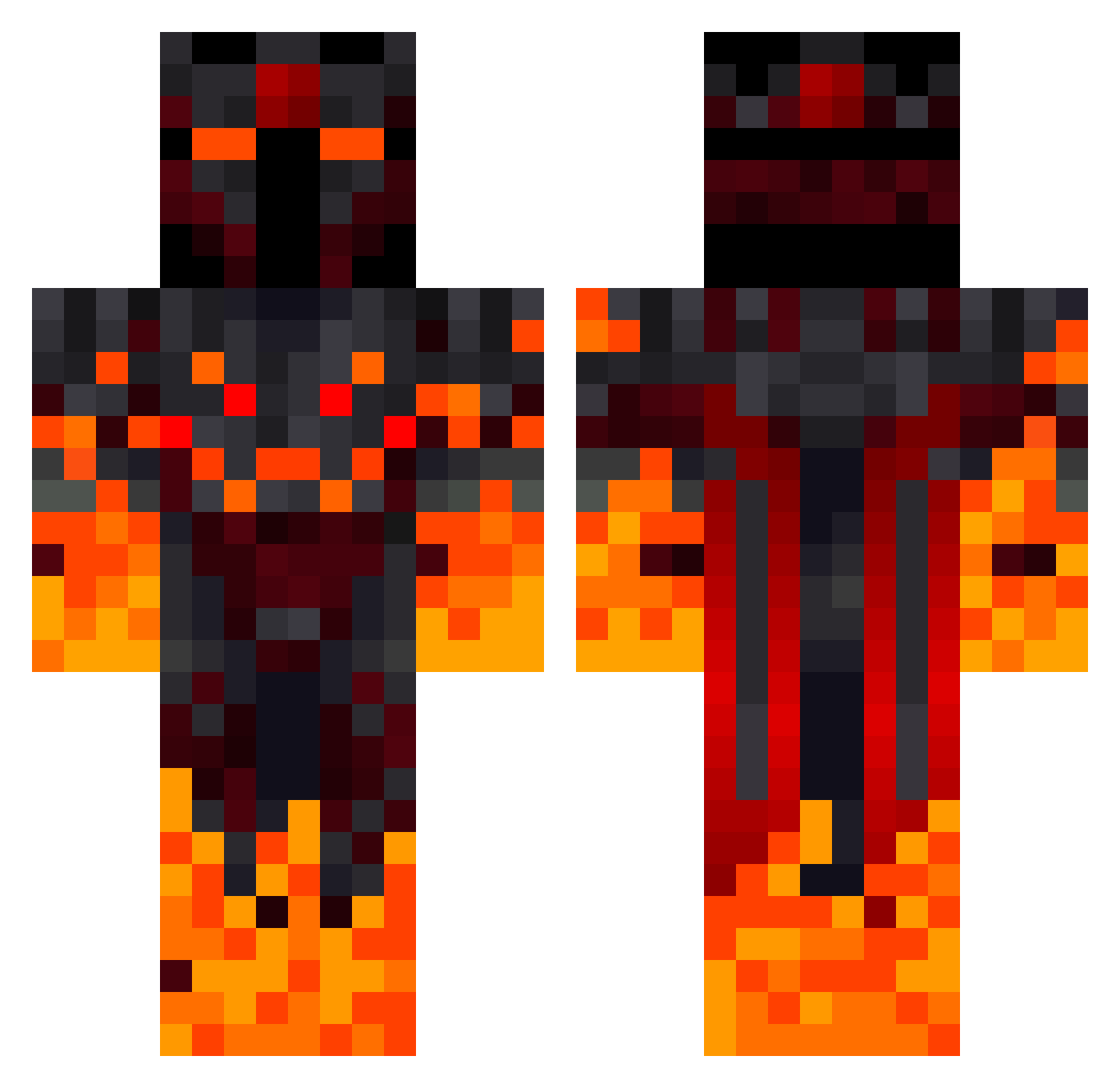
Current Minecraft skin of the player Rengoku2002, loaded from the official Mojang API. Rotate the 3D model with your mouse or finger, then download the skin as a PNG file and use it in Minecraft: Bedrock Edition or Java Edition for free. When Rengoku2002 changes their skin, this page updates automatically and the old skin stays in the history below.
Other players with this skin (308)
Rengoku2002 was the 47th player we have seen with this skin, first spotted on 06.08.2026. The same skin was seen on these players. Open a nickname to see their current skin and skin history.
 engincan3321 Heatrocks10 Hinduista Drogzy_itz JohnPag Orestius Jules_AigleRoyal RagingSmoker345 wizard1500 oriking9 BEASTdanger medard21 gustavo162 mattyakapferd lavaBMX903 EMYIB Kingfblood 4MortalDance1 Lactovacilos MinerSK Nullplague zakolakos Stoaglopfa SpringWars JustinInferno HerchelX LemonCereal7499 Shuxoss Esi_1612 leopardinyo Maco0907 RCSHack GameCrafter1 RhysiclesT
 99Kyogi Guilherme169 ColonoHz loljetroll DamR7 falakuk ValdBagina6903 TigreOne11 ALEXSOUZA19 Nacho35
 Kneulli HandsomeMati Aciusgamer
 opplem ValuableDonkey GIGFlares KaisoKend Killer3244 Bohmischer fourze34 GroWteeR StarKill_Best_WW So3iro1 Tankos7099 0815_Tim jojojef
More Fire Demon Minecraft skins
How to install the Rengoku2002 skin
- Press the Download button above to save the skin as a PNG file.
- Minecraft: Bedrock Edition (PE): open the Dressing Room from the main menu (or tap your character → Edit Character), go to Classic Skins → Owned, press the + (new skin) button, choose the downloaded PNG and pick the Classic (Steve) model. Works on PC and mobile; consoles cannot import custom skins.
- Minecraft: Java Edition: open the Minecraft Launcher, go to the Skins tab, click New Skin, load the PNG, pick the Classic (Steve) model and press Save & Use. You can also upload it at minecraft.net → Profile → Change Skin.
The skin does not show up after import - what should I do?
Restart Minecraft and open the Dressing Room again - imported skins sometimes appear only after a restart. Also make sure you selected the imported skin and picked the Classic (Steve) model.
Which model should I choose, Classic or Slim?
This skin is designed for the Classic (Steve) model. If you pick the wrong model, the arms of the skin will look stretched or squeezed.
Is the skin of Rengoku2002 free to download?
Yes. Press Download, save the PNG file and use it in Minecraft: Bedrock Edition or Java Edition - no payment or registration needed. The skin also works on multiplayer servers and Realms.
More skins
Looking for more? Go back to all Minecraft skins and check the top skins of the week, month and all time, or find any player's skin by nickname.