
RealSlain - Minecraft Skins & Skin History
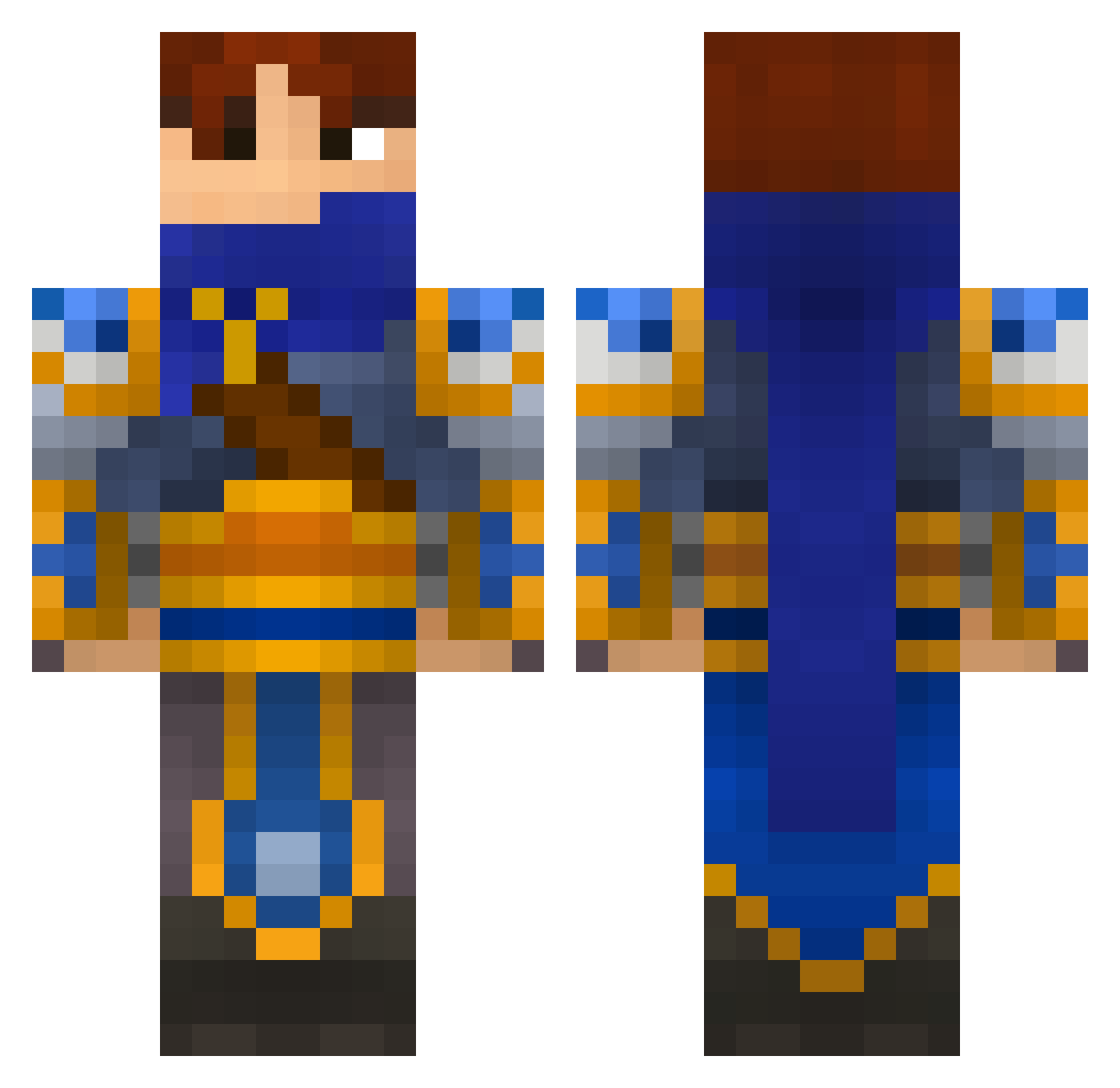
Current Minecraft skin of the player RealSlain, loaded from the official Mojang API. Rotate the 3D model with your mouse or finger, then download the skin as a PNG file and use it in Minecraft: Bedrock Edition or Java Edition for free. When RealSlain changes their skin, this page updates automatically and the old skin stays in the history below.
Other players with this skin (696)
RealSlain was the 387th player we have seen with this skin, first spotted on 01.10.2026. The same skin was seen on these players. Open a nickname to see their current skin and skin history.
 JasonWrong Lev92 doomsday00 Nico1965 Billy_boi19 badbeale Travalanche FlynnSteel franco67 leetTD simsaking ThisIsFridge ipownusuka marcustaubert Krazyk4812 money8647 Eldek1 PhalePicaso willdoo1 SPECTE93 Rzzem Trigger_Ernie BlueIce12 UeliDeSchwert retrokillas delusional22 Razermazin MafinBoi 7777loic Gehirn05 Me_g Jumperalex ExarKun626 Himon222 magikpieman Helbrecht86 Krieng bobigun Silrothen kOcoA96 DeviousJawas mowglisbh97 Drug_Dealer_Girl smozk CaptainAJ luap1999 blake897 bentleydesh MooSniper5 replicatour Clair_De_Lune fatalis92 Zeappolon Alex180894 AWigley99 clayton679 WhiteAngelX11 Dimiscott LordDaos curiousepic
More Warrior Minecraft skins
How to install the RealSlain skin
- Press the Download button above to save the skin as a PNG file.
- Minecraft: Bedrock Edition (PE): open the Dressing Room from the main menu (or tap your character → Edit Character), go to Classic Skins → Owned, press the + (new skin) button, choose the downloaded PNG and pick the Classic (Steve) model. Works on PC and mobile; consoles cannot import custom skins.
- Minecraft: Java Edition: open the Minecraft Launcher, go to the Skins tab, click New Skin, load the PNG, pick the Classic (Steve) model and press Save & Use. You can also upload it at minecraft.net → Profile → Change Skin.
The skin does not show up after import - what should I do?
Restart Minecraft and open the Dressing Room again - imported skins sometimes appear only after a restart. Also make sure you selected the imported skin and picked the Classic (Steve) model.
Which model should I choose, Classic or Slim?
This skin is designed for the Classic (Steve) model. If you pick the wrong model, the arms of the skin will look stretched or squeezed.
Is the skin of RealSlain free to download?
Yes. Press Download, save the PNG file and use it in Minecraft: Bedrock Edition or Java Edition - no payment or registration needed. The skin also works on multiplayer servers and Realms.
More skins
Looking for more? Go back to all Minecraft skins and check the top skins of the week, month and all time, or find any player's skin by nickname.