
curiousepic - Minecraft Skins & Skin History
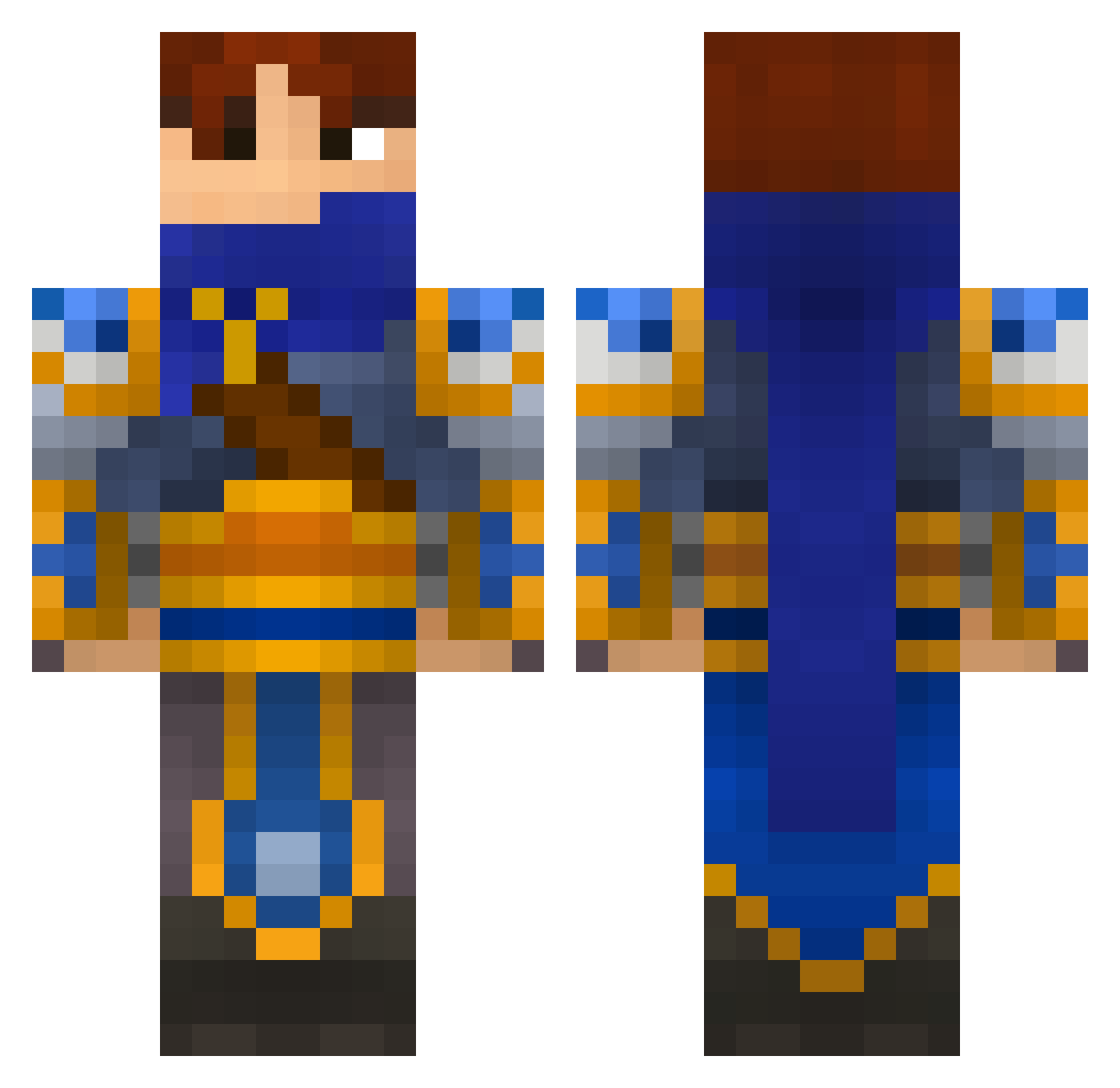
Current Minecraft skin of the player curiousepic, loaded from the official Mojang API. Rotate the 3D model with your mouse or finger, then download the skin as a PNG file and use it in Minecraft: Bedrock Edition or Java Edition for free. When curiousepic changes their skin, this page updates automatically and the old skin stays in the history below.
Other players with this skin (696)
curiousepic was the 418th player we have seen with this skin, first spotted on 06.10.2026. The same skin was seen on these players. Open a nickname to see their current skin and skin history.
 Dimiscott clayton679 Louueezee AWigley99 lsmerlier OolacileArtorias silverone999 Darkfirock VahnKaiser replicatour ChurroAssassin MooSniper5 LolaMatrix78 bentleydesh Suiciide blake897 daanvdw123 CaptainAJ smozk GameMaster56 gyrome Drug_Dealer_Girl mowglisbh97 TheAwesomeRune Baba0rhuM donbis Silrothen bobigun Krieng Kithkal Helbrecht86 Himon222 d3n1s13 Jumperalex 7777loic Yagannath BlueIce12 Trigger_Ernie SPECTE93 TGRUNNINGRIOT Knowbii Hemadric1 PhalePicaso Eldek1 money8647 craman MfcTerry wickerteamer Tremblingtenant ThisIsFridge EuphoniumSama Seroms_ CloudYu666 simsaking ANDR3WR1CKARD FlynnSteel vardald doomsday00 Lev92 JasonWrong
More Warrior Minecraft skins
How to install the curiousepic skin
- Press the Download button above to save the skin as a PNG file.
- Minecraft: Bedrock Edition (PE): open the Dressing Room from the main menu (or tap your character → Edit Character), go to Classic Skins → Owned, press the + (new skin) button, choose the downloaded PNG and pick the Classic (Steve) model. Works on PC and mobile; consoles cannot import custom skins.
- Minecraft: Java Edition: open the Minecraft Launcher, go to the Skins tab, click New Skin, load the PNG, pick the Classic (Steve) model and press Save & Use. You can also upload it at minecraft.net → Profile → Change Skin.
The skin does not show up after import - what should I do?
Restart Minecraft and open the Dressing Room again - imported skins sometimes appear only after a restart. Also make sure you selected the imported skin and picked the Classic (Steve) model.
Which model should I choose, Classic or Slim?
This skin is designed for the Classic (Steve) model. If you pick the wrong model, the arms of the skin will look stretched or squeezed.
Is the skin of curiousepic free to download?
Yes. Press Download, save the PNG file and use it in Minecraft: Bedrock Edition or Java Edition - no payment or registration needed. The skin also works on multiplayer servers and Realms.
More skins
Looking for more? Go back to all Minecraft skins and check the top skins of the week, month and all time, or find any player's skin by nickname.