
Real3Dx - Minecraft Skins & Skin History
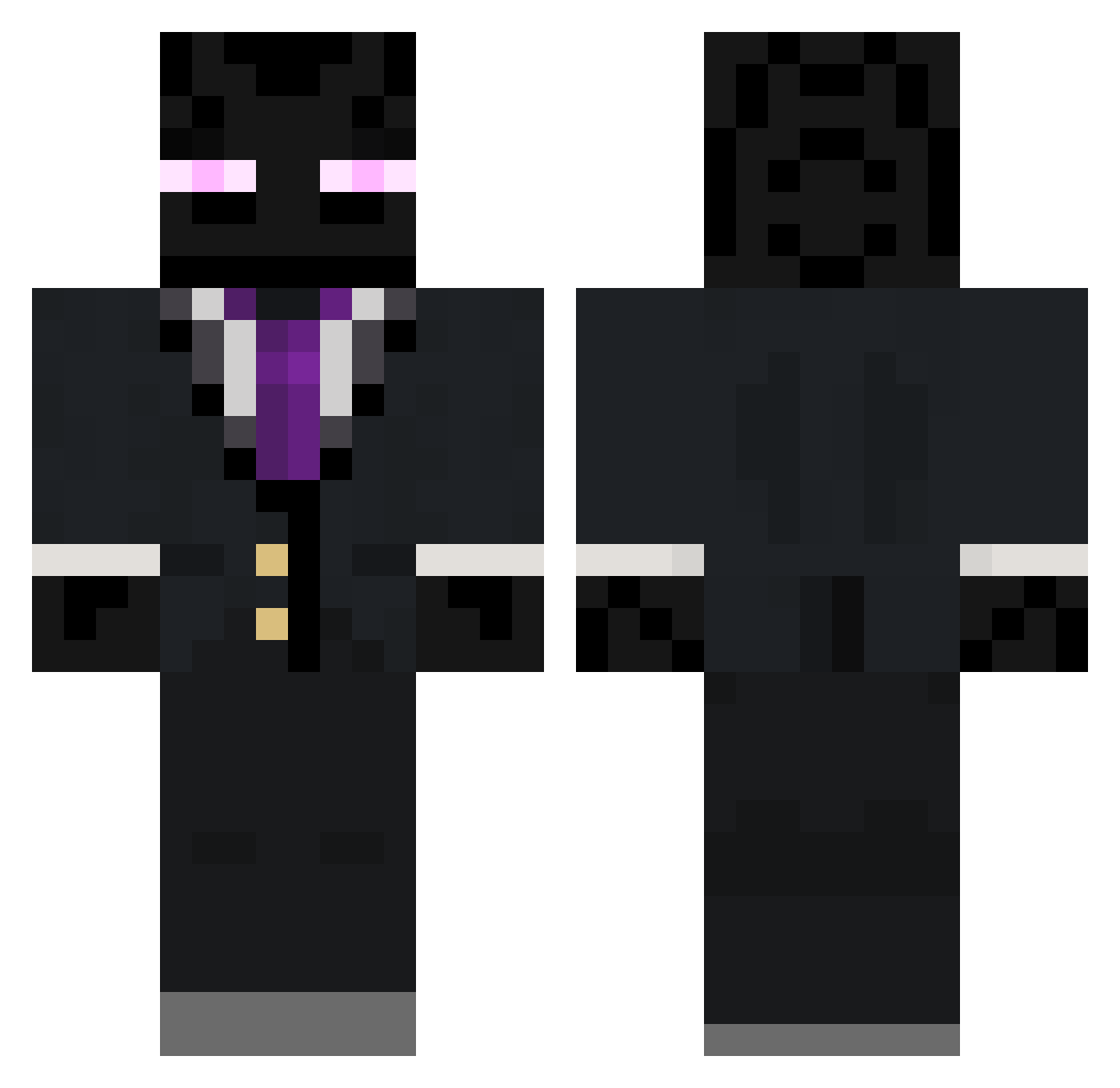
Current Minecraft skin of the player Real3Dx, loaded from the official Mojang API. Rotate the 3D model with your mouse or finger, then download the skin as a PNG file and use it in Minecraft: Bedrock Edition or Java Edition for free. When Real3Dx changes their skin, this page updates automatically and the old skin stays in the history below.
Other players with this skin (263)
Real3Dx was the 74th player we have seen with this skin, first spotted on 26.08.2026. The same skin was seen on these players. Open a nickname to see their current skin and skin history.
 DipStix_SF MFlow SkippyFern ddd4ryl lunar_strider Eric1845 DragonNewt09 KINGLAZE007 Ayon1 plonu clever_username1 EldenGuardian MakoCRN greekapollo Kypets AddictedToWater_
 Keitzzen TookAllMyMeds shadowbladex045 MrMorningstar13 _xxblinkxx_ Tai_Seng fdsarewq th3rdchiron zephxyn Rapidleaves M1A1_Carbine Artingamer98 SwagMessiah3 gldtspace OffTheBody CrazyVamEmpire CaptnMick shuhaaaaan 2_Buckets RossGames06 SamusHayden __foggy PaNik2809 Cabdio05 EnderPearls02 GYPSYHEAD Cerea1Kill3r Ninjacrafter69 MasterIronSkull psydego SyFe_Ice DatM4ilGuy Areomayo Pere09 MMW333 Le_Survivant54 MrEnder5 Laptec hypothesi hmoney05 MCRocksNick pyromaniclol VoxPlayz ASDREFASDF
More Enderman Minecraft skins
How to install the Real3Dx skin
- Press the Download button above to save the skin as a PNG file.
- Minecraft: Bedrock Edition (PE): open the Dressing Room from the main menu (or tap your character → Edit Character), go to Classic Skins → Owned, press the + (new skin) button, choose the downloaded PNG and pick the Classic (Steve) model. Works on PC and mobile; consoles cannot import custom skins.
- Minecraft: Java Edition: open the Minecraft Launcher, go to the Skins tab, click New Skin, load the PNG, pick the Classic (Steve) model and press Save & Use. You can also upload it at minecraft.net → Profile → Change Skin.
The skin does not show up after import - what should I do?
Restart Minecraft and open the Dressing Room again - imported skins sometimes appear only after a restart. Also make sure you selected the imported skin and picked the Classic (Steve) model.
Which model should I choose, Classic or Slim?
This skin is designed for the Classic (Steve) model. If you pick the wrong model, the arms of the skin will look stretched or squeezed.
Is the skin of Real3Dx free to download?
Yes. Press Download, save the PNG file and use it in Minecraft: Bedrock Edition or Java Edition - no payment or registration needed. The skin also works on multiplayer servers and Realms.
More skins
Looking for more? Go back to all Minecraft skins and check the top skins of the week, month and all time, or find any player's skin by nickname.