
RUMZIN - Minecraft Skins & Skin History
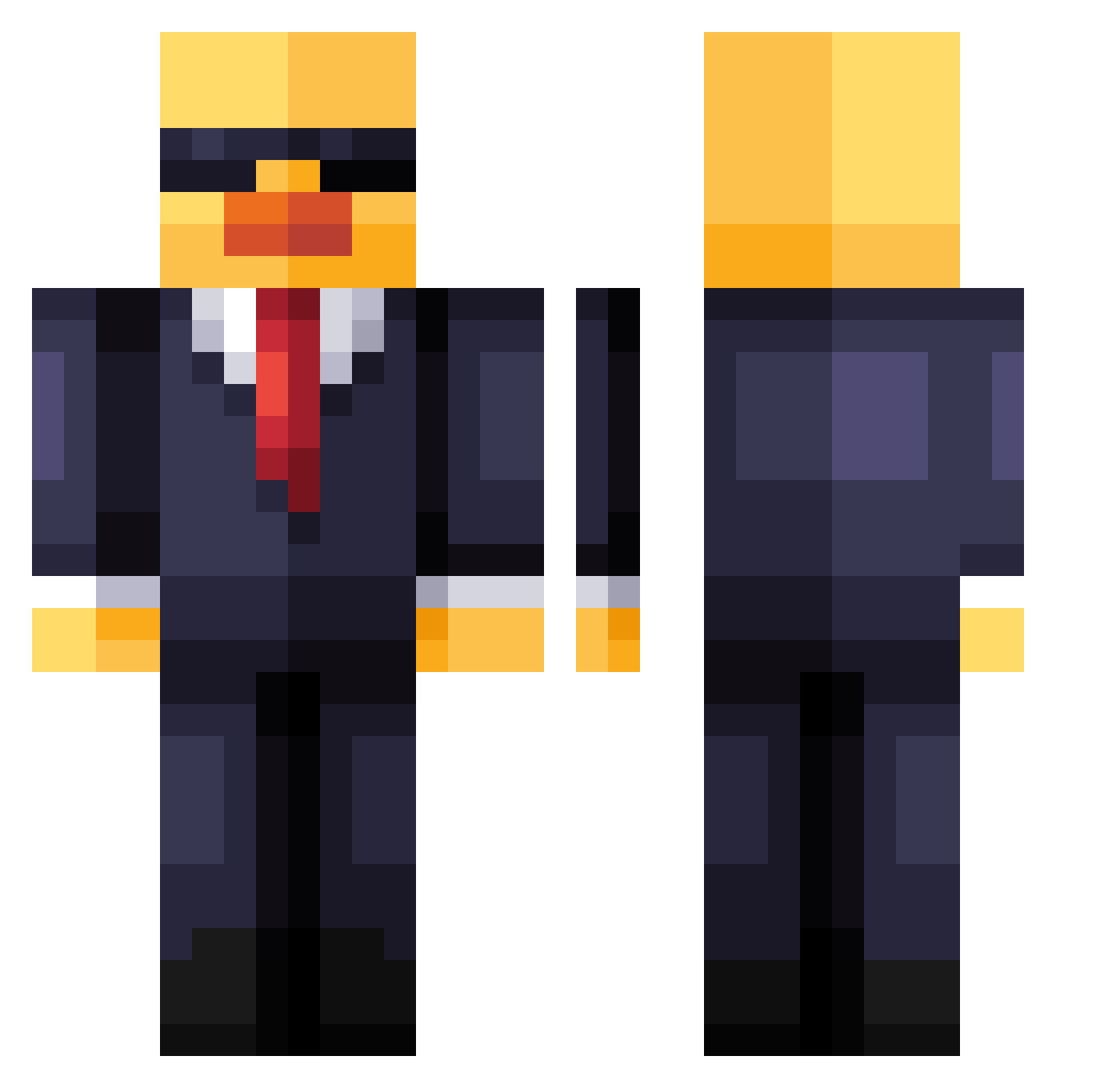
Current Minecraft skin of the player RUMZIN, loaded from the official Mojang API. Rotate the 3D model with your mouse or finger, then download the skin as a PNG file and use it in Minecraft: Bedrock Edition or Java Edition for free. When RUMZIN changes their skin, this page updates automatically and the old skin stays in the history below.
Other players with this skin (219)
RUMZIN was the 95th player we have seen with this skin, first spotted on 16.09.2026. The same skin was seen on these players. Open a nickname to see their current skin and skin history.
 Hamza7790 MrBooDuckE palm6509 milker1234 Yonti1234 Knallfrosch2611 xVizy_ guinaito cesardiazchie rag0253 gabzao ElVerga31 coolcez need_sleep_ yanhao12 djnitram honestlydraco JuSt_A_v1b3 Master_526 Toy4a__ Killermeik2446 king_chez Punduck FastGoatGoat Tiramisu_yay ijdv TeichLamm5 Olafini40 Afonsek alexandra1s Baguncinhaaaaa xxxRafxxx biluia Mento_2 Nichlasohm egeminoglu WuGuanqun McChicken_9 sexlua ChassMan dodoala62 Raysen36 soldaatjebroer Maste2436 RittoDitto Koryyn SPEELBOUND gab_ber Luyd__JR Ratanation2 chaschas12 ImagineerRiley Fenkow redeemthememe PinLo06 Pilotjelly levlevgaming pitzips Cursed_Ducky Goldenduck2799
More Duck Minecraft skins
How to install the RUMZIN skin
- Press the Download button above to save the skin as a PNG file.
- Minecraft: Bedrock Edition (PE): open the Dressing Room from the main menu (or tap your character → Edit Character), go to Classic Skins → Owned, press the + (new skin) button, choose the downloaded PNG and pick the Classic (Steve) model. Works on PC and mobile; consoles cannot import custom skins.
- Minecraft: Java Edition: open the Minecraft Launcher, go to the Skins tab, click New Skin, load the PNG, pick the Classic (Steve) model and press Save & Use. You can also upload it at minecraft.net → Profile → Change Skin.
The skin does not show up after import - what should I do?
Restart Minecraft and open the Dressing Room again - imported skins sometimes appear only after a restart. Also make sure you selected the imported skin and picked the Classic (Steve) model.
Which model should I choose, Classic or Slim?
This skin is designed for the Classic (Steve) model. If you pick the wrong model, the arms of the skin will look stretched or squeezed.
Is the skin of RUMZIN free to download?
Yes. Press Download, save the PNG file and use it in Minecraft: Bedrock Edition or Java Edition - no payment or registration needed. The skin also works on multiplayer servers and Realms.
More skins
Looking for more? Go back to all Minecraft skins and check the top skins of the week, month and all time, or find any player's skin by nickname.