
ROUGESLAYER221 - Minecraft Skins & Skin History
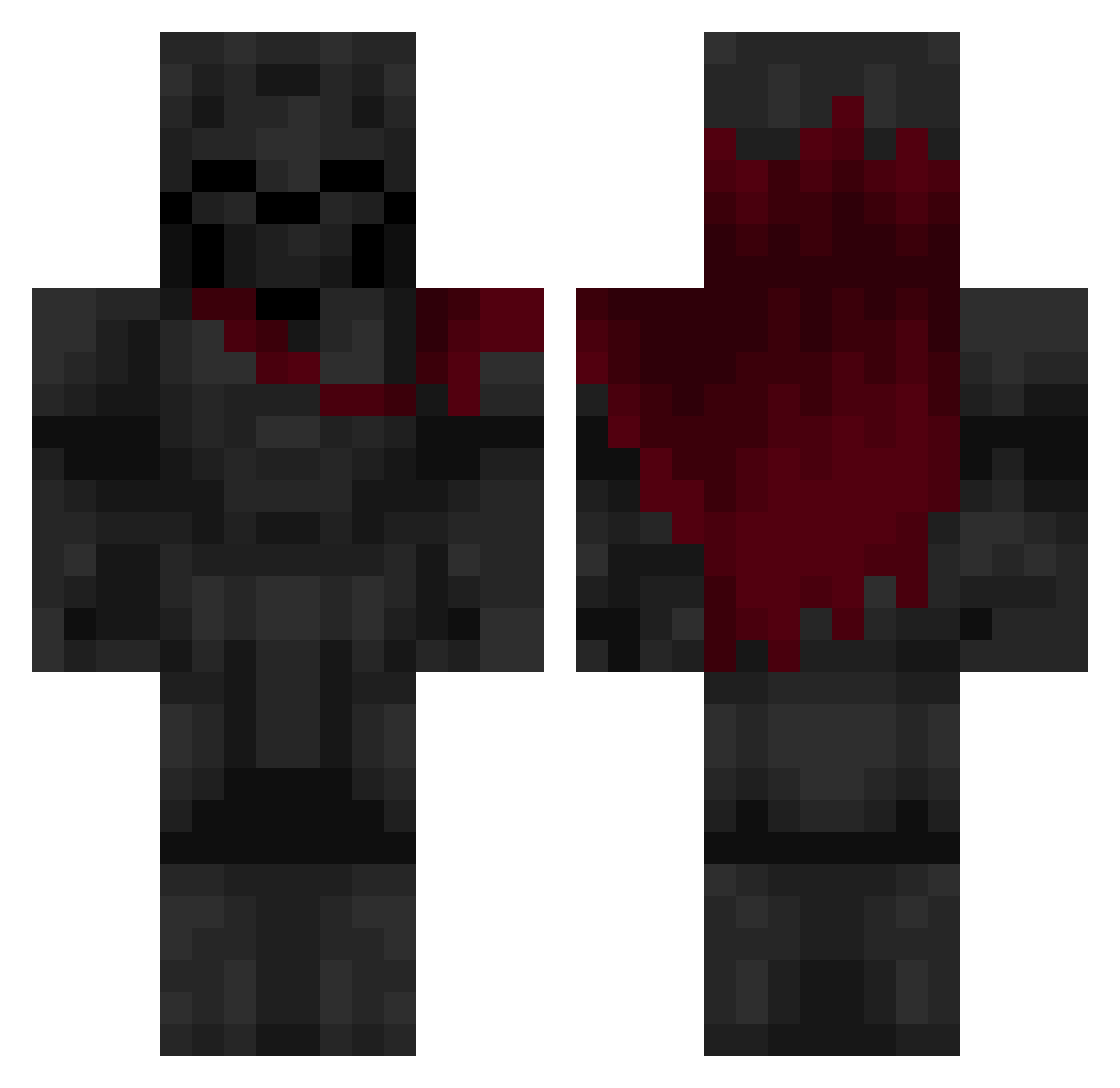
Current Minecraft skin of the player ROUGESLAYER221, loaded from the official Mojang API. Rotate the 3D model with your mouse or finger, then download the skin as a PNG file and use it in Minecraft: Bedrock Edition or Java Edition for free. When ROUGESLAYER221 changes their skin, this page updates automatically and the old skin stays in the history below.
Other players with this skin (640)
ROUGESLAYER221 was the 234th player we have seen with this skin, first spotted on 02.09.2026. The same skin was seen on these players. Open a nickname to see their current skin and skin history.
 trulyvoid_ Samihimselfinv 0biwonKin0b1Zero XFXQ Destructor Stabeer QBatron YesTheZeusLegend Sekkary PlagueX01 AlphaCatPat vierhas24 RockerRoller158 myth1243 wovenmonster221 jaydenbcd comexty juanpablito2137 fpsrhzn0508 bObs2001 cubitaaxx AndrewMark18 BZalQHJ oesr matataka Shadow_Elevate Uqba Acher06 yeoromain ShauTex Vapourrz Arbos68 CKCK00 Zbug1022 Aarush230908 Marge22 Lettumen RIPPER_L0L Jak3Thomas Bloodforgedcrown WTS150 Monkay3_3 Fyrkrxil HIDEYHOO Thomasjee20 VladiXDD DARK_SHADOW_50 Kingslayer3515 the_laugher Ameidus Levamcore kluczyyyk reckless_10 KronoZG tyzxp Gozybu TinShortsword Iuckl Yes_I_Rage ItsHago
More Knight Minecraft skins
How to install the ROUGESLAYER221 skin
- Press the Download button above to save the skin as a PNG file.
- Minecraft: Bedrock Edition (PE): open the Dressing Room from the main menu (or tap your character → Edit Character), go to Classic Skins → Owned, press the + (new skin) button, choose the downloaded PNG and pick the Classic (Steve) model. Works on PC and mobile; consoles cannot import custom skins.
- Minecraft: Java Edition: open the Minecraft Launcher, go to the Skins tab, click New Skin, load the PNG, pick the Classic (Steve) model and press Save & Use. You can also upload it at minecraft.net → Profile → Change Skin.
The skin does not show up after import - what should I do?
Restart Minecraft and open the Dressing Room again - imported skins sometimes appear only after a restart. Also make sure you selected the imported skin and picked the Classic (Steve) model.
Which model should I choose, Classic or Slim?
This skin is designed for the Classic (Steve) model. If you pick the wrong model, the arms of the skin will look stretched or squeezed.
Is the skin of ROUGESLAYER221 free to download?
Yes. Press Download, save the PNG file and use it in Minecraft: Bedrock Edition or Java Edition - no payment or registration needed. The skin also works on multiplayer servers and Realms.
More skins
Looking for more? Go back to all Minecraft skins and check the top skins of the week, month and all time, or find any player's skin by nickname.