
R3mek115 - Minecraft Skins & Skin History
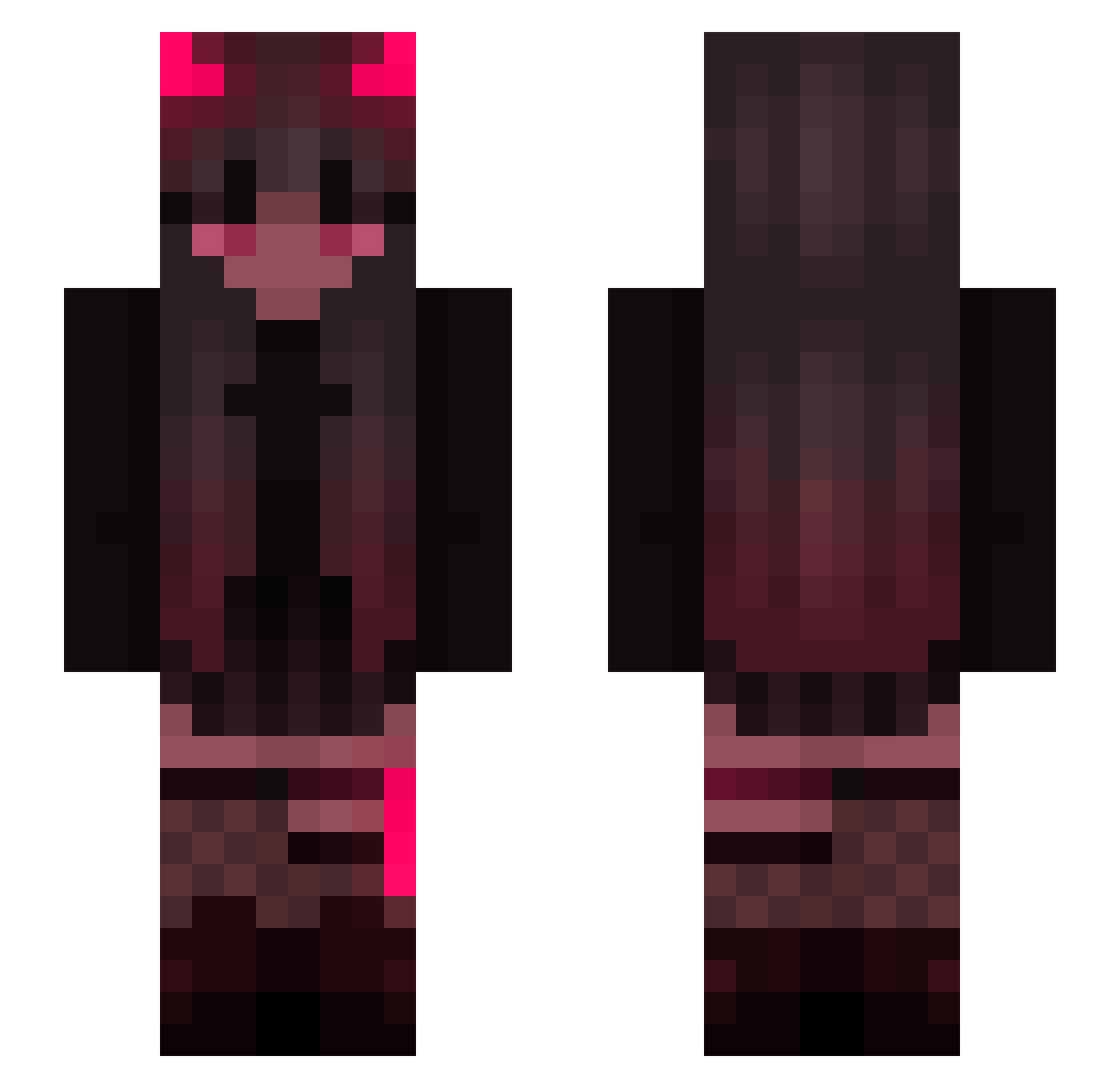
Current Minecraft skin of the player R3mek115, loaded from the official Mojang API. Rotate the 3D model with your mouse or finger, then download the skin as a PNG file and use it in Minecraft: Bedrock Edition or Java Edition for free. When R3mek115 changes their skin, this page updates automatically and the old skin stays in the history below.
Other players with this skin (200)
R3mek115 was the 26th player we have seen with this skin, first spotted on 11.08.2026. The same skin was seen on these players. Open a nickname to see their current skin and skin history.
 swuki Magicle7 Valerius_Dracula bluerexie DomisQ_ ZacharAlex ShayenX DropedByGloria GothLuvrr AeneasFelix Celsae MinxyMouse JDSRayven SUMPER Deuxnalieth 3cstasy blazy_blazika2 AsYui DarkAlpha0409 _dayshine Hacker_APKER Lili_th Mudar9 Aubenas1 Missisimpi alienonii Shiro_Anime Casse Abe_AC SugarTone trivialuvv wastingcoderr GumCuzzler69420 Seli45 D0Mson Cand_es maiciauwu MamiSkyx GothBot666 KaNyaNya Daria_Kller Tiaalise6 Dot357 Melitele_ itenoji
 HovenH Gbuzhu_ovo Itz_Gampus Aushawott Scarnight21 YankeS ulutia Alintje SizRED BrainNotIncluded Annalexx Z1r1um Xvde Grazinha Neksenz
More Demon Minecraft skins
How to install the R3mek115 skin
- Press the Download button above to save the skin as a PNG file.
- Minecraft: Bedrock Edition (PE): open the Dressing Room from the main menu (or tap your character → Edit Character), go to Classic Skins → Owned, press the + (new skin) button, choose the downloaded PNG and pick the Slim (Alex) model. Works on PC and mobile; consoles cannot import custom skins.
- Minecraft: Java Edition: open the Minecraft Launcher, go to the Skins tab, click New Skin, load the PNG, pick the Slim (Alex) model and press Save & Use. You can also upload it at minecraft.net → Profile → Change Skin.
The skin does not show up after import - what should I do?
Restart Minecraft and open the Dressing Room again - imported skins sometimes appear only after a restart. Also make sure you selected the imported skin and picked the Slim (Alex) model.
Which model should I choose, Classic or Slim?
This skin is designed for the Slim (Alex) model. If you pick the wrong model, the arms of the skin will look stretched or squeezed.
Is the skin of R3mek115 free to download?
Yes. Press Download, save the PNG file and use it in Minecraft: Bedrock Edition or Java Edition - no payment or registration needed. The skin also works on multiplayer servers and Realms.
More skins
Looking for more? Go back to all Minecraft skins and check the top skins of the week, month and all time, or find any player's skin by nickname.