
PumCat24 - Minecraft Skins & Skin History
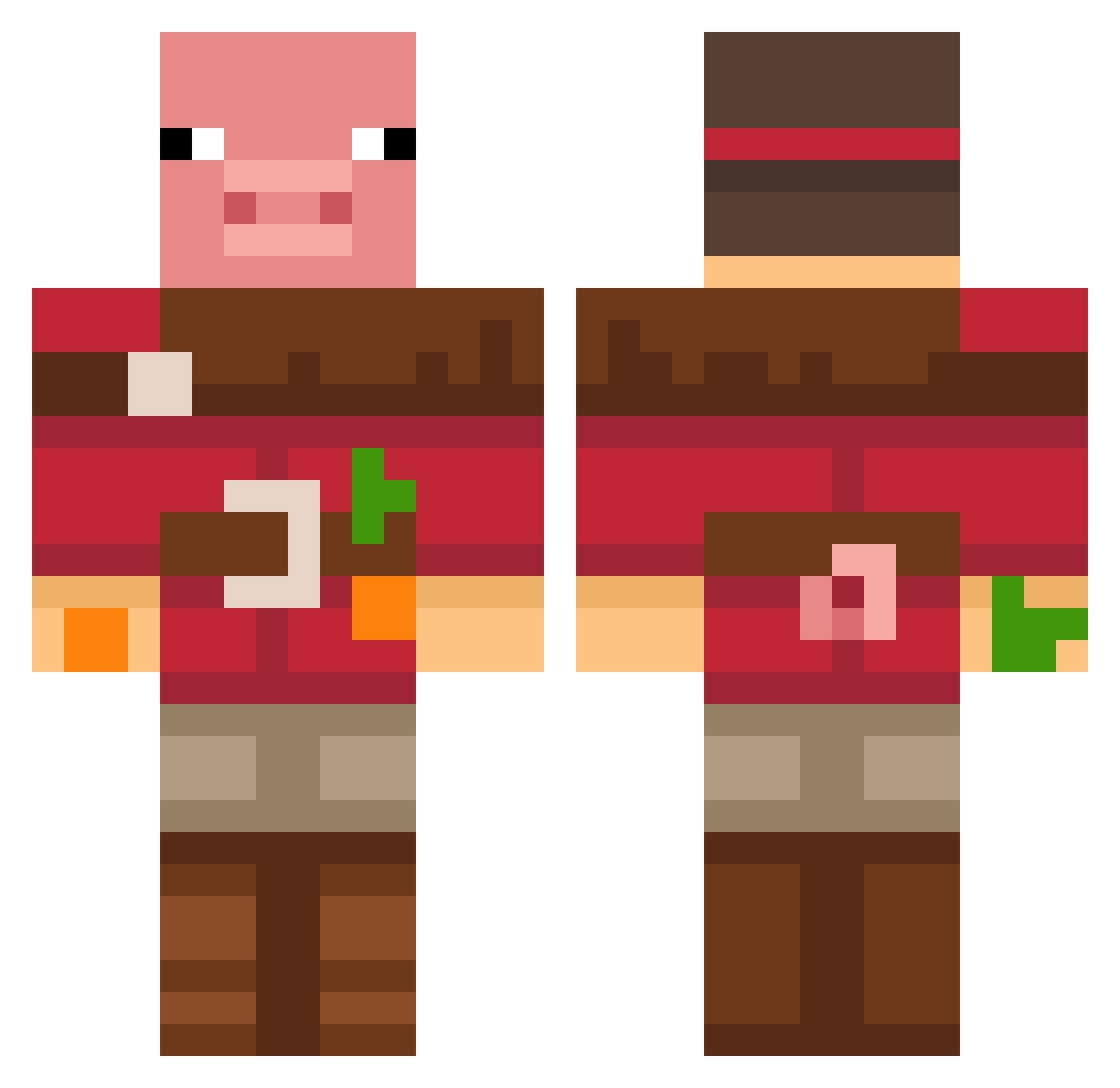
Current Minecraft skin of the player PumCat24, loaded from the official Mojang API. Rotate the 3D model with your mouse or finger, then download the skin as a PNG file and use it in Minecraft: Bedrock Edition or Java Edition for free. When PumCat24 changes their skin, this page updates automatically and the old skin stays in the history below.
Other players with this skin (672)
PumCat24 was the 72nd player we have seen with this skin, first spotted on 04.08.2026. The same skin was seen on these players. Open a nickname to see their current skin and skin history.
 TheAmazon05 Jumisito MGray2403 antiwyatt kitka__t prastako Arkans5 Spooksimator ayloit R1CK13L33
 neohknew Iloza FishyGoatMan bentleehall69 Elixander69 2mb camals R2DeeJay Batman22771 Lethe_Dytis GlitterToots21 TuxedoShark1208 Aquatic_Division _splexy_ Notorious_ASH SaveWaterBro09s2 cumileocumilei Sunkistguy PigMasterer Durumdaddy2291 YEOSINBI deon0807 LINJX886
 Danielychung
 kfkf1024 nugget291
 bothyoung RooAlien1
 GeT_IcEd neumma138 MrBlackgrande Frosch67 PattyBarbecue younginkim HyperW_7 yoonhyck1128 IsArmageddon JellyJoe75 Alekseika67 maulegal Yorbenxd k7ntcz TRRTRTK COOLSCREAM Papaluuk3 CON_TIME Riscas06 flannel42 nathandhx Choggz
More Pig Minecraft skins
How to install the PumCat24 skin
- Press the Download button above to save the skin as a PNG file.
- Minecraft: Bedrock Edition (PE): open the Dressing Room from the main menu (or tap your character → Edit Character), go to Classic Skins → Owned, press the + (new skin) button, choose the downloaded PNG and pick the Classic (Steve) model. Works on PC and mobile; consoles cannot import custom skins.
- Minecraft: Java Edition: open the Minecraft Launcher, go to the Skins tab, click New Skin, load the PNG, pick the Classic (Steve) model and press Save & Use. You can also upload it at minecraft.net → Profile → Change Skin.
The skin does not show up after import - what should I do?
Restart Minecraft and open the Dressing Room again - imported skins sometimes appear only after a restart. Also make sure you selected the imported skin and picked the Classic (Steve) model.
Which model should I choose, Classic or Slim?
This skin is designed for the Classic (Steve) model. If you pick the wrong model, the arms of the skin will look stretched or squeezed.
Is the skin of PumCat24 free to download?
Yes. Press Download, save the PNG file and use it in Minecraft: Bedrock Edition or Java Edition - no payment or registration needed. The skin also works on multiplayer servers and Realms.
More skins
Looking for more? Go back to all Minecraft skins and check the top skins of the week, month and all time, or find any player's skin by nickname.