
Pold77 - Minecraft Skins & Skin History
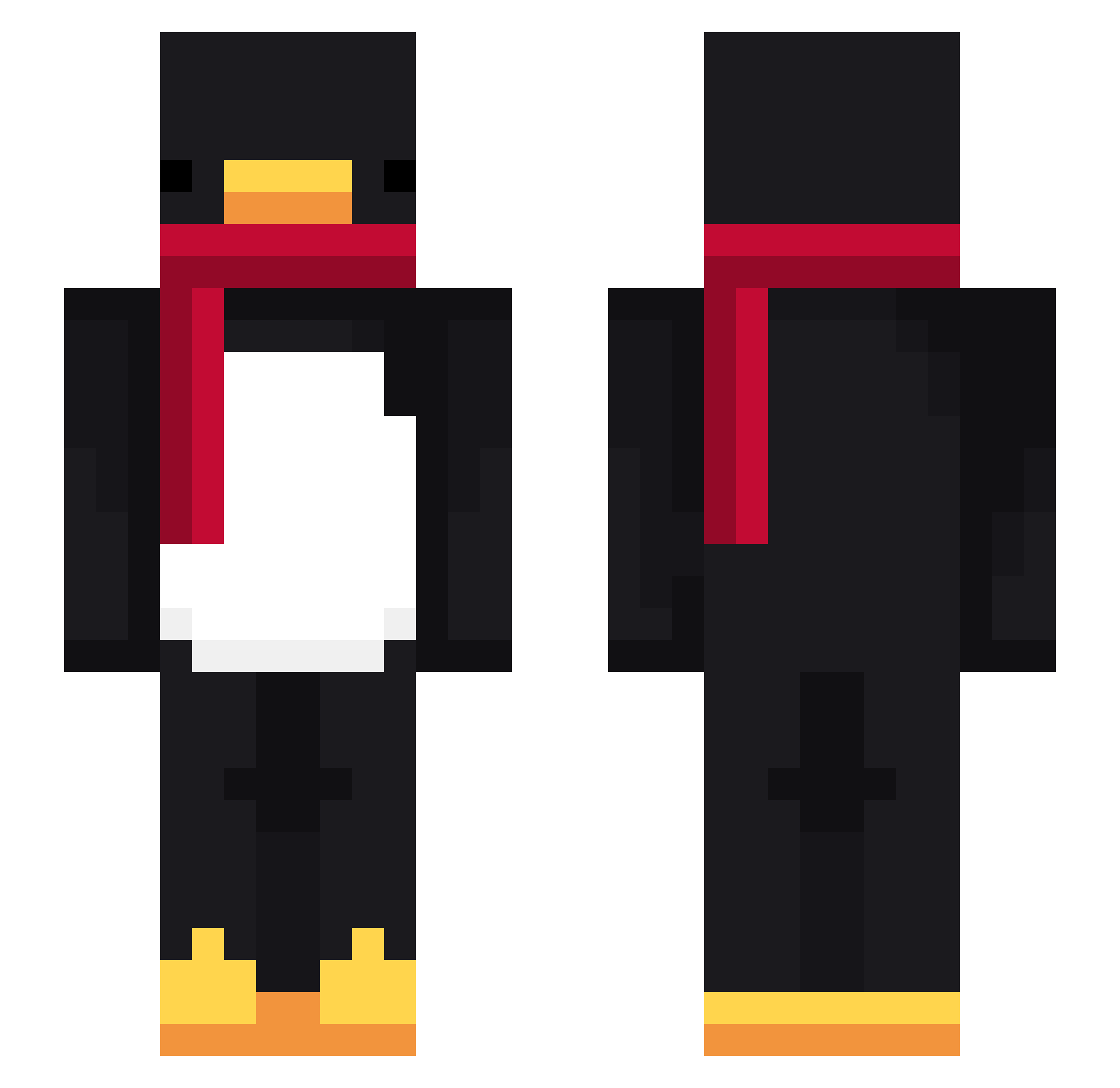
Current Minecraft skin of the player Pold77, loaded from the official Mojang API. Rotate the 3D model with your mouse or finger, then download the skin as a PNG file and use it in Minecraft: Bedrock Edition or Java Edition for free. When Pold77 changes their skin, this page updates automatically and the old skin stays in the history below.
Other players with this skin (615)
Pold77 was the 143rd player we have seen with this skin, first spotted on 12.08.2026. The same skin was seen on these players. Open a nickname to see their current skin and skin history.
 stapl3r_
 Lgh_0216 MaXx27tz flameszs iVanxyz celozitos pyj1104 skinnyunciviliz
 Haeum_ lucaslppoi Roam_05 mslsrj Sv2ofL0F9VC0VSv2
 izaguk oMINOIM LinhCrest6qfUwU imluckyguy
 Jothless BeeFPS YepImKhan maddogy030 GrandTheftAutoX AltVersezn6AV HandsomeDu jaimelespaffxxL3 _WhoJase_ MrMunk00
 LoveyouSour
 KingEGGG Zetibacsi Tacamon Sv2K8ZGIluEBaSv2 TurbochargedDodo PKMAIN Du_Wsc ye8go _KEBAB_01 FlareCdBu6Gq4Sv2
 Acharayu999 y6s_msmc_0j3 nunuamagatos latpulldowns kaito20139696 Pongiooh Daniel14FV AltVersecOLkzSv2 PASIRhcqzqcbd5zg SrTetee myungseo7080
 Lqway
Lqway Riesenfurz LilGoudaX Kezay taexyun
 ScakRR zChorro69z LinhDawnd5zUwU sungho1999 DamnPinas matheuzzimmm_
More Penguin Minecraft skins
How to install the Pold77 skin
- Press the Download button above to save the skin as a PNG file.
- Minecraft: Bedrock Edition (PE): open the Dressing Room from the main menu (or tap your character → Edit Character), go to Classic Skins → Owned, press the + (new skin) button, choose the downloaded PNG and pick the Slim (Alex) model. Works on PC and mobile; consoles cannot import custom skins.
- Minecraft: Java Edition: open the Minecraft Launcher, go to the Skins tab, click New Skin, load the PNG, pick the Slim (Alex) model and press Save & Use. You can also upload it at minecraft.net → Profile → Change Skin.
The skin does not show up after import - what should I do?
Restart Minecraft and open the Dressing Room again - imported skins sometimes appear only after a restart. Also make sure you selected the imported skin and picked the Slim (Alex) model.
Which model should I choose, Classic or Slim?
This skin is designed for the Slim (Alex) model. If you pick the wrong model, the arms of the skin will look stretched or squeezed.
Is the skin of Pold77 free to download?
Yes. Press Download, save the PNG file and use it in Minecraft: Bedrock Edition or Java Edition - no payment or registration needed. The skin also works on multiplayer servers and Realms.
More skins
Looking for more? Go back to all Minecraft skins and check the top skins of the week, month and all time, or find any player's skin by nickname.