
PlayableNPC - Minecraft Skins & Skin History
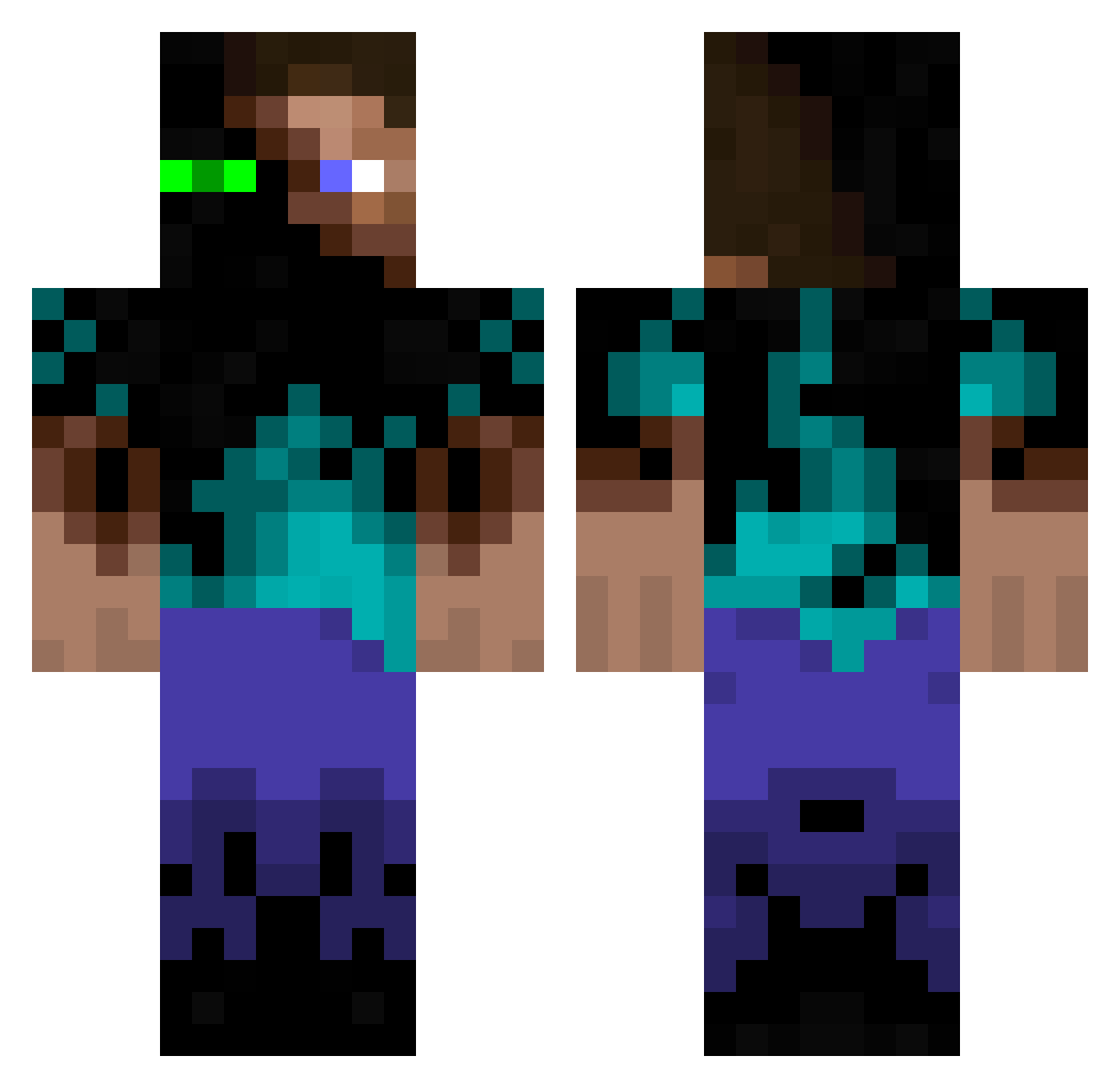
Current Minecraft skin of the player PlayableNPC, loaded from the official Mojang API. Rotate the 3D model with your mouse or finger, then download the skin as a PNG file and use it in Minecraft: Bedrock Edition or Java Edition for free. When PlayableNPC changes their skin, this page updates automatically and the old skin stays in the history below.
Other players with this skin (934)
PlayableNPC was the 345th player we have seen with this skin, first spotted on 27.08.2026. The same skin was seen on these players. Open a nickname to see their current skin and skin history.
 Creeper_Murder13 Templus13 rh127 scomey warsaw416 ChiefJaye Poiyurt Trapperdude Baconsplash dalton101010 Sebasops2 ChaosMarz666 Raptus0815 FraterChad Valde2014 mason0291 ovodood Lenoyl saschaKing97 antscibs King_Of_Plop The_Passifire ensebel matrixmonster03 TERRANER98 Fredd_Fotball cool_guy69 justat Nathy0404 spaceman200 adamthrFTW cynthianlucky Alkara1337 JTthekillerbee poliolepoulet jimmiezwrath bonamm EvilFrogz LukeMorrison46 lf32 Maxi70 xXNightcrafterXx MrShark162 benjaim03 Joe_02 kingripper SethTale PionDark PacificKiller Bastanio polaris1234 MaTraQ LiamThunder89 ResT0RatoR CraftingBranson Housii cadenuea LookGame Modern_Jesse origil
More Glowing Eyes Minecraft skins
See all 2312 Glowing Eyes skins
How to install the PlayableNPC skin
- Press the Download button above to save the skin as a PNG file.
- Minecraft: Bedrock Edition (PE): open the Dressing Room from the main menu (or tap your character → Edit Character), go to Classic Skins → Owned, press the + (new skin) button, choose the downloaded PNG and pick the Classic (Steve) model. Works on PC and mobile; consoles cannot import custom skins.
- Minecraft: Java Edition: open the Minecraft Launcher, go to the Skins tab, click New Skin, load the PNG, pick the Classic (Steve) model and press Save & Use. You can also upload it at minecraft.net → Profile → Change Skin.
The skin does not show up after import - what should I do?
Restart Minecraft and open the Dressing Room again - imported skins sometimes appear only after a restart. Also make sure you selected the imported skin and picked the Classic (Steve) model.
Which model should I choose, Classic or Slim?
This skin is designed for the Classic (Steve) model. If you pick the wrong model, the arms of the skin will look stretched or squeezed.
Is the skin of PlayableNPC free to download?
Yes. Press Download, save the PNG file and use it in Minecraft: Bedrock Edition or Java Edition - no payment or registration needed. The skin also works on multiplayer servers and Realms.
More skins
Looking for more? Go back to all Minecraft skins and check the top skins of the week, month and all time, or find any player's skin by nickname.