
Phuckhead - Minecraft Skins & Skin History
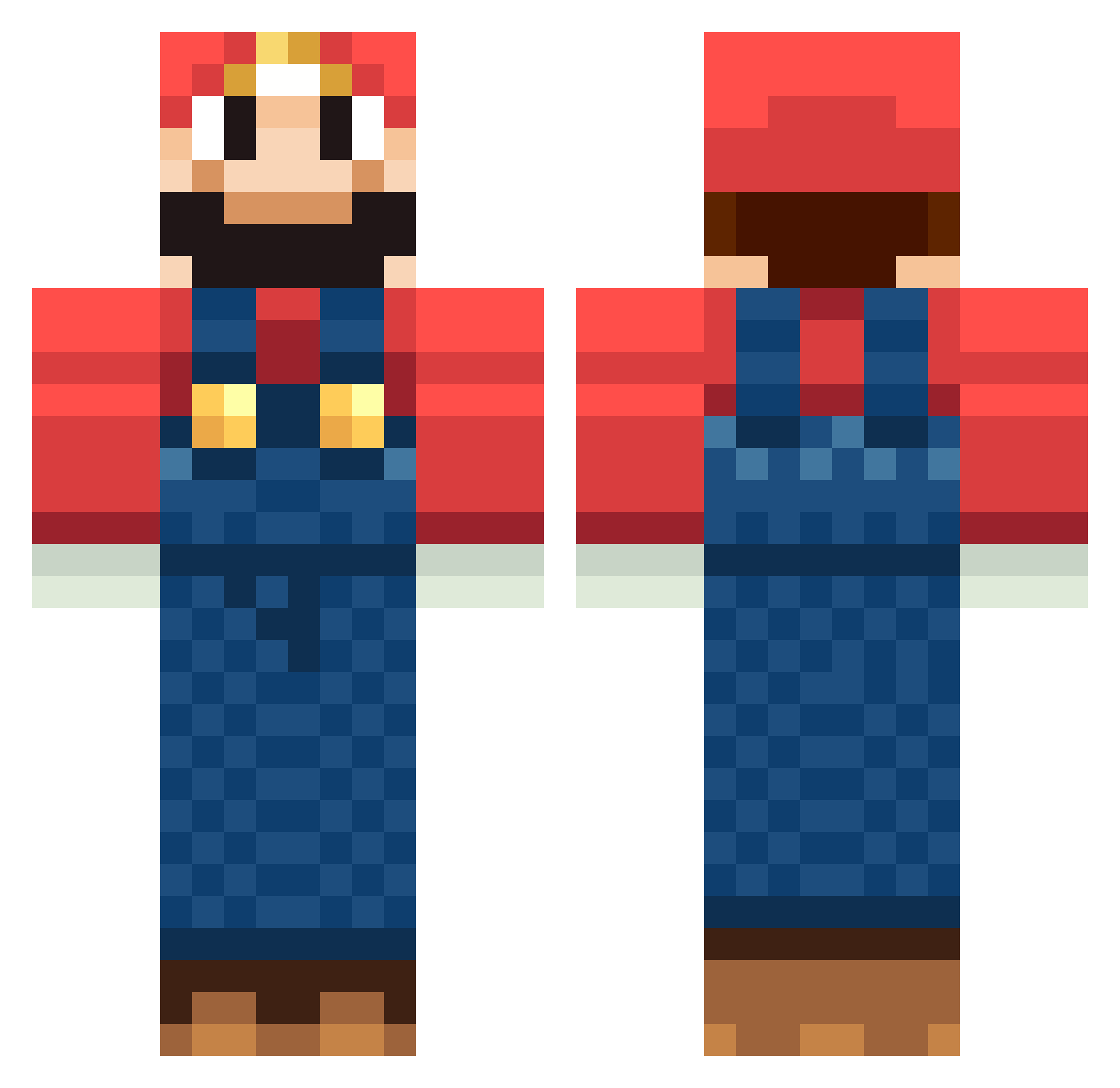
Current Minecraft skin of the player Phuckhead, loaded from the official Mojang API. Rotate the 3D model with your mouse or finger, then download the skin as a PNG file and use it in Minecraft: Bedrock Edition or Java Edition for free. When Phuckhead changes their skin, this page updates automatically and the old skin stays in the history below.
Other players with this skin (246)
Phuckhead was the 83rd player we have seen with this skin, first spotted on 06.09.2026. The same skin was seen on these players. Open a nickname to see their current skin and skin history.
 Luxtos AZF_RapidStar kyashy ZUBAeasy xPaglio Joshlovesyourmom Drynex Gaarb Rancio Good_PiLuo oab2004 jamiechen mariobrandon2000 mitchNIPZ sanny9909 somebody098 danielbrand ZIH_LIN king_nik Francy224 Coolromaniandude lupesparza jperki Shifty1994 xButterScopez MagicMelon_ Smooglab DalekCann_ merked_1 Shaniyal dressywolf7 Sango_Sango MegaMark2319 saetouya enterk09 SuperSnoDog dabusta stoffi_99 OdhranMichael tunx2 kakka3 blackjade87 Zfanboy MannuEyla carabina02 Wundervideo imfantazy NewFront folklorickwhale7 Josefinetrolle Balance686 F_Rael spencer4885 SuperMarioPlayer Preacherman1882 dividead gm152 yuttan3 Maex11 Recession
More Mario Minecraft skins
How to install the Phuckhead skin
- Press the Download button above to save the skin as a PNG file.
- Minecraft: Bedrock Edition (PE): open the Dressing Room from the main menu (or tap your character → Edit Character), go to Classic Skins → Owned, press the + (new skin) button, choose the downloaded PNG and pick the Classic (Steve) model. Works on PC and mobile; consoles cannot import custom skins.
- Minecraft: Java Edition: open the Minecraft Launcher, go to the Skins tab, click New Skin, load the PNG, pick the Classic (Steve) model and press Save & Use. You can also upload it at minecraft.net → Profile → Change Skin.
The skin does not show up after import - what should I do?
Restart Minecraft and open the Dressing Room again - imported skins sometimes appear only after a restart. Also make sure you selected the imported skin and picked the Classic (Steve) model.
Which model should I choose, Classic or Slim?
This skin is designed for the Classic (Steve) model. If you pick the wrong model, the arms of the skin will look stretched or squeezed.
Is the skin of Phuckhead free to download?
Yes. Press Download, save the PNG file and use it in Minecraft: Bedrock Edition or Java Edition - no payment or registration needed. The skin also works on multiplayer servers and Realms.
More skins
Looking for more? Go back to all Minecraft skins and check the top skins of the week, month and all time, or find any player's skin by nickname.