
Pembi6ko - Minecraft Skins & Skin History
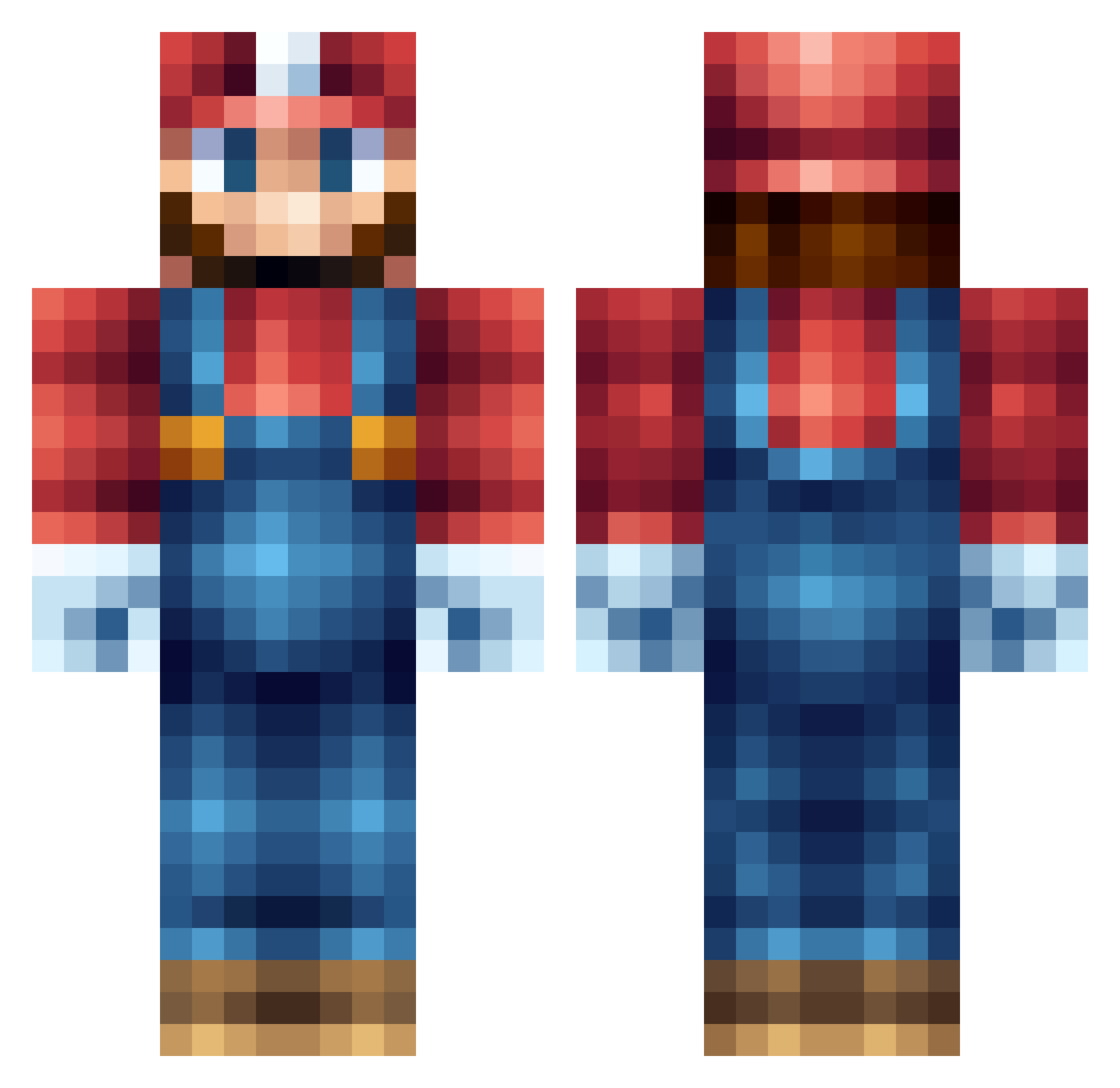
Current Minecraft skin of the player Pembi6ko, loaded from the official Mojang API. Rotate the 3D model with your mouse or finger, then download the skin as a PNG file and use it in Minecraft: Bedrock Edition or Java Edition for free. When Pembi6ko changes their skin, this page updates automatically and the old skin stays in the history below.
Other players with this skin (235)
Pembi6ko was the 63rd player we have seen with this skin, first spotted on 23.08.2026. The same skin was seen on these players. Open a nickname to see their current skin and skin history.
 ShadowBlock8 Elmario46 DocDewitt ___Xae___ Herr_Toastbrot NanaseSizuka itivic Flyingrihno pellepaltnacke4 Mrright514 CloneMario ML_ink slicegod tazjuh MissWC TAE_MlN CJUMP7 LarrySillyGoober Theobear2 MitchLad nicky_luger VessBlack THEGHOST233 BrockSamson4556 MadeinHeaven97 LivelyCookie27 Creeper0712 FawkingGhidorah marioo_carts AphexFX noah303079 DogMan3431 LEEEAVE xiaofangtang Insanely_LFQ zp_y Tepimolli treemanx356 ghostkidxxx Gimli_der_Zwerg shenyeang THEODORIS qingwu75 Narcos__1er ZayuhPlayuh Trenton1126 TheOnlySoberman Flodoo sansi12 ItsAMemeMario HardcoreAppO Kado217 Marioandsonic22 turboeven BeCele hooner32 JonaBuilder Heroic252 ohNufff Domsta123
More Nintendo Minecraft skins
How to install the Pembi6ko skin
- Press the Download button above to save the skin as a PNG file.
- Minecraft: Bedrock Edition (PE): open the Dressing Room from the main menu (or tap your character → Edit Character), go to Classic Skins → Owned, press the + (new skin) button, choose the downloaded PNG and pick the Classic (Steve) model. Works on PC and mobile; consoles cannot import custom skins.
- Minecraft: Java Edition: open the Minecraft Launcher, go to the Skins tab, click New Skin, load the PNG, pick the Classic (Steve) model and press Save & Use. You can also upload it at minecraft.net → Profile → Change Skin.
The skin does not show up after import - what should I do?
Restart Minecraft and open the Dressing Room again - imported skins sometimes appear only after a restart. Also make sure you selected the imported skin and picked the Classic (Steve) model.
Which model should I choose, Classic or Slim?
This skin is designed for the Classic (Steve) model. If you pick the wrong model, the arms of the skin will look stretched or squeezed.
Is the skin of Pembi6ko free to download?
Yes. Press Download, save the PNG file and use it in Minecraft: Bedrock Edition or Java Edition - no payment or registration needed. The skin also works on multiplayer servers and Realms.
More skins
Looking for more? Go back to all Minecraft skins and check the top skins of the week, month and all time, or find any player's skin by nickname.