
Pattygleat - Minecraft Skins & Skin History
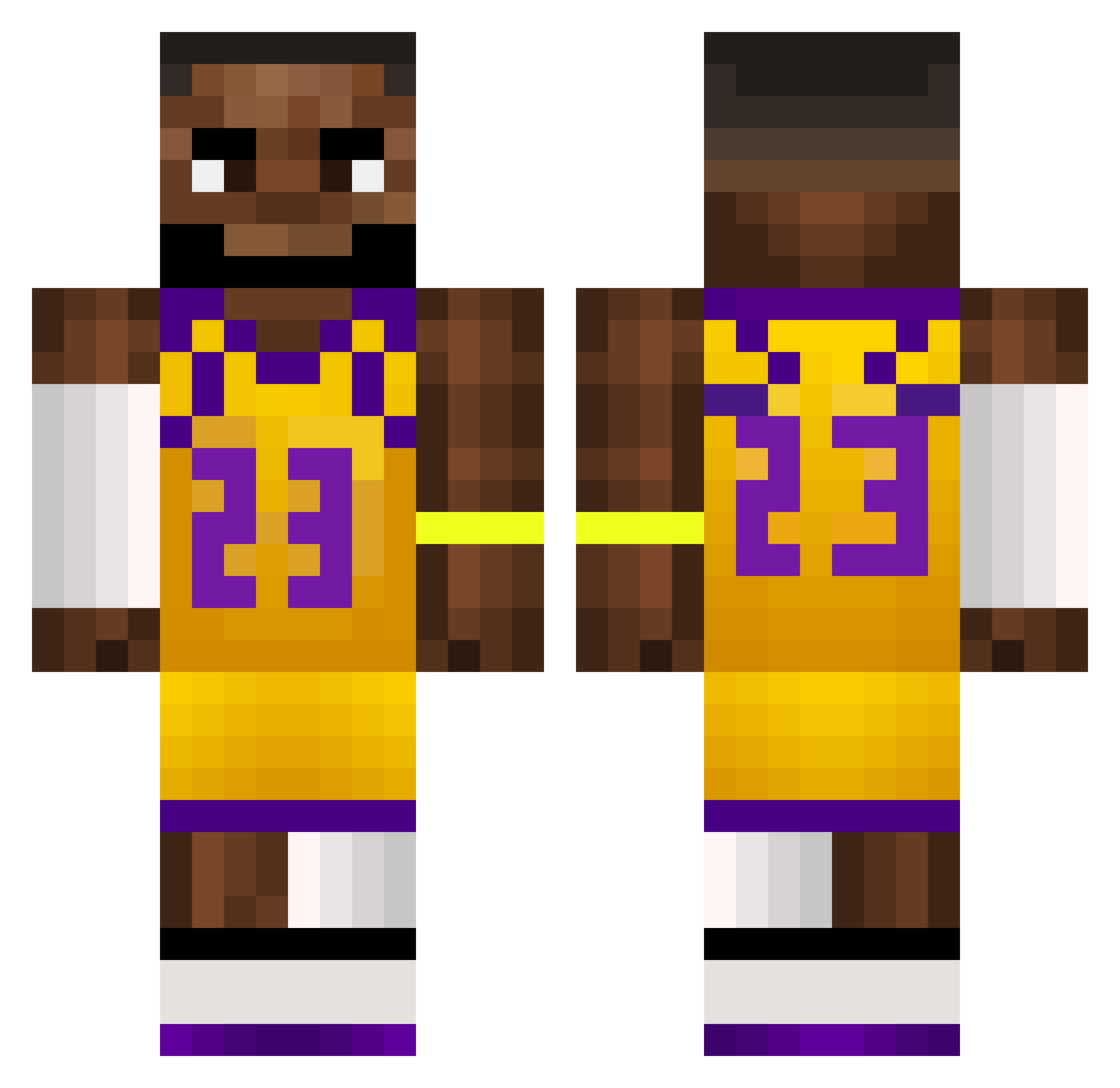
Current Minecraft skin of the player Pattygleat, loaded from the official Mojang API. Rotate the 3D model with your mouse or finger, then download the skin as a PNG file and use it in Minecraft: Bedrock Edition or Java Edition for free. When Pattygleat changes their skin, this page updates automatically and the old skin stays in the history below.
Other players with this skin (516)
Pattygleat was the 476th player we have seen with this skin, first spotted on 17.10.2026. The same skin was seen on these players. Open a nickname to see their current skin and skin history.
 Joestarbag KorayKing Fah282 ttide daysen__ FishyDani LebronSteve dumplingzu Lee3c Mariusarge __Cole TheRealAmadina PalcaLupiez_HUBI LeBronJames01 rangerfan1234 OSlimShady LIMLMAO BigTacoRJ SmirkySkate3242 Phil02612 lebronFKDR Sodopa juicebox445 RoyaIKnight tomcody Ensar41 Zorbeded Big_Gingy1023 rumiapollo2005 Joe_eats Fqce CANITOPR schtickplay qloaqz PetiteFish420 Critical_Heat16 GoldenCrow Gamer_Man08 dissapointtv xk1NGSTONEx Andyspeelttv pixelmon99 wigqy davisd_ Oli4VdS IcyEilen ruben_sandvich Foxikas Sigurd10 NBAyvngboy Rechzito SWORDMOD KappyCnB Deft0ne10 Grzybenss ToasterNu1 Jagaurasysn Holmer___ CopperForks unatv
More Lakers Minecraft skins
How to install the Pattygleat skin
- Press the Download button above to save the skin as a PNG file.
- Minecraft: Bedrock Edition (PE): open the Dressing Room from the main menu (or tap your character → Edit Character), go to Classic Skins → Owned, press the + (new skin) button, choose the downloaded PNG and pick the Classic (Steve) model. Works on PC and mobile; consoles cannot import custom skins.
- Minecraft: Java Edition: open the Minecraft Launcher, go to the Skins tab, click New Skin, load the PNG, pick the Classic (Steve) model and press Save & Use. You can also upload it at minecraft.net → Profile → Change Skin.
The skin does not show up after import - what should I do?
Restart Minecraft and open the Dressing Room again - imported skins sometimes appear only after a restart. Also make sure you selected the imported skin and picked the Classic (Steve) model.
Which model should I choose, Classic or Slim?
This skin is designed for the Classic (Steve) model. If you pick the wrong model, the arms of the skin will look stretched or squeezed.
Is the skin of Pattygleat free to download?
Yes. Press Download, save the PNG file and use it in Minecraft: Bedrock Edition or Java Edition - no payment or registration needed. The skin also works on multiplayer servers and Realms.
More skins
Looking for more? Go back to all Minecraft skins and check the top skins of the week, month and all time, or find any player's skin by nickname.