
Palinskii - Minecraft Skins & Skin History
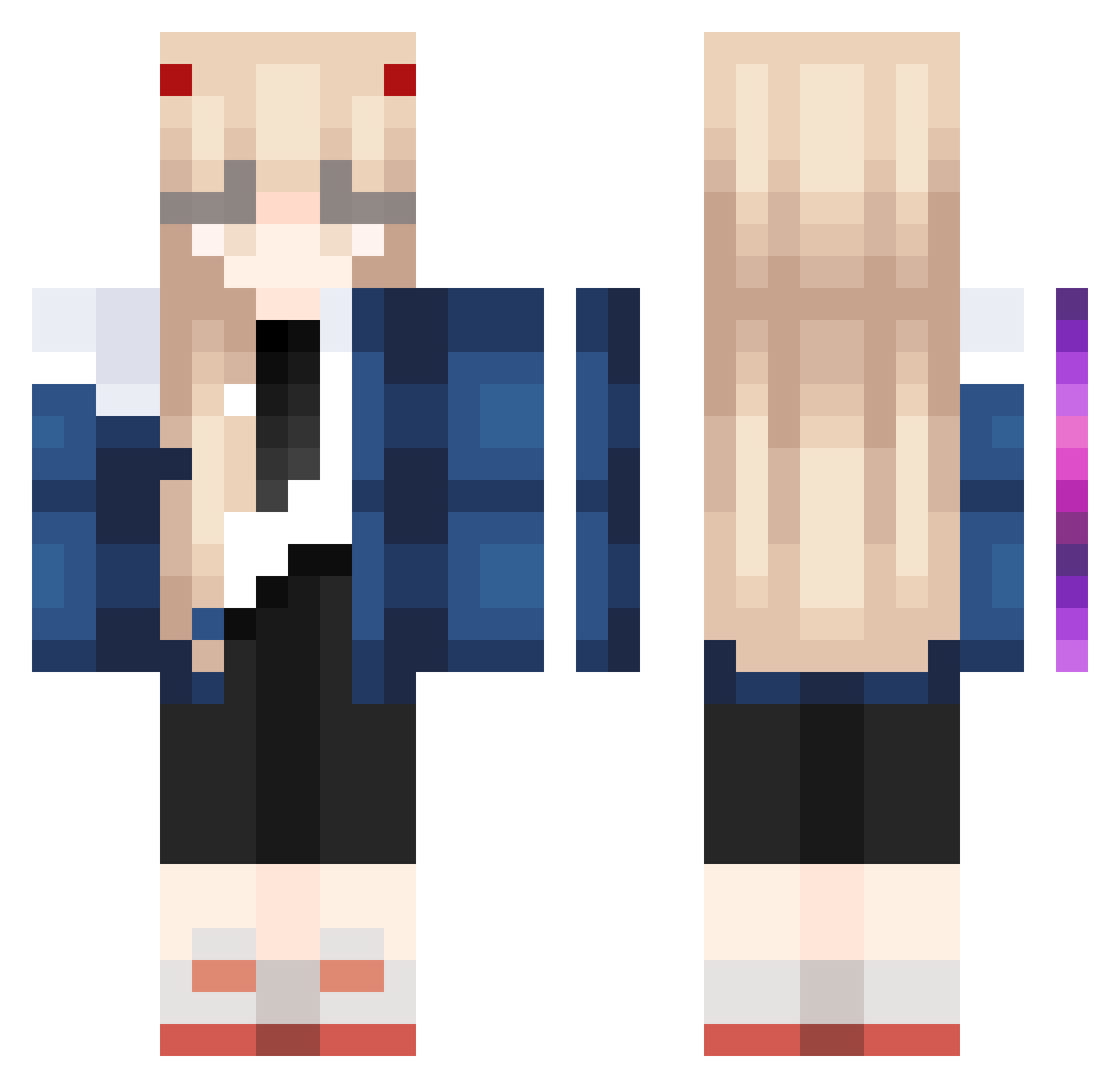
Current Minecraft skin of the player Palinskii, loaded from the official Mojang API. Rotate the 3D model with your mouse or finger, then download the skin as a PNG file and use it in Minecraft: Bedrock Edition or Java Edition for free. When Palinskii changes their skin, this page updates automatically and the old skin stays in the history below.
Other players with this skin (1023)
Palinskii was the 158th player we have seen with this skin, first spotted on 11.08.2026. The same skin was seen on these players. Open a nickname to see their current skin and skin history.
 Poucabateria XiaBaiBai LEESAMA1 an0609 Jef_Jeffson Funny_Mikey Chinima_ _kiwi_owo
 zPixo nifereum smcplays Rookie_37 Geio_ yoonyenny RiP_Sunny a0214 Minmykc Herci
 afjiop EfiXIV frencheroes cattlee soyoonyoung Neptune3645 flowerofeden leyby4 SinDyr Ghost_Wc umjunsick69744 Hangemins Szpilka69 xneelzx juno008 Miukiu wangish417 angelkitta CuteGamer2009 xhyr1
 NeonGenesis01 _christinee_ cocoacrystal Mato1_Ryuuko Takacie QingYan_520 BygoneBass51776 sparrowhunter56 Fevlador ___Killa____ Kelpo_Knight MeBiusTime m1auCS RootsFB datsuzokus kyo_co Anama_ moongchichi97 NewHero Yui22233 malza56 Charlosz
More Zero Two Minecraft skins
How to install the Palinskii skin
- Press the Download button above to save the skin as a PNG file.
- Minecraft: Bedrock Edition (PE): open the Dressing Room from the main menu (or tap your character → Edit Character), go to Classic Skins → Owned, press the + (new skin) button, choose the downloaded PNG and pick the Classic (Steve) model. Works on PC and mobile; consoles cannot import custom skins.
- Minecraft: Java Edition: open the Minecraft Launcher, go to the Skins tab, click New Skin, load the PNG, pick the Classic (Steve) model and press Save & Use. You can also upload it at minecraft.net → Profile → Change Skin.
The skin does not show up after import - what should I do?
Restart Minecraft and open the Dressing Room again - imported skins sometimes appear only after a restart. Also make sure you selected the imported skin and picked the Classic (Steve) model.
Which model should I choose, Classic or Slim?
This skin is designed for the Classic (Steve) model. If you pick the wrong model, the arms of the skin will look stretched or squeezed.
Is the skin of Palinskii free to download?
Yes. Press Download, save the PNG file and use it in Minecraft: Bedrock Edition or Java Edition - no payment or registration needed. The skin also works on multiplayer servers and Realms.
More skins
Looking for more? Go back to all Minecraft skins and check the top skins of the week, month and all time, or find any player's skin by nickname.