
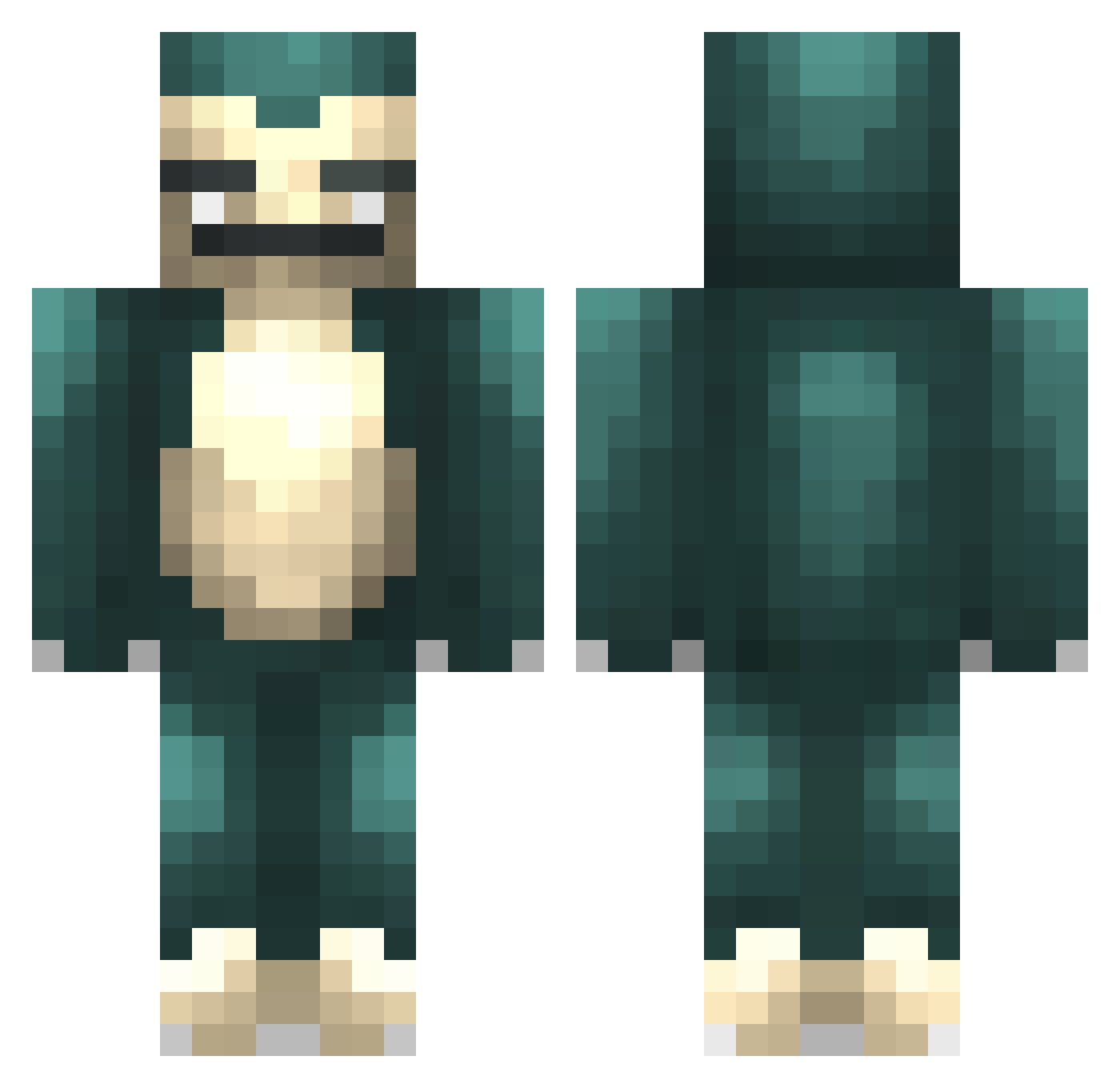
Current Minecraft skin of the player PPJ4, loaded from the official Mojang API. Rotate the 3D model with your mouse or finger, then download the skin as a PNG file and use it in Minecraft: Bedrock Edition or Java Edition for free. When PPJ4 changes their skin, this page updates automatically and the old skin stays in the history below.
Other players with this skin (227)
PPJ4 was the 89th player we have seen with this skin, first spotted on 29.08.2026. The same skin was seen on these players. Open a nickname to see their current skin and skin history.
 Dam2_2 beeenz_7 SpaghettiBro Saesii TWJCK Whomst Shoyeta nostocc IssDanny Aikastu agevkired kapipig Zoolzy MachuJor nanamisosoup vernonitchin ChiGuy_CQ TenseiSupra KnickCrunchies WeiYueWu z_zuoyi SchoolSack CasperUSSC Ginsox CleanRot_ Z_Charde GHoSTeKK Zalfaris MrStealYourRice Sfnax Buddha4422 lllamaj MiguelFPerezI Kerisaki Mouizen Hoi_Doei TrojanBull Sketch_Morgan RogueLax rainbroo TRO18 TALANTALAN Alejarshishigang goobysgf PxzzaPrxncess Cicatrized Tobyyx3 jessica5494 MagicManny Post1e Laon808 BonKoXu
 NikPlayzZz anzelmi snorlax07712 cheese172 Namtaff Cromel Tedtsu nobellahere
More Snorlax Minecraft skins
How to install the PPJ4 skin
- Press the Download button above to save the skin as a PNG file.
- Minecraft: Bedrock Edition (PE): open the Dressing Room from the main menu (or tap your character → Edit Character), go to Classic Skins → Owned, press the + (new skin) button, choose the downloaded PNG and pick the Classic (Steve) model. Works on PC and mobile; consoles cannot import custom skins.
- Minecraft: Java Edition: open the Minecraft Launcher, go to the Skins tab, click New Skin, load the PNG, pick the Classic (Steve) model and press Save & Use. You can also upload it at minecraft.net → Profile → Change Skin.
The skin does not show up after import - what should I do?
Restart Minecraft and open the Dressing Room again - imported skins sometimes appear only after a restart. Also make sure you selected the imported skin and picked the Classic (Steve) model.
Which model should I choose, Classic or Slim?
This skin is designed for the Classic (Steve) model. If you pick the wrong model, the arms of the skin will look stretched or squeezed.
Is the skin of PPJ4 free to download?
Yes. Press Download, save the PNG file and use it in Minecraft: Bedrock Edition or Java Edition - no payment or registration needed. The skin also works on multiplayer servers and Realms.
More skins
Looking for more? Go back to all Minecraft skins and check the top skins of the week, month and all time, or find any player's skin by nickname.