
Oppenheimer0303 - Minecraft Skins & Skin History
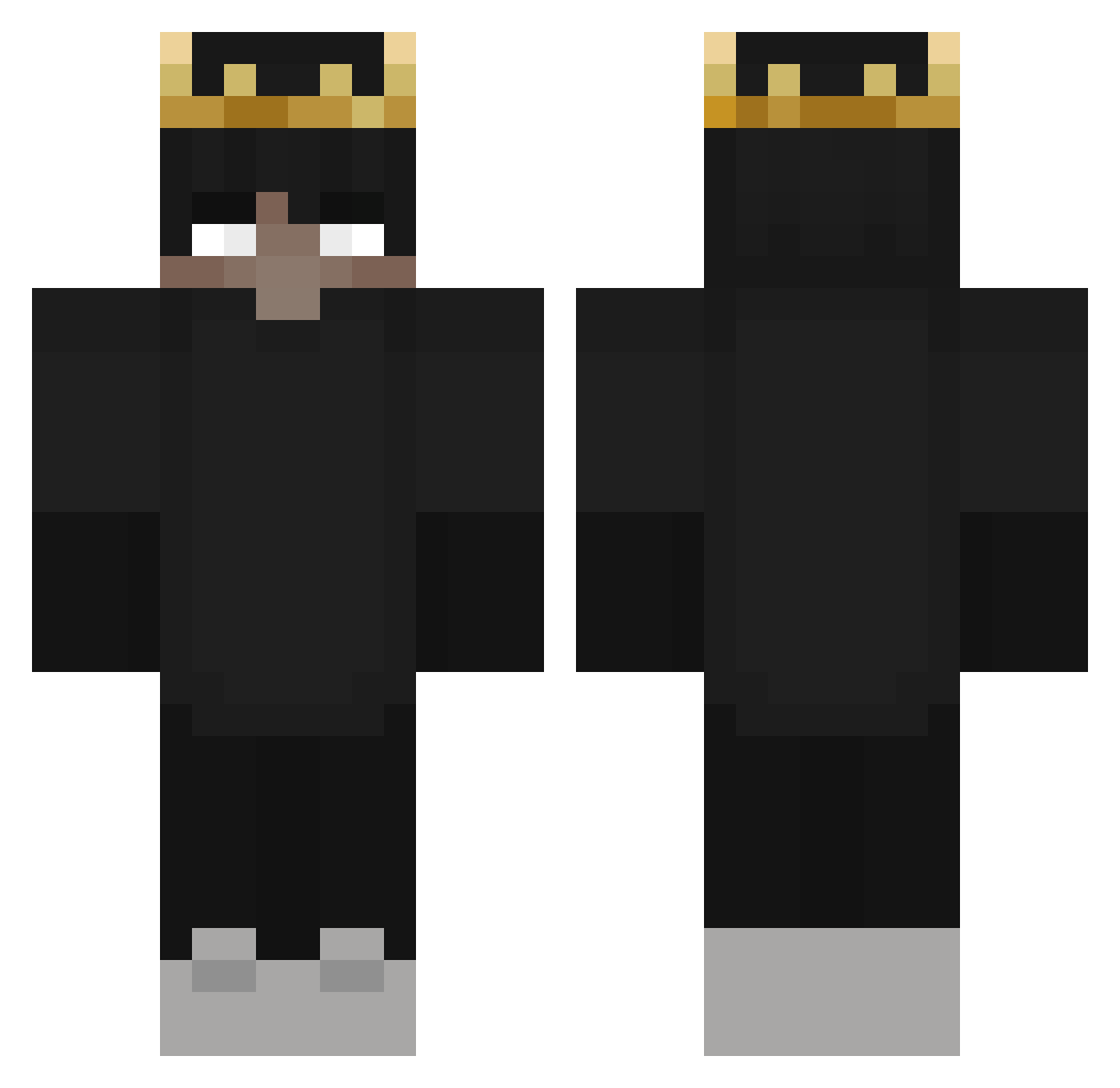
Current Minecraft skin of the player Oppenheimer0303, loaded from the official Mojang API. Rotate the 3D model with your mouse or finger, then download the skin as a PNG file and use it in Minecraft: Bedrock Edition or Java Edition for free. When Oppenheimer0303 changes their skin, this page updates automatically and the old skin stays in the history below.
Other players with this skin (325)
Oppenheimer0303 was the 111th player we have seen with this skin, first spotted on 04.09.2026. The same skin was seen on these players. Open a nickname to see their current skin and skin history.
 WIDZTV333 SteveWow19 ThatGuy6021 Skarpion0990 wahrerGruberBua MikeOxIong Y_Kazz ProtobozZx Stiris2411 sav33 TheWhiteMage_ BZZZikus GewoonDaan1983 DoYouSpeakFrench XDMITASXD philipp55 NotWizardGaming r0osterr Pozillo23 Darbo333 Din__ Demon_Hunter333 Dyker T2SHIFTY SlavaLog maxninja55 Zynite Chicharro AlexMazzo01 TkOG255 King1Simon morphhhhhh Tactis ChosenLace EAVEN_loves_you serrosyt poyia1337 Dead_Add DO0MZY MefunkovyDada 3JloN_bro EteRna1ovE _vester_ MilanEmu2 raider75319 NoCapInMyRap VizVizB Roydemon666 Benfortin KirbyOn Bayouboyz21YT egre432 DiDiWoock Majkel6 SantyDead CokitoElCoketo AnjunaBert Malthelog Bajtek2031 _xtzr
More Ranboo Minecraft skins
How to install the Oppenheimer0303 skin
- Press the Download button above to save the skin as a PNG file.
- Minecraft: Bedrock Edition (PE): open the Dressing Room from the main menu (or tap your character → Edit Character), go to Classic Skins → Owned, press the + (new skin) button, choose the downloaded PNG and pick the Classic (Steve) model. Works on PC and mobile; consoles cannot import custom skins.
- Minecraft: Java Edition: open the Minecraft Launcher, go to the Skins tab, click New Skin, load the PNG, pick the Classic (Steve) model and press Save & Use. You can also upload it at minecraft.net → Profile → Change Skin.
The skin does not show up after import - what should I do?
Restart Minecraft and open the Dressing Room again - imported skins sometimes appear only after a restart. Also make sure you selected the imported skin and picked the Classic (Steve) model.
Which model should I choose, Classic or Slim?
This skin is designed for the Classic (Steve) model. If you pick the wrong model, the arms of the skin will look stretched or squeezed.
Is the skin of Oppenheimer0303 free to download?
Yes. Press Download, save the PNG file and use it in Minecraft: Bedrock Edition or Java Edition - no payment or registration needed. The skin also works on multiplayer servers and Realms.
More skins
Looking for more? Go back to all Minecraft skins and check the top skins of the week, month and all time, or find any player's skin by nickname.