
OliverDL2007 - Minecraft Skins & Skin History
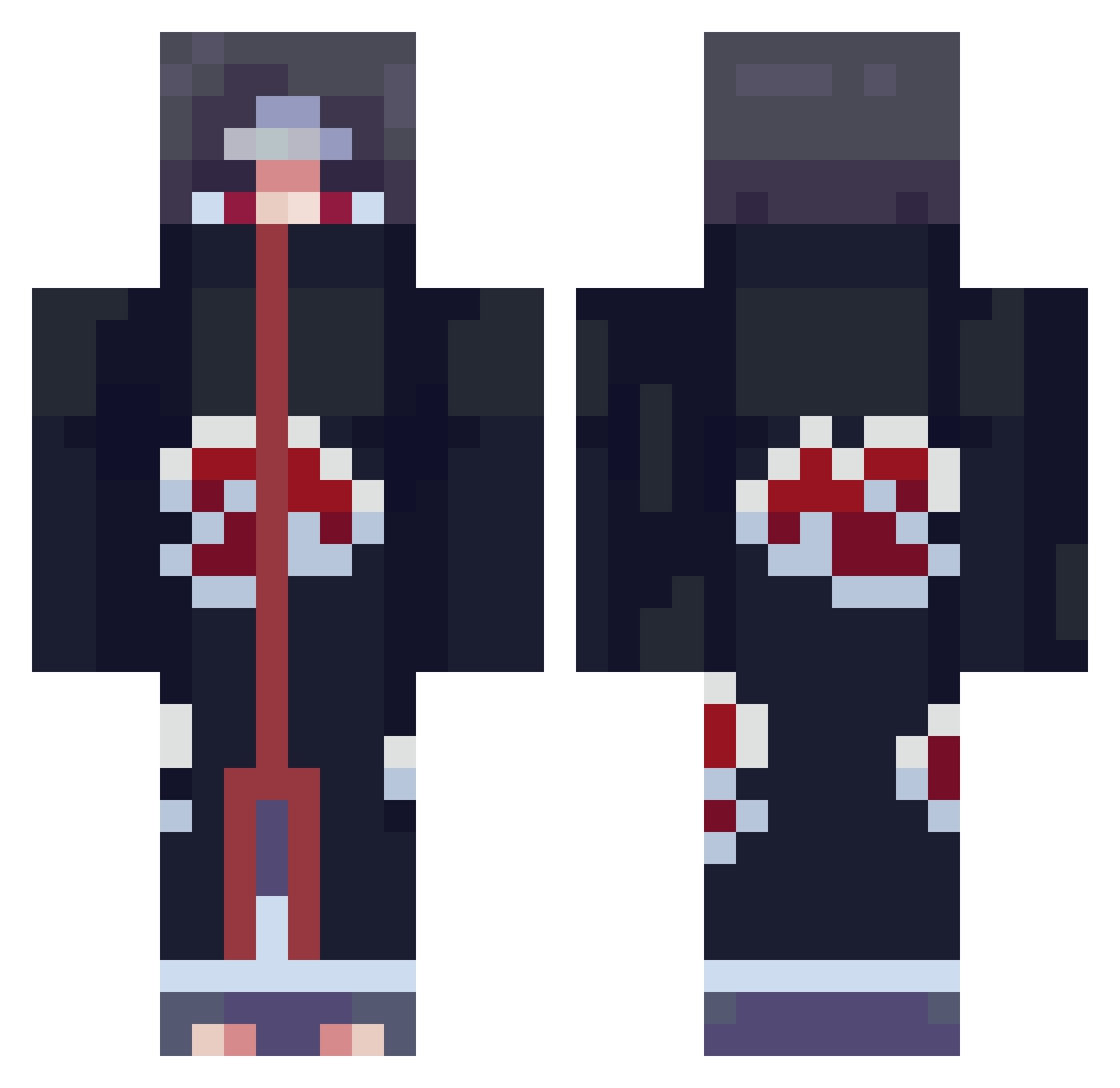
Current Minecraft skin of the player OliverDL2007, loaded from the official Mojang API. Rotate the 3D model with your mouse or finger, then download the skin as a PNG file and use it in Minecraft: Bedrock Edition or Java Edition for free. When OliverDL2007 changes their skin, this page updates automatically and the old skin stays in the history below.
Other players with this skin (801)
OliverDL2007 was the 609th player we have seen with this skin, first spotted on 11.10.2026. The same skin was seen on these players. Open a nickname to see their current skin and skin history.
 skyline7734 G1orG1one MrPresidentWhyNo The_chris77 c3llifake astro_Affe Froschua05 YoungSnipey davidbeamedyou xiangg0816 __Zixel__ La_Ninja simperton Darkfuzzball DripDrip07 ScaFace6 LolzusRodeus EterNightmare FFMike Zyzyd xxCapIxx Sulubok resertrexo Becks03 refreezys CTNBoxBud spumhole IIKENMASTER Uynich HannyaMushu elCazadore Lucax2023 NowisGun JoelsChins leejun0415 Dr_Fishe lil_nilss amar2uppal KOMFA ThiccBoiiii_XY Andro_A1 JareseNN princeyfelix Cracki___ 0s1ris Ggapster KiraBeyond izzo_tf MilkChill NoisyMik pang98 Scanga mikehunt4177 CendR68 HM_7500_ zerock59 CLPnightmare Nekopsych SelloutArtist Chic_Matt
More Itachi Uchiha Minecraft skins
See all 343 Itachi Uchiha skins
How to install the OliverDL2007 skin
- Press the Download button above to save the skin as a PNG file.
- Minecraft: Bedrock Edition (PE): open the Dressing Room from the main menu (or tap your character → Edit Character), go to Classic Skins → Owned, press the + (new skin) button, choose the downloaded PNG and pick the Classic (Steve) model. Works on PC and mobile; consoles cannot import custom skins.
- Minecraft: Java Edition: open the Minecraft Launcher, go to the Skins tab, click New Skin, load the PNG, pick the Classic (Steve) model and press Save & Use. You can also upload it at minecraft.net → Profile → Change Skin.
The skin does not show up after import - what should I do?
Restart Minecraft and open the Dressing Room again - imported skins sometimes appear only after a restart. Also make sure you selected the imported skin and picked the Classic (Steve) model.
Which model should I choose, Classic or Slim?
This skin is designed for the Classic (Steve) model. If you pick the wrong model, the arms of the skin will look stretched or squeezed.
Is the skin of OliverDL2007 free to download?
Yes. Press Download, save the PNG file and use it in Minecraft: Bedrock Edition or Java Edition - no payment or registration needed. The skin also works on multiplayer servers and Realms.
More skins
Looking for more? Go back to all Minecraft skins and check the top skins of the week, month and all time, or find any player's skin by nickname.