
OLIMichal - Minecraft Skins & Skin History
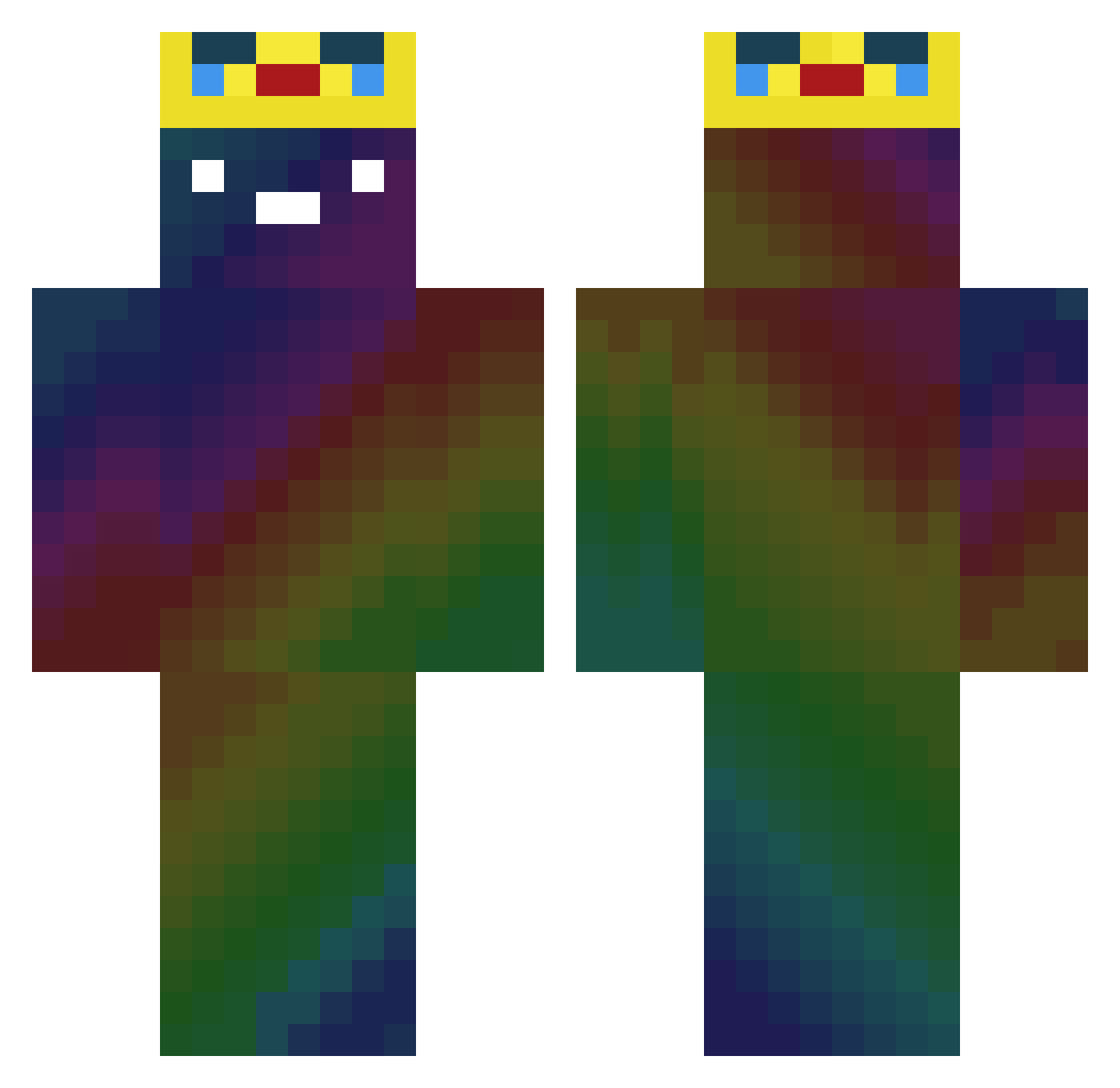
Current Minecraft skin of the player OLIMichal, loaded from the official Mojang API. Rotate the 3D model with your mouse or finger, then download the skin as a PNG file and use it in Minecraft: Bedrock Edition or Java Edition for free. When OLIMichal changes their skin, this page updates automatically and the old skin stays in the history below.
Other players with this skin (354)
OLIMichal was the 271st player we have seen with this skin, first spotted on 15.10.2026. The same skin was seen on these players. Open a nickname to see their current skin and skin history.
 pear3032 Epicstan10 Sbayb LLYC Hanzo_Pinnoru tarkcadny DominikNowicki Frozo_01 thrombocytes__ Einlanze Pilvenpolttaja zKyre AsimxwGod karathe0 Hiirase pere_christophe GTA_Killer_Evil2 leosiuum Ritcin tlqkf12223 junghyun070808 zeroais v5_SAV3A rei_inse sakky123 HALO64765 Marat3435 KwesiiiiOnPc Else9389 labaking1111 kyoungbin fure198 Yazn_kh Someguy610 Reealr RayMonster Nathan_orig bico78 clemenwong Seangannon JAMESJELLY2 KingNoahyoutube natasha_rostova __gucchy__ unkn0wnsky Technoblade1020 Sir_Eisblock Norvid96 Suso005 Giggand Quenchester Bruce9614 sa_kana3 TTVxRares Fruiniata QDG_John RAelAndrei razzback931 z3xs WestSideWarlord
More Galaxy Minecraft skins
How to install the OLIMichal skin
- Press the Download button above to save the skin as a PNG file.
- Minecraft: Bedrock Edition (PE): open the Dressing Room from the main menu (or tap your character → Edit Character), go to Classic Skins → Owned, press the + (new skin) button, choose the downloaded PNG and pick the Classic (Steve) model. Works on PC and mobile; consoles cannot import custom skins.
- Minecraft: Java Edition: open the Minecraft Launcher, go to the Skins tab, click New Skin, load the PNG, pick the Classic (Steve) model and press Save & Use. You can also upload it at minecraft.net → Profile → Change Skin.
The skin does not show up after import - what should I do?
Restart Minecraft and open the Dressing Room again - imported skins sometimes appear only after a restart. Also make sure you selected the imported skin and picked the Classic (Steve) model.
Which model should I choose, Classic or Slim?
This skin is designed for the Classic (Steve) model. If you pick the wrong model, the arms of the skin will look stretched or squeezed.
Is the skin of OLIMichal free to download?
Yes. Press Download, save the PNG file and use it in Minecraft: Bedrock Edition or Java Edition - no payment or registration needed. The skin also works on multiplayer servers and Realms.
More skins
Looking for more? Go back to all Minecraft skins and check the top skins of the week, month and all time, or find any player's skin by nickname.