
Nicole3090 - Minecraft Skins & Skin History
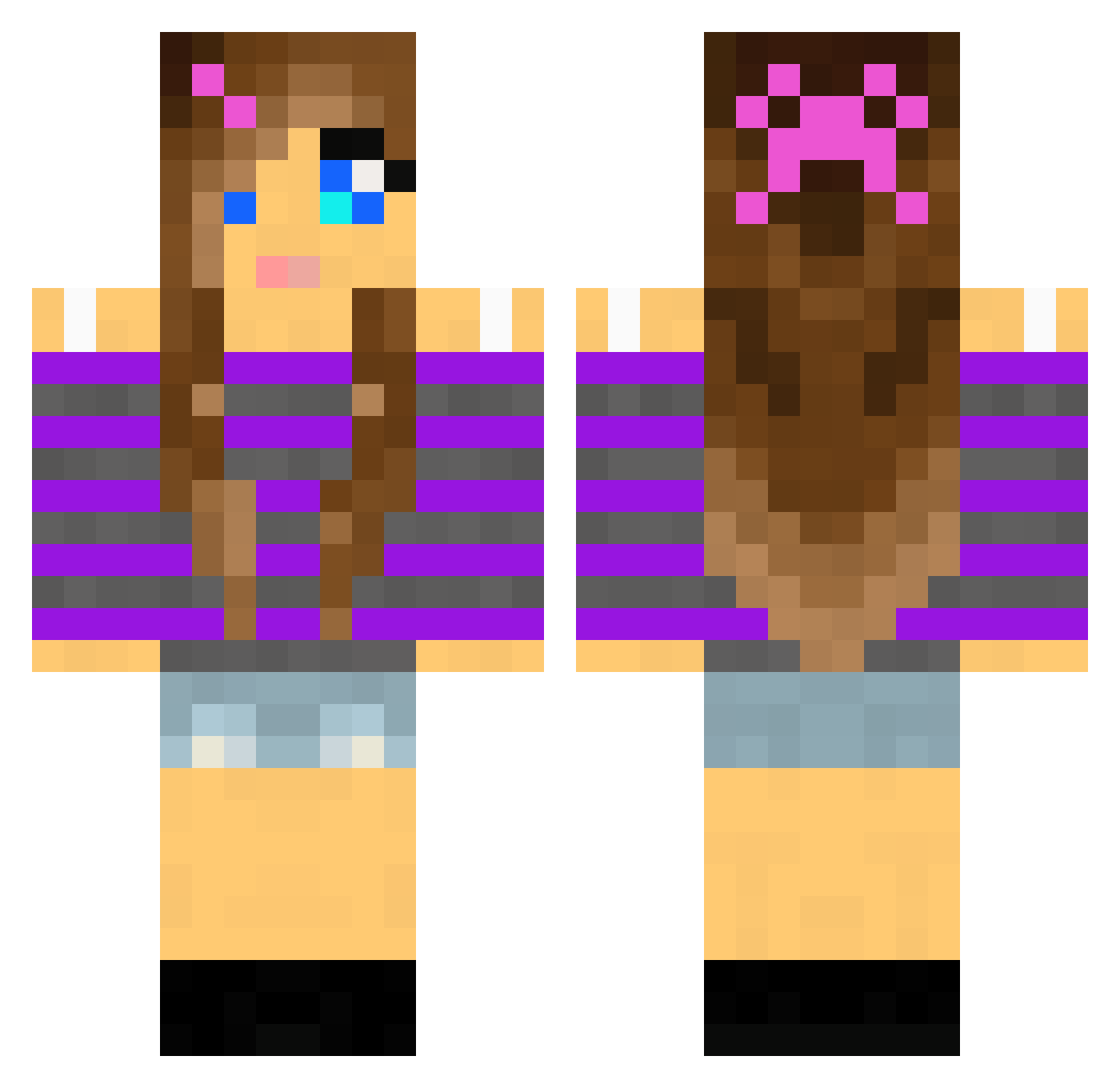
Current Minecraft skin of the player Nicole3090, loaded from the official Mojang API. Rotate the 3D model with your mouse or finger, then download the skin as a PNG file and use it in Minecraft: Bedrock Edition or Java Edition for free. When Nicole3090 changes their skin, this page updates automatically and the old skin stays in the history below.
Other players with this skin (1997)
Nicole3090 was the 1919th player we have seen with this skin, first spotted on 30.10.2026. The same skin was seen on these players. Open a nickname to see their current skin and skin history.
 LadyEsperanza JessecaP123 ChloeRocks_MC dancecrafter3 suppenerna maritagu shaygirl45 kos1e puplicious potnoodles14 Beankeeper meggiemeg25 Jordan0313 Boo1414 ZombieAnnaLee sierraslu milla125 thedoctor2021 Kitty1046 Matutinha EmPoLiPo faceripper99 bubbleboo14 codtothemax VetGirl7 emma3460 josihase94 Poopsicle95 ashbash6453 xxsupergamermxx Artina60 _Tracey_ LittleMona kittensgirl4 Kidna Cleera Theasofiesh lucylove222 emmine1234 sims4ever21 136841 jbrick123456789 HelloKitty8Lover jackab babs0992 SonicGirl2001 Teerzette BW_MGP TaylahTailor flying_panda2002 desertworld puppyface2014 Princess_Mouse dancingirl12 CassandraT bsturdy Knight_Ni_01 iamadanosaur123 susx2003 LovelyLiz
More Girl Minecraft skins
How to install the Nicole3090 skin
- Press the Download button above to save the skin as a PNG file.
- Minecraft: Bedrock Edition (PE): open the Dressing Room from the main menu (or tap your character → Edit Character), go to Classic Skins → Owned, press the + (new skin) button, choose the downloaded PNG and pick the Classic (Steve) model. Works on PC and mobile; consoles cannot import custom skins.
- Minecraft: Java Edition: open the Minecraft Launcher, go to the Skins tab, click New Skin, load the PNG, pick the Classic (Steve) model and press Save & Use. You can also upload it at minecraft.net → Profile → Change Skin.
The skin does not show up after import - what should I do?
Restart Minecraft and open the Dressing Room again - imported skins sometimes appear only after a restart. Also make sure you selected the imported skin and picked the Classic (Steve) model.
Which model should I choose, Classic or Slim?
This skin is designed for the Classic (Steve) model. If you pick the wrong model, the arms of the skin will look stretched or squeezed.
Is the skin of Nicole3090 free to download?
Yes. Press Download, save the PNG file and use it in Minecraft: Bedrock Edition or Java Edition - no payment or registration needed. The skin also works on multiplayer servers and Realms.
More skins
Looking for more? Go back to all Minecraft skins and check the top skins of the week, month and all time, or find any player's skin by nickname.