
NicoAdventure - Minecraft Skins & Skin History
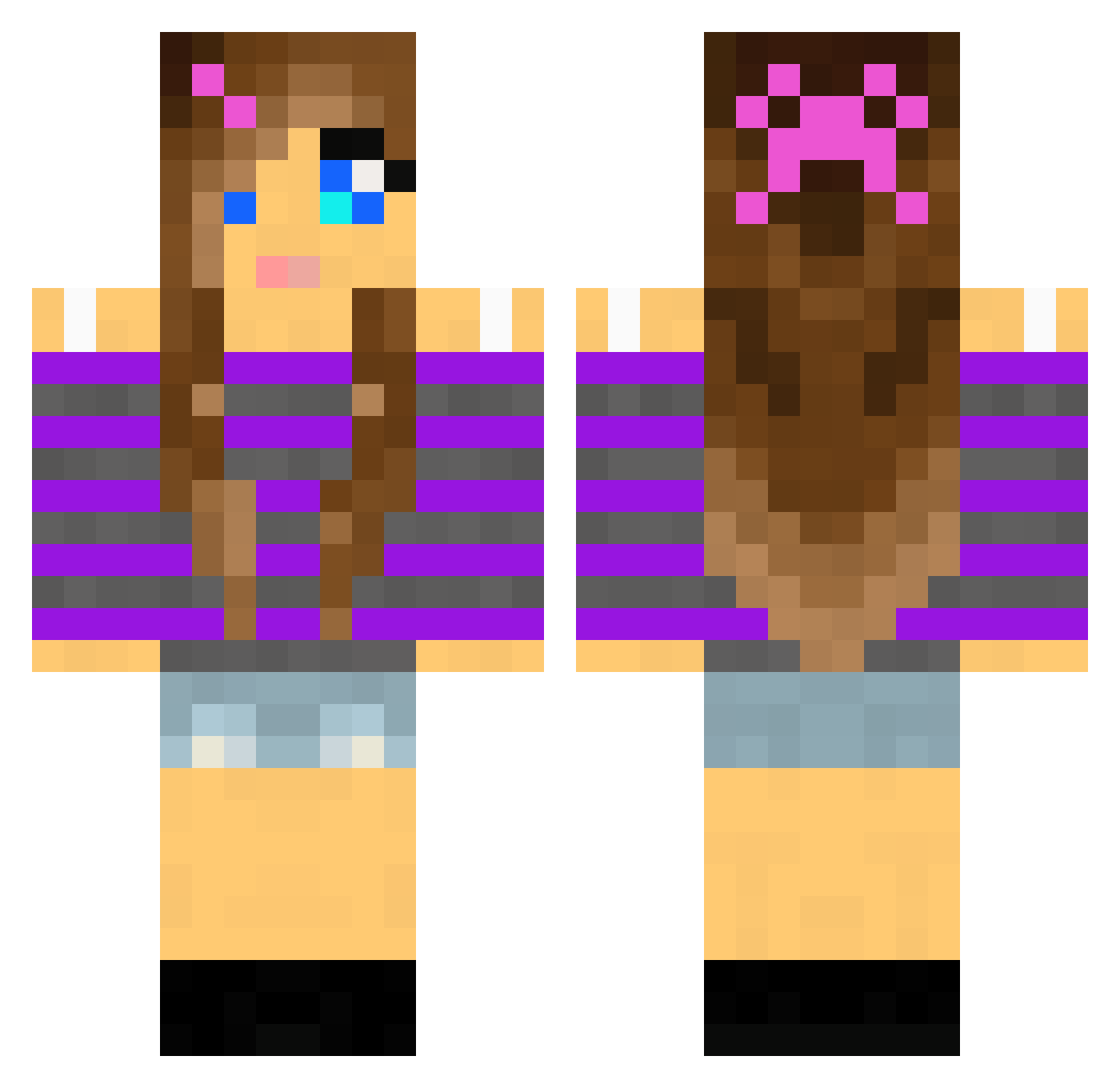
Current Minecraft skin of the player NicoAdventure, loaded from the official Mojang API. Rotate the 3D model with your mouse or finger, then download the skin as a PNG file and use it in Minecraft: Bedrock Edition or Java Edition for free. When NicoAdventure changes their skin, this page updates automatically and the old skin stays in the history below.
Other players with this skin (2010)
NicoAdventure was the 1598th player we have seen with this skin, first spotted on 18.10.2026. The same skin was seen on these players. Open a nickname to see their current skin and skin history.
 kimberly05 maddiebrad23 pebbles1960 JilliBird Leighannee Alikitty1994 rox1092 BlockEZ HannaP2003 laughingbluebird SkullGirl5678 amy246 Untamed87 BlossomKnight Diggingwalnut Super_Sheepp drdragons namsos123 GeezerGamerOG daniellerox123 Tasselabb2 glamgrace jodierose HopeEHope thephantom115 andigirl kaylalol6 SpiritOfRoses Bingenervt2000 weepingangel0103 4CoolKids miami2014 RaspberryPie13 laerkedj Idosoli xXRapironXx grange123 LilyStar123 EY726 wisdomwarrior mella_16 Selma_DK julli6 Ulrica_swe Linea94 power_marco Panda_baby NotUrAvgBae faith5555 chatterbox67 alykatbat Noralltach Raffens Twiz00 Megabega1 OmgItsLucy15 katatroon Bernigts Cupcakexox GirlzGamer
More Girl Minecraft skins
How to install the NicoAdventure skin
- Press the Download button above to save the skin as a PNG file.
- Minecraft: Bedrock Edition (PE): open the Dressing Room from the main menu (or tap your character → Edit Character), go to Classic Skins → Owned, press the + (new skin) button, choose the downloaded PNG and pick the Classic (Steve) model. Works on PC and mobile; consoles cannot import custom skins.
- Minecraft: Java Edition: open the Minecraft Launcher, go to the Skins tab, click New Skin, load the PNG, pick the Classic (Steve) model and press Save & Use. You can also upload it at minecraft.net → Profile → Change Skin.
The skin does not show up after import - what should I do?
Restart Minecraft and open the Dressing Room again - imported skins sometimes appear only after a restart. Also make sure you selected the imported skin and picked the Classic (Steve) model.
Which model should I choose, Classic or Slim?
This skin is designed for the Classic (Steve) model. If you pick the wrong model, the arms of the skin will look stretched or squeezed.
Is the skin of NicoAdventure free to download?
Yes. Press Download, save the PNG file and use it in Minecraft: Bedrock Edition or Java Edition - no payment or registration needed. The skin also works on multiplayer servers and Realms.
More skins
Looking for more? Go back to all Minecraft skins and check the top skins of the week, month and all time, or find any player's skin by nickname.