
NaiCha_cat - Minecraft Skins & Skin History
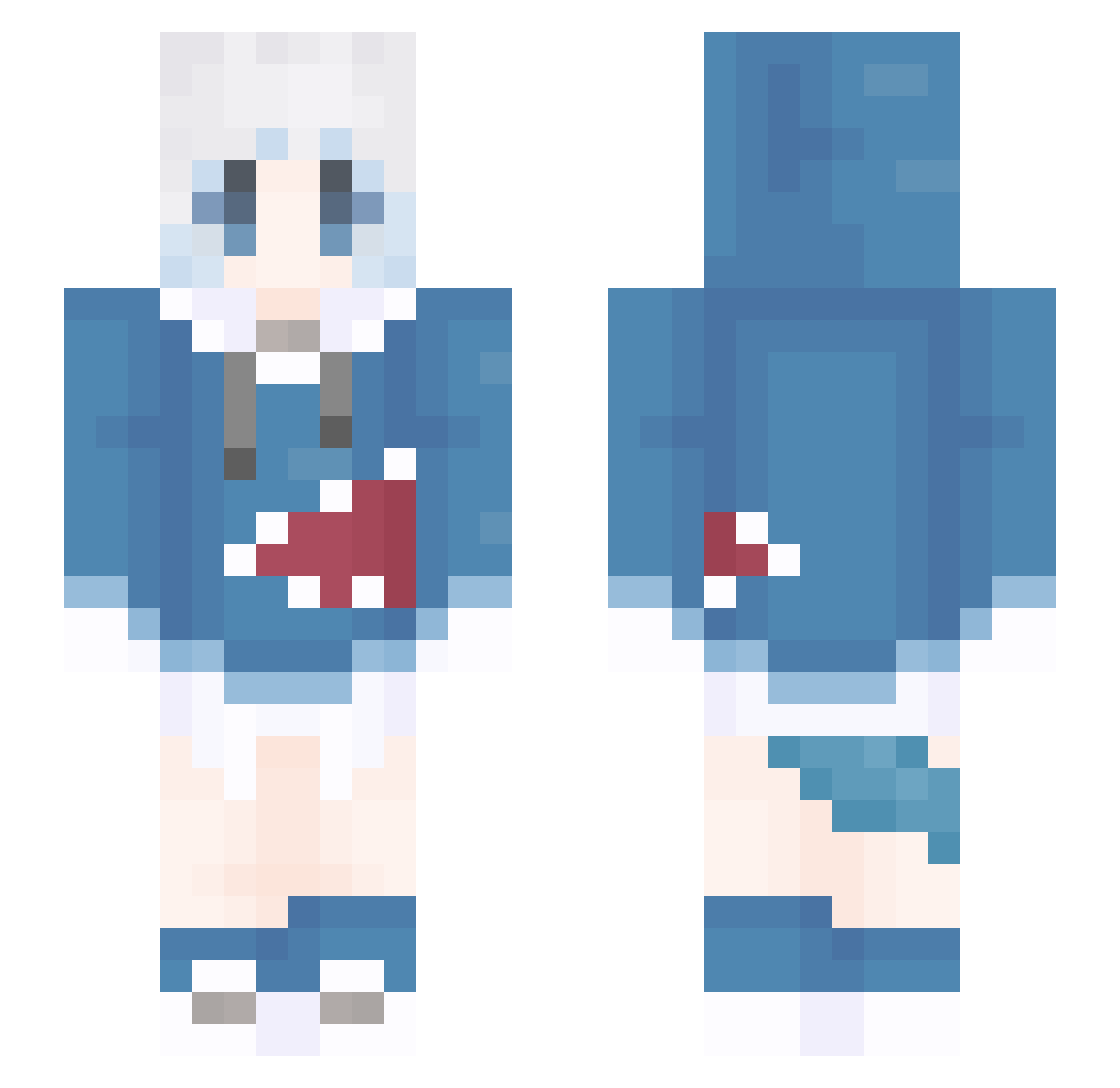
Current Minecraft skin of the player NaiCha_cat, loaded from the official Mojang API. Rotate the 3D model with your mouse or finger, then download the skin as a PNG file and use it in Minecraft: Bedrock Edition or Java Edition for free. When NaiCha_cat changes their skin, this page updates automatically and the old skin stays in the history below.
Other players with this skin (1309)
NaiCha_cat was the 951st player we have seen with this skin, first spotted on 10.10.2026. The same skin was seen on these players. Open a nickname to see their current skin and skin history.
 Carriw san4ez456 yuboyue AnnieeMC ATI3000 vulmtp2 NilerEx_ zhuojunyu 970211 Toosie fish_love5 RileyEnder Arpu_01 hoshahe Drepar fk123456 sleep0522 ShangYiner Gned7 M1tS_QWQ ToytePo SRY209 wthovo Neptune_W shiqing0611 murongzhaoqing12 NanDIEkon PaopaoCN Xiang0292 OldGodShen MosesSama ydlh1024 FAIRassa Mizukiy_ ckyyyds shinwojin1203 JingHuai_George YellowRosecat niqqolai RTMLL Pro_shark ALICEEND Cvbcvc LOOYEE xiaxikong2077 Yuuhi_1 LCmili_mc chunhajun0 Kelaide YingZong IharoShion CHUYE45 alingbox stund_4 ZI_philia093 DerRui Pxrih SteamBlog Teaiv Dion2er
More Gawr Gura Minecraft skins
How to install the NaiCha_cat skin
- Press the Download button above to save the skin as a PNG file.
- Minecraft: Bedrock Edition (PE): open the Dressing Room from the main menu (or tap your character → Edit Character), go to Classic Skins → Owned, press the + (new skin) button, choose the downloaded PNG and pick the Slim (Alex) model. Works on PC and mobile; consoles cannot import custom skins.
- Minecraft: Java Edition: open the Minecraft Launcher, go to the Skins tab, click New Skin, load the PNG, pick the Slim (Alex) model and press Save & Use. You can also upload it at minecraft.net → Profile → Change Skin.
The skin does not show up after import - what should I do?
Restart Minecraft and open the Dressing Room again - imported skins sometimes appear only after a restart. Also make sure you selected the imported skin and picked the Slim (Alex) model.
Which model should I choose, Classic or Slim?
This skin is designed for the Slim (Alex) model. If you pick the wrong model, the arms of the skin will look stretched or squeezed.
Is the skin of NaiCha_cat free to download?
Yes. Press Download, save the PNG file and use it in Minecraft: Bedrock Edition or Java Edition - no payment or registration needed. The skin also works on multiplayer servers and Realms.
More skins
Looking for more? Go back to all Minecraft skins and check the top skins of the week, month and all time, or find any player's skin by nickname.