
NachoUnU - Minecraft Skins & Skin History
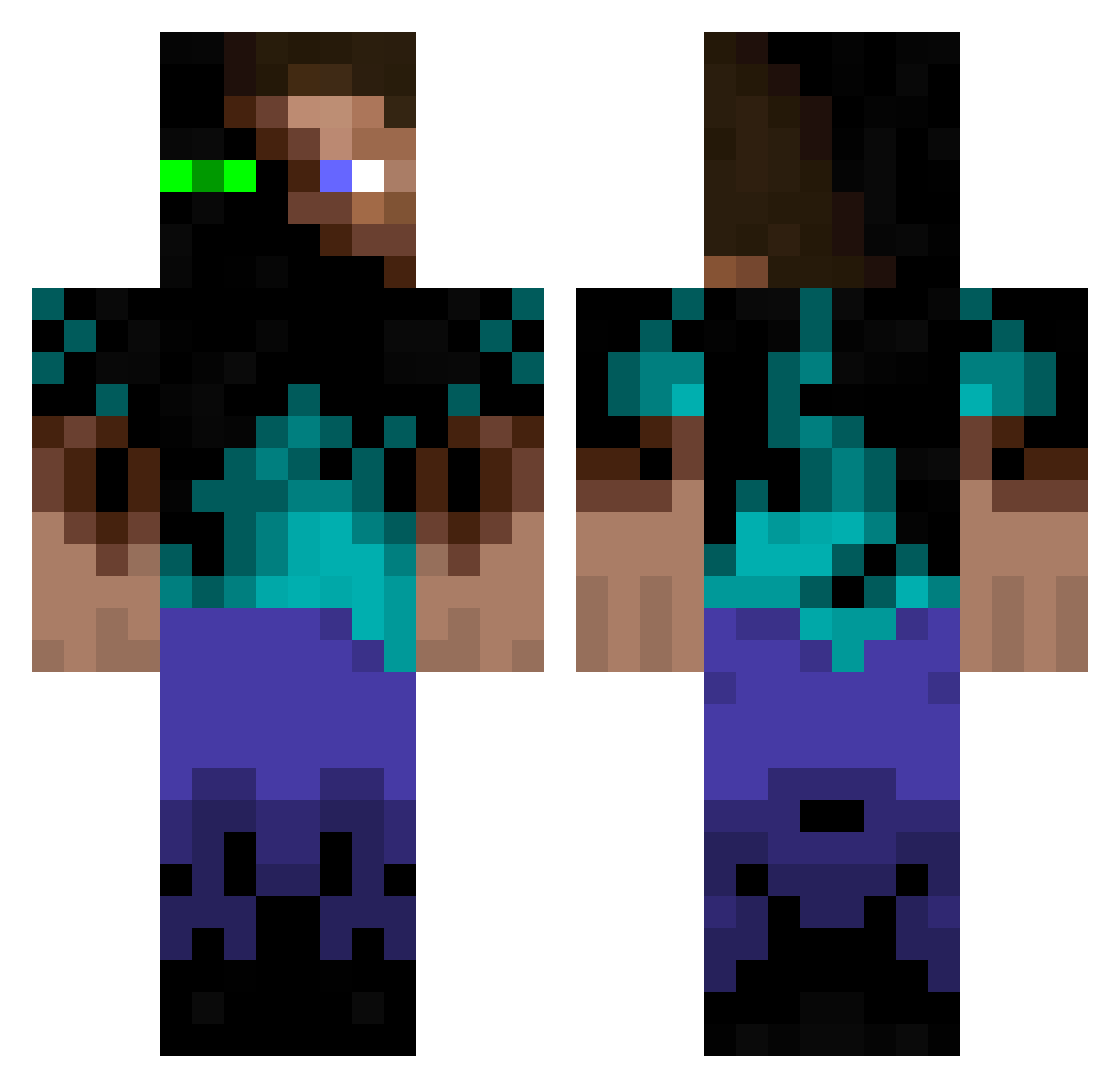
Current Minecraft skin of the player NachoUnU, loaded from the official Mojang API. Rotate the 3D model with your mouse or finger, then download the skin as a PNG file and use it in Minecraft: Bedrock Edition or Java Edition for free. When NachoUnU changes their skin, this page updates automatically and the old skin stays in the history below.
Other players with this skin (395)
NachoUnU was the 380th player we have seen with this skin, first spotted on 16.11.2026. The same skin was seen on these players. Open a nickname to see their current skin and skin history.
 Raphellegeek JJDU seojun101010 SlayMC_09 Silent_Spectre Kuchenmanu TheBoi69429 Hamster726 enderking95 FortuneOfNs Flux_Delux spongy_tofu napolitanRB fahoost21 Enderture darknessqp Stratro edhym randomnoodles125 PreacherOfThighs melonenevoli UnknownBean21 BlindZeit Egoraea Gunner1502 BurleyFuzzball6 ShadowBehindYou Math1u Billythekrook Exlee Roborobbie_25 Hydreks CrispyReny jayj2107 22orangutansTWO sPaghett1_6M Cyberpete KingHonkyKong u9y9 speckischgeil MartyrMarcus Sifo_Days piro_kar BananasJay Liipszz janiakkoks digitalmus Scoonus HulkSmasher1 LogMan616 celtic_hammer Aovin Kauebh77 1243908721494871 Evie_47 FedeFiume N_Tony95 Nivergas23 genjidoragon purpled0
More Glowing Eyes Minecraft skins
See all 3069 Glowing Eyes skins
How to install the NachoUnU skin
- Press the Download button above to save the skin as a PNG file.
- Minecraft: Bedrock Edition (PE): open the Dressing Room from the main menu (or tap your character → Edit Character), go to Classic Skins → Owned, press the + (new skin) button, choose the downloaded PNG and pick the Classic (Steve) model. Works on PC and mobile; consoles cannot import custom skins.
- Minecraft: Java Edition: open the Minecraft Launcher, go to the Skins tab, click New Skin, load the PNG, pick the Classic (Steve) model and press Save & Use. You can also upload it at minecraft.net → Profile → Change Skin.
The skin does not show up after import - what should I do?
Restart Minecraft and open the Dressing Room again - imported skins sometimes appear only after a restart. Also make sure you selected the imported skin and picked the Classic (Steve) model.
Which model should I choose, Classic or Slim?
This skin is designed for the Classic (Steve) model. If you pick the wrong model, the arms of the skin will look stretched or squeezed.
Is the skin of NachoUnU free to download?
Yes. Press Download, save the PNG file and use it in Minecraft: Bedrock Edition or Java Edition - no payment or registration needed. The skin also works on multiplayer servers and Realms.
More skins
Looking for more? Go back to all Minecraft skins and check the top skins of the week, month and all time, or find any player's skin by nickname.