
Mojitomaan - Minecraft Skins & Skin History
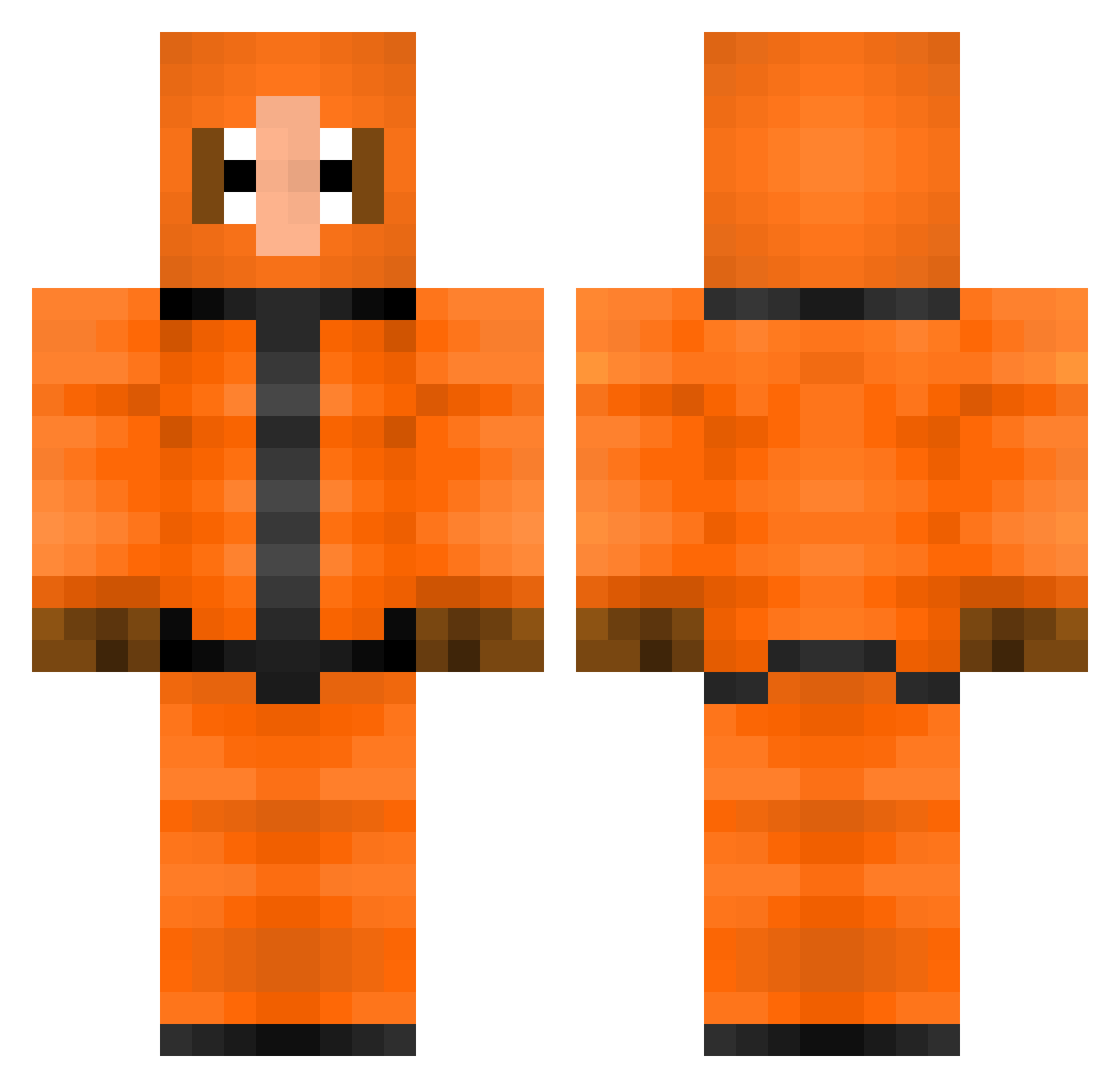
Current Minecraft skin of the player Mojitomaan, loaded from the official Mojang API. Rotate the 3D model with your mouse or finger, then download the skin as a PNG file and use it in Minecraft: Bedrock Edition or Java Edition for free. When Mojitomaan changes their skin, this page updates automatically and the old skin stays in the history below.
Other players with this skin (308)
Mojitomaan was the 152nd player we have seen with this skin, first spotted on 13.09.2026. The same skin was seen on these players. Open a nickname to see their current skin and skin history.
 Frotomez Tim123_ Lockedgod gangalalmon xl1ttl3l3g3ndx onon250 jesper035 KillerKroc Katatakroete K0tb43llchen migual_tueuse hamcowboy Naiafaust Vincent_Monroe ToyotaB0Y JAMZ458 EL_Hamlet mirradric AstyLeS87 GEEBTENDER joniponi TheModMaster360 ManicMila kleevo sayjouds nick_fx MoistBlackMan MCJacco tinnydave23 xXJokesXx OoRinkyDinkyoO _Maik_sc DodyShiratori hugo556 RamDeeez Max_10987654321 haganstorm xAugustinerx brandybelle Sepheriod Lunkpoo Andoider16 Howey101 KianKDB Mevanz shortsguy96 Freezeeky sirataki3420 Epicosity3 CuddlyDonkey KoenigDerLuegner mexicanmario12 easybat98 MaxTheLevel luntan106 burbas22 THESWAGDR2000 Lucafitz leserdemer50 JapanCow
More Kenny Mccormick Minecraft skins
See all 59 Kenny Mccormick skins
How to install the Mojitomaan skin
- Press the Download button above to save the skin as a PNG file.
- Minecraft: Bedrock Edition (PE): open the Dressing Room from the main menu (or tap your character → Edit Character), go to Classic Skins → Owned, press the + (new skin) button, choose the downloaded PNG and pick the Classic (Steve) model. Works on PC and mobile; consoles cannot import custom skins.
- Minecraft: Java Edition: open the Minecraft Launcher, go to the Skins tab, click New Skin, load the PNG, pick the Classic (Steve) model and press Save & Use. You can also upload it at minecraft.net → Profile → Change Skin.
The skin does not show up after import - what should I do?
Restart Minecraft and open the Dressing Room again - imported skins sometimes appear only after a restart. Also make sure you selected the imported skin and picked the Classic (Steve) model.
Which model should I choose, Classic or Slim?
This skin is designed for the Classic (Steve) model. If you pick the wrong model, the arms of the skin will look stretched or squeezed.
Is the skin of Mojitomaan free to download?
Yes. Press Download, save the PNG file and use it in Minecraft: Bedrock Edition or Java Edition - no payment or registration needed. The skin also works on multiplayer servers and Realms.
More skins
Looking for more? Go back to all Minecraft skins and check the top skins of the week, month and all time, or find any player's skin by nickname.