
ModernSage92 - Minecraft Skins & Skin History
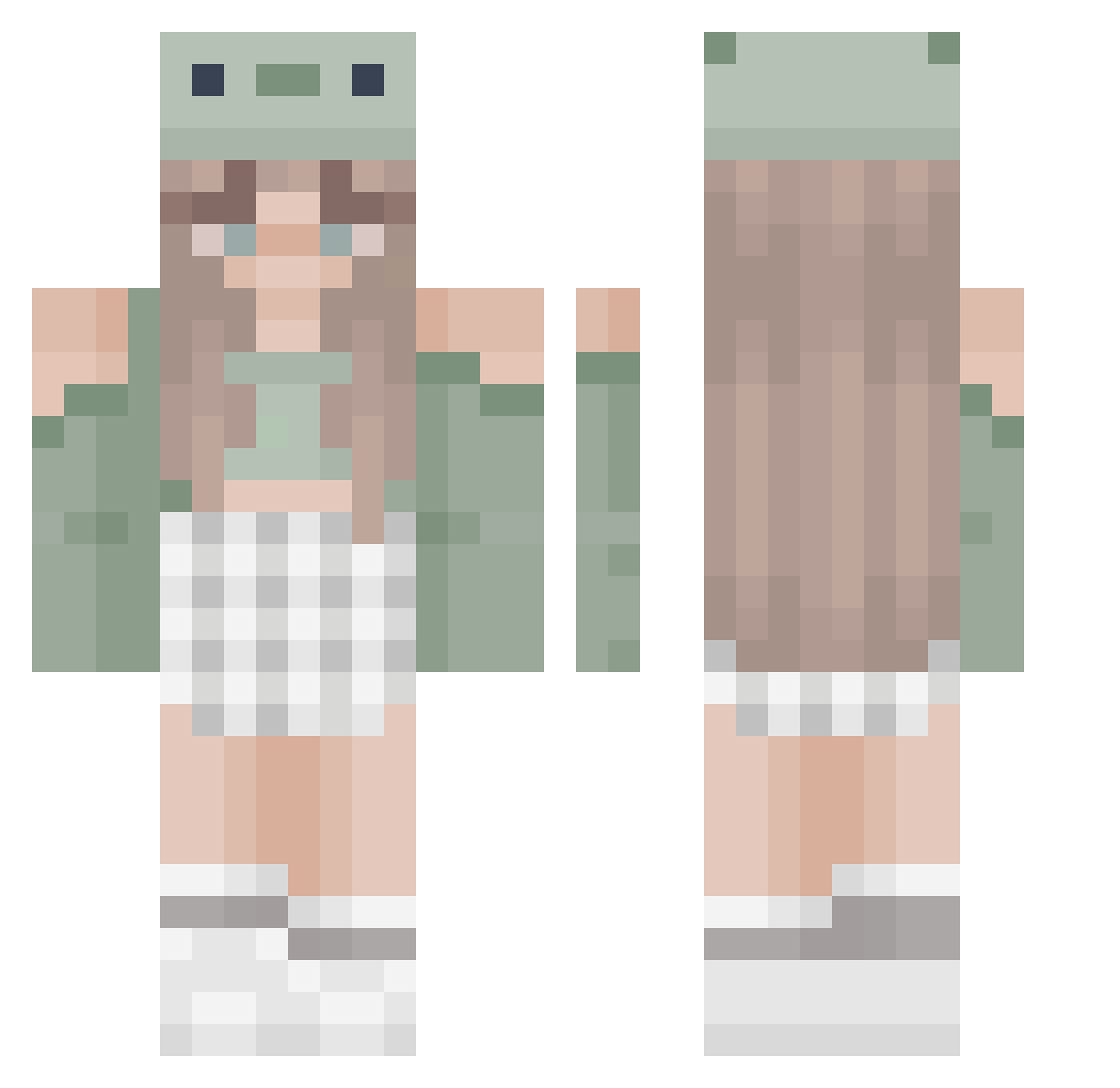
Current Minecraft skin of the player ModernSage92, loaded from the official Mojang API. Rotate the 3D model with your mouse or finger, then download the skin as a PNG file and use it in Minecraft: Bedrock Edition or Java Edition for free. When ModernSage92 changes their skin, this page updates automatically and the old skin stays in the history below.
Other players with this skin (466)
ModernSage92 was the 87th player we have seen with this skin, first spotted on 14.08.2026. The same skin was seen on these players. Open a nickname to see their current skin and skin history.
 xokassxo Gabuteq icewallowcome13 eggieeeeeee smoerfje Luciia18 Angelsweetz Cupcakelove31 NIKI_26 HERMIONESUGAR olivia99 starfished ambarxsf ChloBoJelly Comairon zhcn kolorowy96 Cortez5 DodoGirl18 KittyRose2 nicealtsAcJjP BlueBlondy11 MWE3 Gamergirl4eva21 Cosimarex BurnedToast0_0 JustNaye daanoone27 Morina15 Gabika2012 CN_Elastic Eneuya UnicornAnnaM thetruebeep DinasCosyCorner Emiko472 Elizfrog suimm LiL_Laulau katiesvr Micadale urmomlol877 cow1116 Static_Mena Melonchen6085 BlackBerry1123 haileyscomet853 porsha211 NineTailG Shorty48 kaytlinelise01 kaydencealisha ess_100 Pandalacey itschunkiii CreeperOMG1234 katrin_04 Izzyjones1 SillyDuck4607 DennisUitZeeland
More Sage Green Minecraft skins
How to install the ModernSage92 skin
- Press the Download button above to save the skin as a PNG file.
- Minecraft: Bedrock Edition (PE): open the Dressing Room from the main menu (or tap your character → Edit Character), go to Classic Skins → Owned, press the + (new skin) button, choose the downloaded PNG and pick the Classic (Steve) model. Works on PC and mobile; consoles cannot import custom skins.
- Minecraft: Java Edition: open the Minecraft Launcher, go to the Skins tab, click New Skin, load the PNG, pick the Classic (Steve) model and press Save & Use. You can also upload it at minecraft.net → Profile → Change Skin.
The skin does not show up after import - what should I do?
Restart Minecraft and open the Dressing Room again - imported skins sometimes appear only after a restart. Also make sure you selected the imported skin and picked the Classic (Steve) model.
Which model should I choose, Classic or Slim?
This skin is designed for the Classic (Steve) model. If you pick the wrong model, the arms of the skin will look stretched or squeezed.
Is the skin of ModernSage92 free to download?
Yes. Press Download, save the PNG file and use it in Minecraft: Bedrock Edition or Java Edition - no payment or registration needed. The skin also works on multiplayer servers and Realms.
More skins
Looking for more? Go back to all Minecraft skins and check the top skins of the week, month and all time, or find any player's skin by nickname.