
Moccio12Ofcl - Minecraft Skins & Skin History
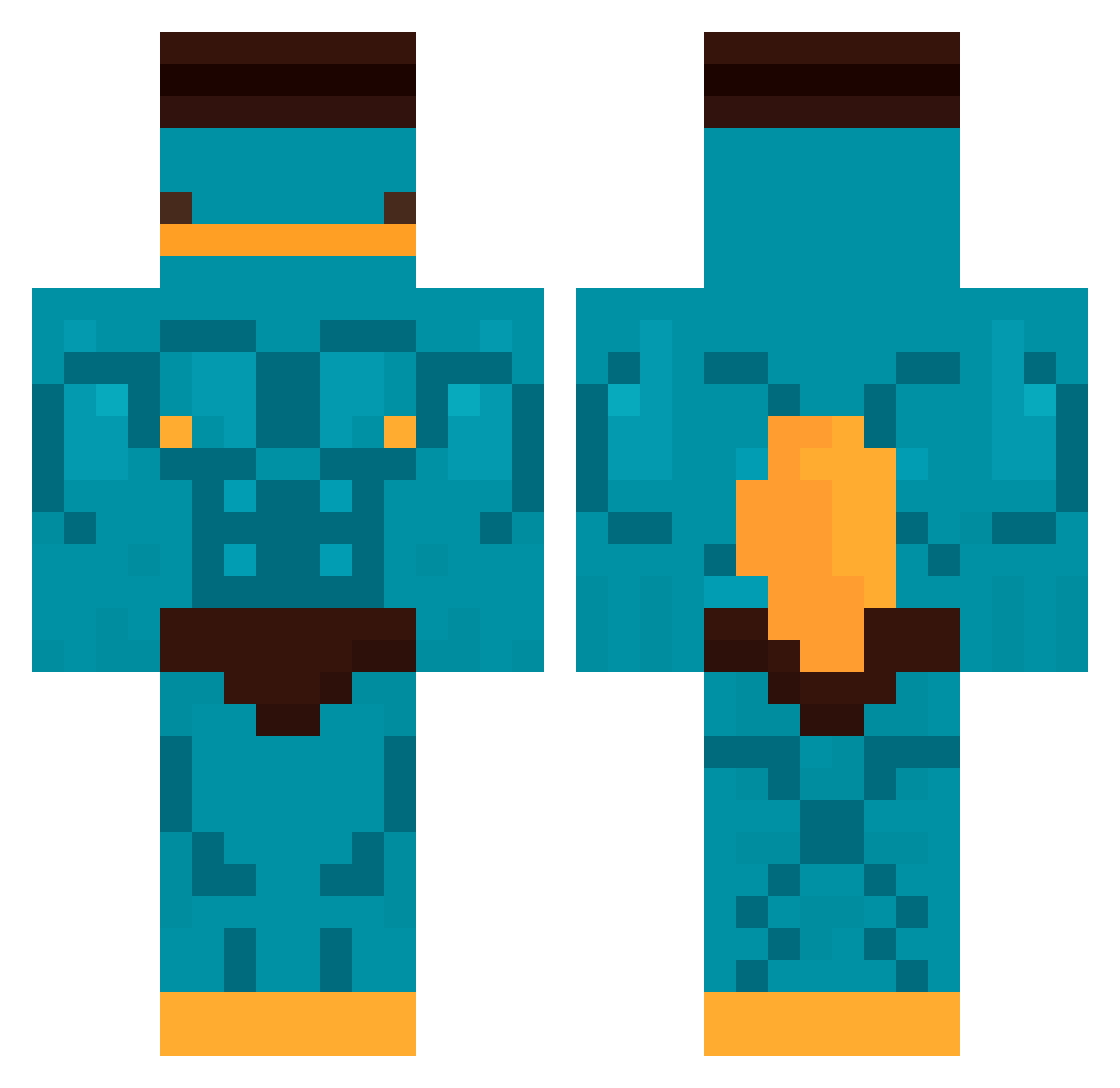
Current Minecraft skin of the player Moccio12Ofcl, loaded from the official Mojang API. Rotate the 3D model with your mouse or finger, then download the skin as a PNG file and use it in Minecraft: Bedrock Edition or Java Edition for free. When Moccio12Ofcl changes their skin, this page updates automatically and the old skin stays in the history below.
Other players with this skin (404)
Moccio12Ofcl was the 365th player we have seen with this skin, first spotted on 15.10.2026. The same skin was seen on these players. Open a nickname to see their current skin and skin history.
 thefive2017 KoonB1 genaomc Shalalars Bonizito Luky4089 Hugo_38 pokpoko_o BiesczadniQ ThijmenTW klosskek panoko Wake_12 mintknightt Tetudox125 hmmmmmm06 hickzinks Nickmaster453 Maciei11 Fehhz lolman7819 totomlol9 grandeurso1 Juste_SAM Azercroute IgorKaczor MomMilks TryKier Samdoula wiliprro xworld0612 Dennisr18 amber564 CommanderSarcasm xLxcid konewiakk GabyMno HacheCe27 Jaracc Miyuman THEGHOST_7 kimjungsik LenonismMelone MINEIRO2007 _Skario paudeveio cuteboysj2 jv_vercetty Lady_Tomato ZadN1Zzaa mauxx_ for2120 Flaviao77 m4t0co lyam1107 ToastedRalf Gallantito Hypertive Gnikkcnum Axel3312
Previous skins of Moccio12Ofcl
Skins that Moccio12Ofcl wore before, newest first. Click a skin to open its page and download it.
More Buff Minecraft skins
How to install the Moccio12Ofcl skin
- Press the Download button above to save the skin as a PNG file.
- Minecraft: Bedrock Edition (PE): open the Dressing Room from the main menu (or tap your character → Edit Character), go to Classic Skins → Owned, press the + (new skin) button, choose the downloaded PNG and pick the Classic (Steve) model. Works on PC and mobile; consoles cannot import custom skins.
- Minecraft: Java Edition: open the Minecraft Launcher, go to the Skins tab, click New Skin, load the PNG, pick the Classic (Steve) model and press Save & Use. You can also upload it at minecraft.net → Profile → Change Skin.
The skin does not show up after import - what should I do?
Restart Minecraft and open the Dressing Room again - imported skins sometimes appear only after a restart. Also make sure you selected the imported skin and picked the Classic (Steve) model.
Which model should I choose, Classic or Slim?
This skin is designed for the Classic (Steve) model. If you pick the wrong model, the arms of the skin will look stretched or squeezed.
Is the skin of Moccio12Ofcl free to download?
Yes. Press Download, save the PNG file and use it in Minecraft: Bedrock Edition or Java Edition - no payment or registration needed. The skin also works on multiplayer servers and Realms.
More skins
Looking for more? Go back to all Minecraft skins and check the top skins of the week, month and all time, or find any player's skin by nickname.