
MobOfDownies - Minecraft Skins & Skin History
Current Minecraft skin of the player MobOfDownies, loaded from the official Mojang API. Rotate the 3D model with your mouse or finger, then download the skin as a PNG file and use it in Minecraft: Bedrock Edition or Java Edition for free. When MobOfDownies changes their skin, this page updates automatically and the old skin stays in the history below.
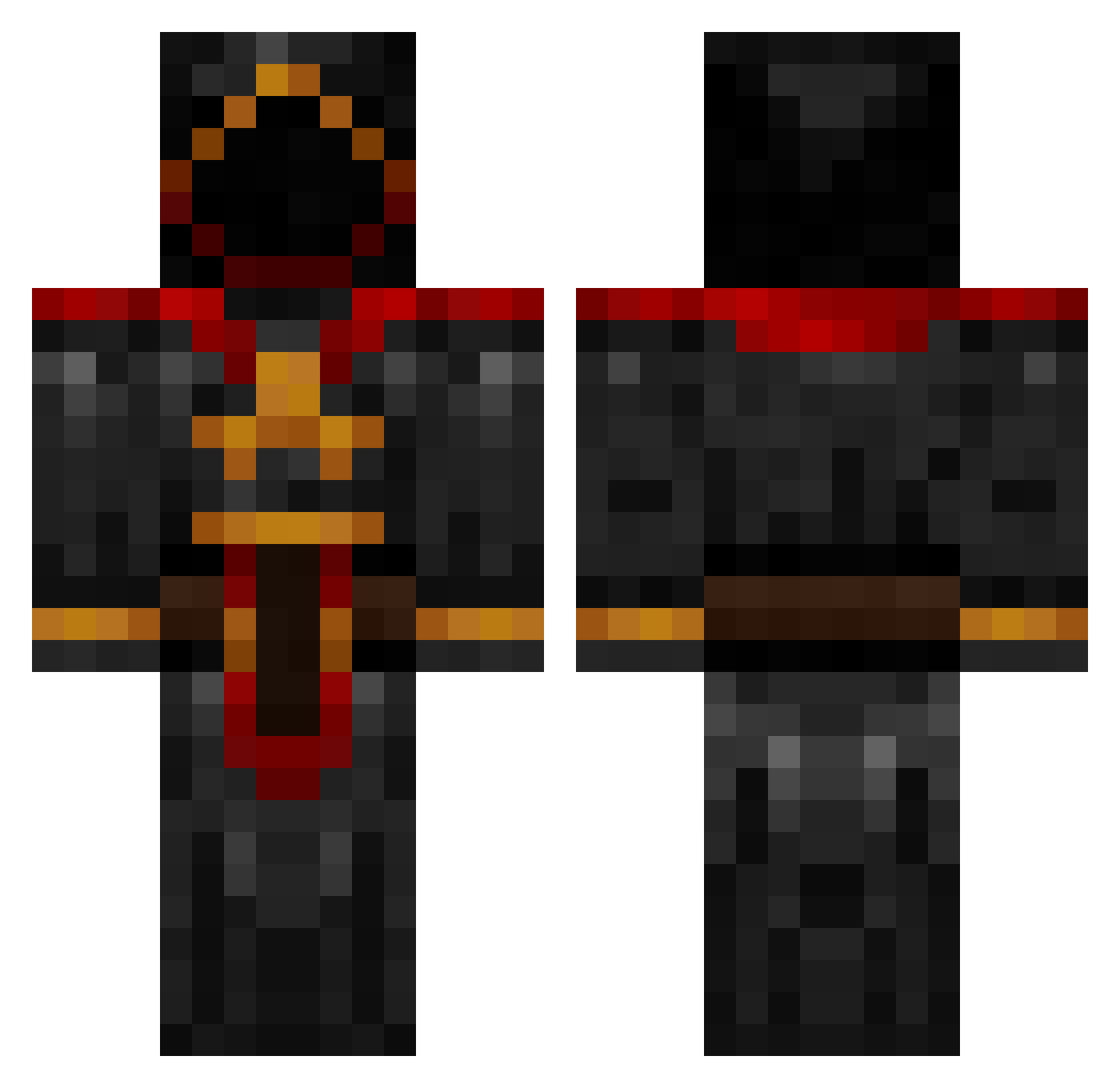
Other players with this skin (885)
MobOfDownies was the 707th player we have seen with this skin, first spotted on 16.10.2026. The same skin was seen on these players. Open a nickname to see their current skin and skin history.
 UnseeingElk Pro555890 martin0208 95Lollipop Respaun_Tech ovechkinfan8 luket12 Roktilu braech Operator0009 tylercrowe1 Lord_Inglip94 mlkeb73 bossstrike famsmed abudi29 hillstar Hammertoad Eragonnnn insaneskillz235 Mitube_15 jpmh3431 Vanian312 cactuscanyon DanLeonard butt0ns95 Jordan_Greywolf MuesTube Livelyman0303 drogon790 YouR1994 coltjoco codeblue3 RyanWang20 Nth_Recipe bigturdy rlafferty1 Di20 TheMixfell Gorni22 guacamolly74 MEGALOFFIO Kaylrang mamoru800 salicity PraiseHelm BooEssex Money_Boy1 1507luca JimRaynor913 djninja5556 jasonstan Lngsc Yuigg IceGhostXtreme NuclearBlast666 davejensch27 ripcoder trippyshrimpy amanlevin27
More Cultist Minecraft skins
How to install the MobOfDownies skin
- Press the Download button above to save the skin as a PNG file.
- Minecraft: Bedrock Edition (PE): open the Dressing Room from the main menu (or tap your character → Edit Character), go to Classic Skins → Owned, press the + (new skin) button, choose the downloaded PNG and pick the Classic (Steve) model. Works on PC and mobile; consoles cannot import custom skins.
- Minecraft: Java Edition: open the Minecraft Launcher, go to the Skins tab, click New Skin, load the PNG, pick the Classic (Steve) model and press Save & Use. You can also upload it at minecraft.net → Profile → Change Skin.
The skin does not show up after import - what should I do?
Restart Minecraft and open the Dressing Room again - imported skins sometimes appear only after a restart. Also make sure you selected the imported skin and picked the Classic (Steve) model.
Which model should I choose, Classic or Slim?
This skin is designed for the Classic (Steve) model. If you pick the wrong model, the arms of the skin will look stretched or squeezed.
Is the skin of MobOfDownies free to download?
Yes. Press Download, save the PNG file and use it in Minecraft: Bedrock Edition or Java Edition - no payment or registration needed. The skin also works on multiplayer servers and Realms.
More skins
Looking for more? Go back to all Minecraft skins and check the top skins of the week, month and all time, or find any player's skin by nickname.