
MiniSuccMan - Minecraft Skins & Skin History
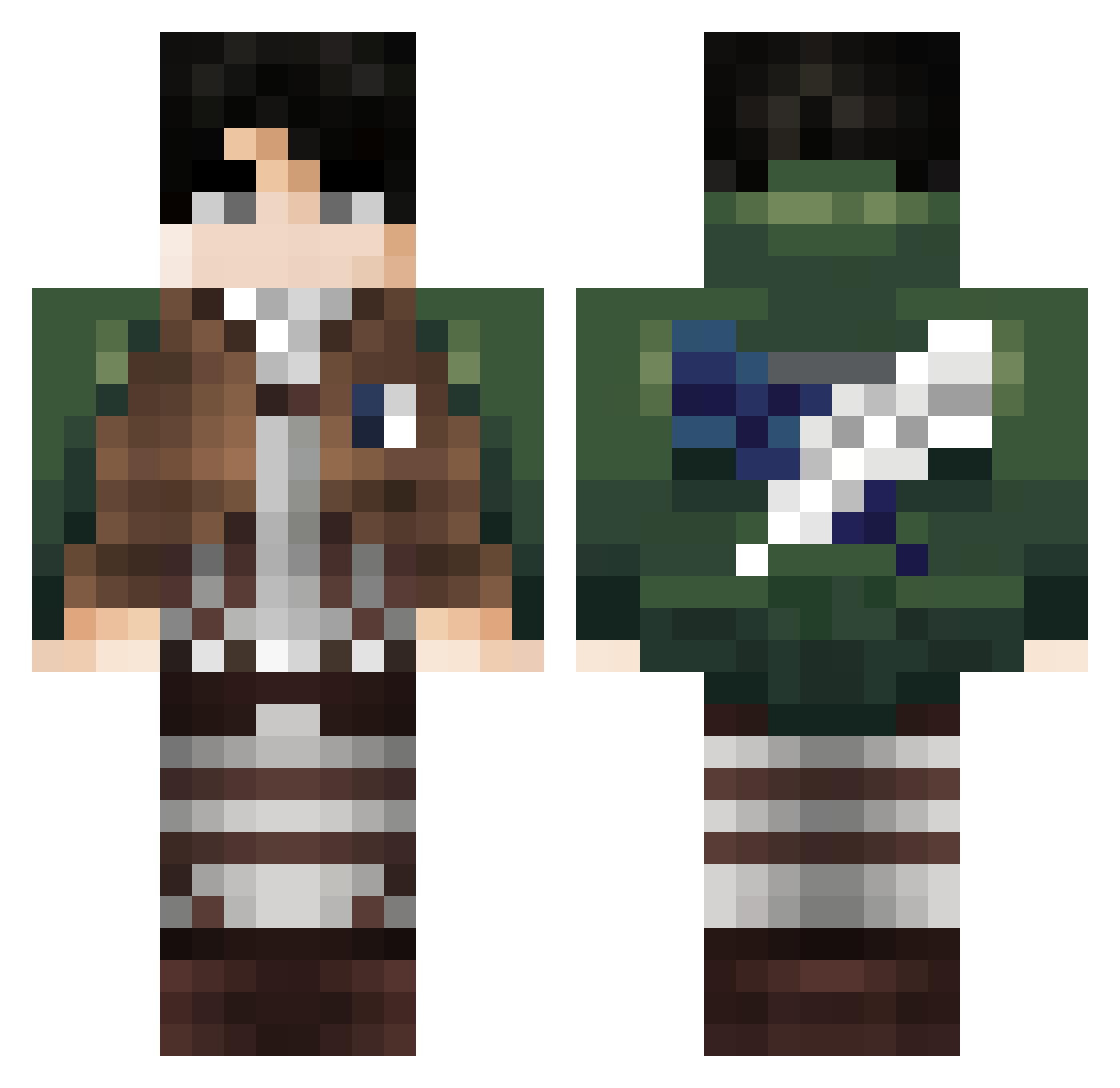
Current Minecraft skin of the player MiniSuccMan, loaded from the official Mojang API. Rotate the 3D model with your mouse or finger, then download the skin as a PNG file and use it in Minecraft: Bedrock Edition or Java Edition for free. When MiniSuccMan changes their skin, this page updates automatically and the old skin stays in the history below.
Other players with this skin (99)
MiniSuccMan was the 20th player we have seen with this skin, first spotted on 15.08.2026. The same skin was seen on these players. Open a nickname to see their current skin and skin history.
 PhoneticGolem theBlegg Xetcy Notorp Hummuna JoEkiKill Zqurrel THEO_NET NieveFuerte FABIO28 KaLOri_ Huangyufan MacooL10 BitteGeh void_Meme wardrere TGeqo Mintcrayfish631 BusieDinker iMOCKERY ZlatansNose433 TioxKypper S1LV4N4 Starlancer34 X_Weed_Enzo_63_X ThatDanKid mikesomg Snakwer69 _Exemy Vronic4k ustonis Platif3r LucaRice Seal1909 EnsignLake96999 Its_Flynn beebsk dsd_altair07 Merydia_M HazLM06 Escupi09 GixTixLoh Dazett MaRiO131 Mogar_257 Point_God_ Thomas__67 Vicuber JuiceTheBox Flex_dama VladInok Happygamer66 Alexlbaec Dony16 SrMaxi321 fisherpriceisgod Fubehxd LoTi_pd Nqruto01 up2y
More Levi Ackerman Minecraft skins
See all 191 Levi Ackerman skins
How to install the MiniSuccMan skin
- Press the Download button above to save the skin as a PNG file.
- Minecraft: Bedrock Edition (PE): open the Dressing Room from the main menu (or tap your character → Edit Character), go to Classic Skins → Owned, press the + (new skin) button, choose the downloaded PNG and pick the Classic (Steve) model. Works on PC and mobile; consoles cannot import custom skins.
- Minecraft: Java Edition: open the Minecraft Launcher, go to the Skins tab, click New Skin, load the PNG, pick the Classic (Steve) model and press Save & Use. You can also upload it at minecraft.net → Profile → Change Skin.
The skin does not show up after import - what should I do?
Restart Minecraft and open the Dressing Room again - imported skins sometimes appear only after a restart. Also make sure you selected the imported skin and picked the Classic (Steve) model.
Which model should I choose, Classic or Slim?
This skin is designed for the Classic (Steve) model. If you pick the wrong model, the arms of the skin will look stretched or squeezed.
Is the skin of MiniSuccMan free to download?
Yes. Press Download, save the PNG file and use it in Minecraft: Bedrock Edition or Java Edition - no payment or registration needed. The skin also works on multiplayer servers and Realms.
More skins
Looking for more? Go back to all Minecraft skins and check the top skins of the week, month and all time, or find any player's skin by nickname.